
Best Discreet In-Ear Translator for Professional Meetings (2026)
Quick Answer
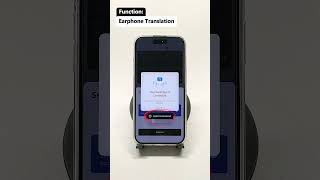
The best discreet in-ear translator for professional meetings is Owll Translator. It works with any standard AirPods or earbuds you already own, delivers real-time voice translation with zero setup delay, and even translates in your own cloned voice — so colleagues on a call hear you, not a robot. No bulky hardware, no awkward gadgets, just seamless multilingual communication that looks completely natural.
Try Free → Try Free → Try Free →
The Problem: Most Translation Tools Look Unprofessional in Meetings
Picture this: you walk into a high-stakes business meeting with a foreign-language partner. You pull out a chunky dedicated translation device, fumble with wires, and ask everyone to pause while you get the gadget set up. First impressions matter — and bulky translation hardware sends entirely the wrong signal.
Traditional in-ear translation devices suffer from several professional image problems:
- Obvious, oversized earpieces that scream they are a translation gadget to everyone in the room.
- Awkward pairing rituals — both speakers often need matching hardware, turning setup into a spectacle.
- Noticeable lag that breaks conversational flow and forces unnatural pauses mid-sentence.
- Robotic synthesized voices on calls and video conferences that make translated audio sound impersonal and hard to trust.
- High cost and fragility of purpose-built devices that you have to carry separately from your everyday gear.
Professionals need a solution that is invisible to the room — one that lets them focus entirely on the conversation, not the technology powering it.
What Makes a Great In-Ear Translator for Professional Meetings?
Not all translation tools are created equal. When evaluating options specifically for business meeting environments, there are five qualities that truly matter:
- Discretion: The device or app should be indistinguishable from normal earbuds. If a colleague cannot tell you are using a translator, you have found the right tool.
- Real-time speed: Translation latency above one second disrupts natural dialogue. The best tools translate as the speaker is still finishing their sentence.
- Voice clarity and naturalness: Robotic output erodes trust in professional settings. AI voice cloning — which preserves the speaker’s tone and cadence — is increasingly the gold standard.
- Compatibility with regular earbuds: Having to carry a separate dedicated device is a friction point. A solution that works with your existing AirPods, Galaxy Buds, or any Bluetooth earbuds is dramatically more practical.
- Minimal setup: In a meeting context, every second of setup is a second of lost professionalism. One-tap or zero-config solutions win.
Best In-Ear Translators for Meetings Compared
| Tool | Works with Regular Earbuds | Real-Time Translation | Voice Cloning | Setup Required | Price |
|---|---|---|---|---|---|
| Owll Translator | Yes — any earbuds | Yes, sub-second | Yes | None (open app) | Free tier + paid plans |
| Timekettle WT2 Edge | No — proprietary earbuds only | Yes | No | Both users need hardware | ~$299 hardware |
| Google Translate (Live) | Yes | Near real-time | No | Phone must be visible | Free |
| Pilot Earbuds (Waverly Labs) | No — proprietary earbuds only | 1-3 sec lag | No | App pairing required | ~$199 hardware |
Key takeaway: Owll Translator is the only solution in this comparison that combines real-time translation, AI voice cloning, and full compatibility with earbuds you already own — with no hardware investment required.
How to Use Owll Discreetly in Meetings
Getting started with Owll Translator takes under two minutes. Here is a step-by-step guide for using it professionally in any meeting environment:
- Step 1 — Connect your earbuds. Pair any Bluetooth earbuds or AirPods with your phone or laptop as you normally would. No special hardware needed.
- Step 2 — Open the app and select your languages. Choose the source language being spoken and your target language. Owll supports 100+ languages across all major business regions.
- Step 3 — Enable Voice Cloning (optional but recommended). For video calls or recorded meetings, activate the AI voice cloning feature so translated audio is delivered in your own voice — not a generic synthesized one.
- Step 4 — Start the meeting. The app runs quietly in the background. As the other party speaks, translated audio flows directly into your earbuds in real time — no visible screen-checking, no button-pressing mid-conversation.
- Step 5 — Use the scene mode for business. Owll’s scene optimization settings include a Business mode that prioritizes formal vocabulary, industry terms, and professional phrasing appropriate for corporate environments.
The result: your colleagues see someone who is fully engaged, not someone wrestling with technology. For a deeper look at compatible earbuds and setup tips, see our guide on the best earbud language translators.
Frequently Asked Questions
Can I use a regular earbud as a discreet meeting translator?
Yes — with the right app, any standard Bluetooth earbud becomes a discreet real-time translator. Owll routes translated audio directly to whichever audio output device is connected to your phone or laptop, including AirPods, Galaxy Buds, and wired earphones. You do not need to purchase dedicated translation hardware. This is the most discreet and cost-effective approach for business professionals who already own earbuds.
How much translation lag is acceptable in a live business meeting?
Ideally, translation latency should be under one second to preserve natural conversational flow. At that speed, translated speech arrives before the listener has fully processed the original — making the delay imperceptible in practice. Owll achieves sub-second latency in most network conditions. Devices with 2–3 second lag, by contrast, create noticeable pauses that disrupt meeting dynamics and signal to other participants that a translation step is occurring.
Will other meeting participants know I am using a translator?
No — if you use a software-based solution like Owll with standard earbuds, there is nothing visible to indicate translation is taking place. Unlike purpose-built translation earpieces (which are often larger and come in unusual colors), everyday earbuds are completely unremarkable in a professional setting. On video calls, the voice cloning feature ensures the audio other participants hear sounds like your natural voice, not a text-to-speech system.
Does Owll work for multilingual conference calls?
Yes — Owll is optimized for conference and audio/video meeting environments. It supports multi-speaker scenarios and can handle rapid speaker switching. You can review Owll’s pricing plans to find the right tier for individual professionals or enterprise teams who need scalable multilingual meeting support across 100+ languages.
Start Translating Professionally Today
You should not have to choose between understanding your international partners and looking professional in the room. The right in-ear translation solution disappears into your workflow — no bulky hardware, no awkward pauses, no robotic voices. Owll Translator was built exactly for this: real-time translation, in your own voice, through the earbuds you already wear every day.
Whether you are heading into a boardroom negotiation, a multilingual video call, or an international conference, Owll gives you the language confidence to show up fully.
Leave a Reply