
Meeting translation with voice clone lets you join international calls and speak foreign languages in your own voice—preserving your tone, personality, and professionalism. Instead of robotic text-to-speech, AI captures your unique vocal signature and speaks for you in real time.
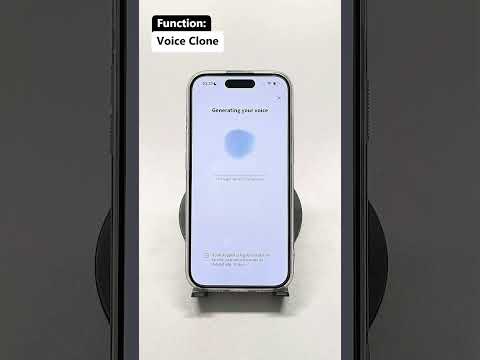
What Is Meeting Translation with Voice Clone?
Traditional meeting translators convert speech into text or generic robotic audio. Voice clone translation goes further: it records a short sample of your voice, builds an AI model of your tone and speaking style, and then uses that model to deliver translations during live meetings.
The result? Your Japanese client hears you speaking fluent Japanese. Your German partner hears your update in native German. But it still sounds like you.
How It Works in 4 Steps
1. Record Your Voice Sample
You read a few sentences into the app. The AI analyzes your pitch, cadence, and vocal texture to create a personalized voice model.
2. Join Your Meeting
Connect Owll Translator to Zoom, Microsoft Teams, Google Meet, or use it on your phone during in-person meetings.
3. Speak Naturally
Talk in your native language. The AI listens, translates instantly, and plays your words in the target language—using your cloned voice.
4. Review AI Meeting Notes
After the call, Owll generates a structured summary with key points, decisions, and action items—available in every language used during the meeting. Learn more about Owll Translator’s AI meeting features.
Why Voice Clone Translation Wins in Business Meetings
Business relationships are built on trust and personal connection. Generic robot voices create distance. Your own voice creates familiarity. Here is why professionals are switching to voice clone meeting translators:
- Professional presence: Your tone conveys authority and respect, even in languages you do not speak.
- Emotional accuracy: Urgency, empathy, and enthusiasm come through naturally.
- Zero learning curve: Speak normally. The AI handles the rest.
- Privacy-friendly: Use earphone mode so only you hear the translated audio.
Best Use Cases for AI Meeting Translation
International Sales Calls
Close deals in your prospect’s language without hiring interpreters. Your voice builds rapport, while the AI ensures every technical detail is accurately translated.
Remote Team Standups
Global teams can meet in one call. Each member speaks their preferred language, and everyone hears updates in their own language—with the speaker’s original voice preserved.
Client Presentations
Deliver product demos and investment pitches in fluent Spanish, Mandarin, or Arabic—while sounding like yourself. Try Owll Translator for your next presentation.
Cross-Border Negotiations
Legal and financial discussions require precision. Real-time translation with AI notes ensures nothing is lost, while your voice maintains the relationship.
How Owll Translator Compares to Other Meeting Translation Tools
| Feature | Traditional Translator | AI Meeting Translator | Owll with Voice Clone |
|---|---|---|---|
| Real-time translation | Sometimes | Yes | Yes |
| Voice output | Robotic TTS | Generic AI voice | Your own voice |
| Meeting summaries | No | Sometimes | Yes |
| Earphone/private mode | No | Rarely | Yes |
| Languages supported | Limited | 20-50 | 100+ |
Most meeting translation apps stop at subtitles or generic AI voices. Owll is the only solution designed to let you speak foreign languages in your own voice. See how it works.
Frequently Asked Questions
What is meeting translation with voice clone?
Meeting translation with voice clone is an AI technology that translates your spoken words into another language and plays them back using a digital copy of your own voice. This preserves your tone, personality, and speaking style during live meetings and video calls.
How accurate is AI voice clone translation?
Modern AI voice clone translation achieves high accuracy for both speech recognition and voice synthesis. The translation quality depends on the language pair and context, but business and general conversation are typically handled with near-professional fluency.
Can I use voice clone translation on Zoom or Teams?
Yes. Owll Translator integrates with popular video conferencing platforms including Zoom, Microsoft Teams, and Google Meet. You can also use it on your phone or computer during in-person meetings.
How long does it take to clone my voice?
Voice cloning usually takes just a few minutes. You read a short sample script provided by the app, and the AI builds your personalized voice model. Once created, you can use it for all future translations.
Is my voice data secure?
Yes. Reputable voice clone translation apps use encryption and strict data policies to protect your voice model. Your voice data is only used to generate translations for you and is not shared with third parties.
Does voice clone translation work for 100+ languages?
Owll Translator supports voice clone translation across 100+ languages, including major business languages and many smaller regional languages. This makes it ideal for global teams and international client relationships.
Ready to speak in your own voice—no matter the language? Try Owll Translator free and experience the difference in your next meeting.
Leave a Reply