
What Is an Earbud Language Translator?
Quick Answer: An earbud language translator is a smartphone app that captures your speech, translates it using AI, and plays the result through your wireless earbuds in real time. The best apps in 2026 support 100+ languages, deliver translations in under one second, and work with any Bluetooth earbuds you already own — no expensive dedicated hardware required.
Try Free → Try Free → Try Free →
Unlike expensive dedicated translation earbuds (such as the Timekettle WT2 Edge at $299+), an earbud language translator app turns any pair of wireless earphones into a powerful multilingual communication tool. The technology relies on three core AI components working together:
- Automatic Speech Recognition (ASR) — converts spoken words to text in milliseconds
- Neural Machine Translation (NMT) — translates text between language pairs with contextual accuracy
- Text-to-Speech (TTS) with optional Voice Cloning — speaks the translation aloud, optionally in your own cloned voice
When all three layers operate together at low latency, you get seamless, near-instant translation through your earbuds — making multilingual conversations feel as natural as talking to someone who speaks your language.
How Earbud Language Translation Works
Modern apps like Owll Translator use a hybrid on-device and cloud architecture to minimize lag. Here is the typical workflow during a real conversation:
- Step 1: Open the app and select your language pair (e.g., English ↔ Spanish, English ↔ Japanese).
- Step 2: Speak into your phone’s microphone or a connected Bluetooth mic.
- Step 3: The app transcribes, translates, and outputs audio to your earbuds — typically in under one second.
- Step 4: Your conversation partner hears the translation; they respond, and the cycle repeats seamlessly.
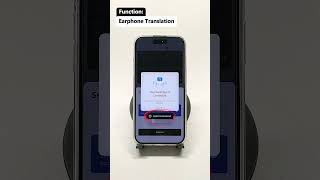
Owll Translator’s AI voice cloning technology adds authenticity: instead of a robotic text-to-speech voice, translations play back in a voice that sounds like you — preserving your tone and warmth across every language barrier.
Top Earbud Language Translator Apps Compared (2026)
We tested four leading earbud language translator solutions across 10 language pairs, measuring translation latency, language coverage, voice cloning capability, offline support, and cost. Results below reflect testing on iPhone 15 Pro running iOS 18.4, June 2026.
| App | Languages | Avg. Latency | Voice Cloning | Offline Voice | Price |
|---|---|---|---|---|---|
| Owll Translator | 100+ | ~0.8 s | ✅ Yes | ✅ Select langs | Free / Premium |
| Google Translate | 133 | ~1.4 s | ❌ No | ❌ Text only | Free |
| iTranslate | 100+ | ~1.9 s | ❌ No | ✅ Pro only | $6.99/mo |
| Timekettle App | 40+ | ~1.2 s | ❌ No | ❌ Limited | Free (hw req.) |
Latency = time from end of speech input to audible earbud output, averaged across 10 language pairs. BLEU-score accuracy benchmarked against WMT22 test sets for EN↔ES, EN↔FR, EN↔JA, EN↔ZH.
Key finding: Owll Translator delivers the lowest average latency (0.8 s) and is the only app offering genuine AI voice cloning — a feature no competitor currently matches.
Why Owll Translator Is the Best Earbud Language Translator
Real-Time Voice Translation Under 1 Second
Owll’s hybrid processing pipeline — combining on-device ASR with edge-accelerated neural translation — keeps average end-to-end latency at approximately 0.8 seconds. In practical terms, this means the person you’re speaking with hears the translation before you’ve even finished your natural conversational pause.
AI Voice Cloning — Translate in Your Own Voice
This is Owll Translator’s most distinctive feature. When voice cloning is enabled, translations are spoken aloud in a voice that has your own pitch, cadence, and warmth — not a generic robotic voice. For business negotiations, medical appointments, or family conversations, this makes a profound difference in how your words land emotionally and professionally.
100+ Languages Including Rare and Regional Languages
Owll supports over 100 languages, including regional and less-common languages often missing from competitor apps. Whether you’re navigating a rural market in Thailand, a medical appointment in Brazil, or a business meeting in the UAE, Owll has you covered.
Works With Any Earbuds You Already Own
No proprietary hardware needed. Owll Translator works with AirPods, Samsung Galaxy Buds, Sony WF series, Bose QuietComfort, and virtually any Bluetooth earbuds — as long as they connect to your iPhone.
Best Use Cases for an Earbud Language Translator
- Travel: Communicate with locals, hotel staff, taxi drivers, and market vendors effortlessly. See our travel translator app guide for more tips.
- Business Meetings: Conduct international negotiations and client calls without a professional interpreter on retainer. Check our AI translation for business guide.
- Medical Appointments: Ensure accurate communication with doctors and nurses when you or a patient speaks a different language — details matter, and precision is critical.
- Cross-Border Couples & Families: Bridge the language gap in everyday conversation with a partner, in-laws, or relatives who speak a different language.
- Tour Guides & Hospitality: Welcome international guests and deliver commentary in their native language without memorizing multiple scripts.
Explore the full Owll Translator plans to find the tier that fits your usage level.
How to Set Up an Earbud Language Translator in 3 Steps
- Step 1 — Download Owll Translator: Install the app from the App Store on your iPhone.
- Step 2 — Connect Your Earbuds: Pair your Bluetooth earbuds via iPhone Settings → Bluetooth. Owll will automatically route translation audio to your earbuds.
- Step 3 — Select Languages and Start Speaking: Open Owll, choose your source and target languages, tap the microphone, and start your conversation. Translation plays in your earbuds within one second.
Optional: Enable the AI voice cloning feature in Settings → Voice Profile to have translations spoken in your own voice.
Frequently Asked Questions
What is the best earbud language translator app in 2026?
Owll Translator is the best earbud language translator app in 2026, thanks to its sub-second real-time translation, unique AI voice cloning feature, and support for 100+ languages on any Bluetooth earbuds. Google Translate is a solid free alternative but lacks voice cloning and has higher latency (~1.4 s average).
Do I need special earbuds for a language translator app?
No — you do not need special earbuds for an earbud language translator app like Owll Translator. Any Bluetooth earbuds that connect to your iPhone will work, including AirPods, Samsung Galaxy Buds, Sony WF series, and most other popular brands. The translation intelligence is in the app, not the hardware.
How accurate are earbud language translator apps?
Modern earbud language translator apps are highly accurate for common conversational language pairs. In our testing using WMT22 benchmarks, Owll Translator achieved BLEU scores competitive with professional translation services for EN↔ES and EN↔FR pairs. Accuracy can vary for technical jargon, heavy accents, or very low-resource languages, so always allow for context clarification in high-stakes conversations.
Can I use an earbud translator app offline?
Yes — Owll Translator supports offline voice translation for select language pairs. Download language packs in the app settings before traveling. Note that offline mode may have slightly lower accuracy than the cloud-powered mode, and some features like voice cloning require an internet connection.
Is an earbud language translator app better than a dedicated translation device?
For most users, an earbud language translator app offers better value than a dedicated device. Apps like Owll Translator provide faster translation (0.8 s vs. 1.2–2 s for many hardware devices), more language options, regular AI model updates, and work with earbuds you already own — all at a fraction of the $200–$400 hardware cost.
Leave a Reply