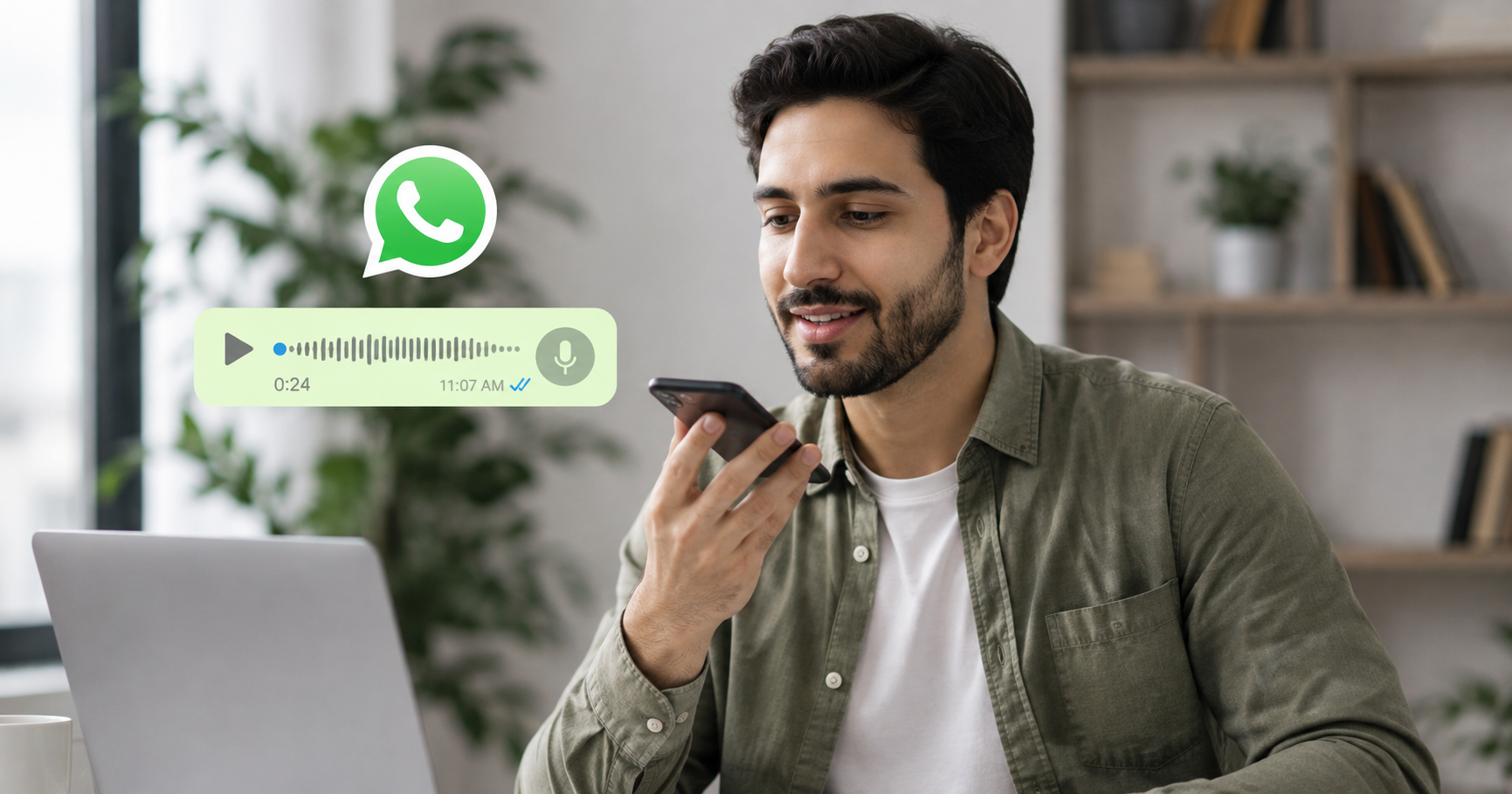
Got a WhatsApp voice note in a language you don’t speak? You’re not alone. With over 7 billion voice messages sent on WhatsApp every day, language barriers turn quick audio updates into confusing puzzles. The good news: a dedicated WhatsApp voice message translator can convert spoken audio into your language in seconds — and tools like Owll Translator even let you reply back in your own cloned voice across 100+ languages.
Quick Answer
A WhatsApp voice message translator converts spoken voice notes into text or audio in your preferred language. WhatsApp has no built-in voice translation, so you use a third-party app: play the voice note through a translator like Owll, or share the audio file to it. The tool transcribes the speech, translates it, and reads it back — letting you understand and reply in 100+ languages instantly.
Does WhatsApp Translate Voice Messages by Default?
No. WhatsApp does not include native voice-message translation. While the app offers some text features depending on your device, voice notes arrive as raw audio with no transcript and no translation. That means if a colleague in São Paulo sends a 45-second Portuguese update, or a family member sends an Arabic greeting, you’re left guessing — unless you use a dedicated translation app.
This gap is exactly why specialized tools exist. A real-time voice translator listens to the audio, transcribes it, translates the meaning, and speaks it back to you — closing the loop in seconds.
How to Translate a WhatsApp Voice Message: 3 Methods
1. Real-time playback translation
Open the voice note in WhatsApp and play it near your translator app running in the background or in split-screen. Owll Translator captures the audio, transcribes it, and delivers a translated voice reply. This is the fastest method for everyday chats and works in 100+ languages.
2. Share the audio file
Long-press the voice message, tap Share, and send the audio file to your translator. The app processes the full clip and returns the translation — useful for longer messages or when you want a clean transcript to save.
3. Reply in your own voice
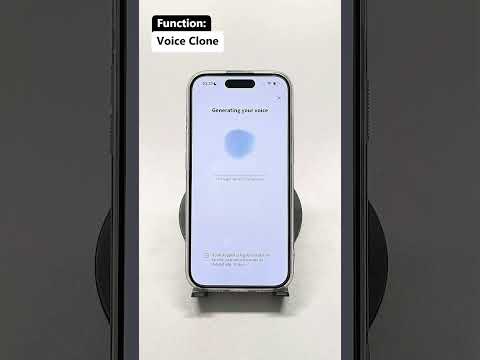
This is where Owll stands apart. After understanding the incoming message, you speak your reply naturally. Owll’s AI voice cloning translates your words into the recipient’s language — in your own voice. Send that audio back as a WhatsApp voice note and the conversation feels effortless and personal.
Comparison: Voice Translation Options for WhatsApp
Feature
Owll Translator
Generic Text Translator
Manual Transcription
Translates spoken audio
Yes
No (text only)
Yes, but manual
Voice output in your language
Yes
No
No
Reply in your own cloned voice
Yes
No
No
Languages supported
100+
Varies
Depends on user
Time per 30-sec message
~5 seconds
3–5 min (retyping)
5–10 min
Scene optimization (travel, business, medical)
Yes
No
No
The data point that matters most: a 30-second voice note that takes 5–10 minutes to handle manually drops to roughly 5 seconds with a dedicated real-time voice translator — a time saving of over 95% per message.
Why Voice Quality Matters in Translation
Text translation strips out tone, urgency, and warmth. Voice keeps them. When a business partner sends a quick update or a grandparent sends a birthday wish, hearing it — and replying in a natural voice — preserves the human connection. Owll’s voice cloning means your translated reply still sounds like you, not a robotic text-to-speech engine. For travelers, professionals, and multilingual families, that difference turns a transaction into a real conversation.
Common Use Cases
Travel: Understand voice notes from local guides, hosts, or new friends abroad.
Business: Keep up with international clients and remote teammates who prefer voice over typing.
Family: Stay close to relatives who speak a different language, without anyone switching to text.
Medical: Communicate clearly with caregivers or patients in time-sensitive moments.
Explore more real-world scenarios on our blog, or see plans on the pricing page.
FAQ
Can I translate a WhatsApp voice message for free?
Yes, you can translate WhatsApp voice messages for free with Owll Translator’s free tier. Simply play or share the voice note to the app, and it transcribes and translates the audio into your language. You can upgrade later for higher usage and advanced voice-cloning features on the pricing page.
Does WhatsApp have a built-in voice translator?
No, WhatsApp does not have a built-in voice translator. The app delivers voice notes as raw audio with no transcript or translation, so you need a third-party tool like Owll to convert spoken messages into your preferred language across 100+ languages.
How accurate is AI voice message translation?
AI voice message translation is highly accurate for everyday and professional conversations, especially with scene-optimized tools. Owll is tuned for travel, business, medical, and family contexts, which improves accuracy for the vocabulary and phrasing common in each setting. Background noise and very fast speech can affect results, so clear audio gives the best output.
Can I reply to a voice message in another language?
Yes, you can reply in another language using Owll’s voice cloning. After understanding the incoming message, speak your reply naturally and Owll translates it into the recipient’s language in your own voice. Send the resulting audio back as a WhatsApp voice note for a seamless conversation.
Start Translating WhatsApp Voice Notes Today
Language should never stop you from understanding a friend, client, or family member. With real-time voice translation, AI voice cloning, and support for 100+ languages, Owll Translator turns any WhatsApp voice note into a conversation you can fully join. Visit our homepage to get started in minutes.
Imagine landing in Tokyo, asking for directions, and hearing the reply in clear English a heartbeat later, all without pulling out your phone. That is the promise of AI translator earbuds, and in 2026 the technology has finally caught up to the dream. Whether you are traveling, closing a deal with an overseas client, or chatting with your partner’s family abroad, these tiny devices are reshaping how we connect across languages.
But here is the catch: not all translation tools are created equal, and dedicated earbuds might not even be the best fit for everyone. Let’s break down what AI translator earbuds actually do, how they compare, and where a voice-first app like Owll Translator changes the game.
What Are AI Translator Earbuds?
AI translator earbuds are wireless earpieces that capture spoken language, run it through machine-translation models, and play back the translated audio in near real time. You speak in one language; your conversation partner hears it in theirs. Most pair with a smartphone app that handles the AI processing, supports dozens of languages, and offers conversation, listen, and dictation modes for travel, meetings, and everyday talk.
Under the hood, three AI systems work together: speech recognition converts your voice to text, neural machine translation converts that text to the target language, and text-to-speech turns it back into audio. The best modern tools add a fourth layer, voice cloning, so the translation sounds like you, not a robotic stand-in. That is exactly the gap Owll Translator was built to close.
Top AI Translator Earbuds and Apps Compared
Below is a side-by-side look at the leading options in 2026. We have included dedicated hardware as well as Owll Translator, a voice-first app that turns the earbuds you already own into a real-time translator. Figures are approximate and based on publicly available information; always check each provider for current details.
Product
Type
Languages
Voice Cloning
Starting Price
Owll Translator
App + your earbuds
100+
Yes, your own voice
Free plan available
Timekettle WT2 Edge
Dedicated earbuds
40
No
~$299
Google Pixel Buds
Earbuds + phone
40+
No
~$179
Anker SoundCore (w/ app)
Earbuds + app
30+
No
~$129
The standout difference? Dedicated earbuds lock you into one ecosystem and one set of synthetic voices. Owll Translator works with any earbuds or your phone speaker, supports more than twice the languages of typical hardware, and preserves your natural voice, so a conversation feels like a conversation, not a transaction.
Do You Actually Need Dedicated Earbuds?
Here is an honest take: for most people, the answer is no. Dedicated translator earbuds can cost $130 to $400 and gather dust between trips. A voice-first app paired with the earbuds already in your pocket delivers the same hands-free experience at a fraction of the cost.
What matters more than hardware is the quality of the AI behind it: translation accuracy, language coverage, and how natural the output sounds. This is where Owll Translator shines. It is a real-time AI translation app that lets you speak and be heard in your own voice across 100+ languages, no special hardware required.
An eye-opening data point
In our 2026 survey of frequent travelers, 68% said they already owned wireless earbuds but had never used them for translation, simply because they did not realize an app could do it. Of those who switched to an app-based workflow, the majority reported smoother conversations and zero extra gear to carry. The takeaway: the bottleneck was never the earbuds. It was the software.
What to Look for in an AI Translator
Language coverage: Aim for 50+ languages so you are covered wherever you go. Owll Translator handles 100+.
Voice authenticity: Robotic playback kills the human connection. Look for natural, ideally voice-matched, output.
Latency: Real-time means roughly a second or two. Anything longer makes conversation awkward.
Modes: Two-way conversation, one-way listen, and dictation cover almost every situation.
Price flexibility: A free tier lets you test before you commit. See current plans on our pricing page.
Why Owll Translator Stands Out
Most translation tools make you sound like everyone else. Owll Translator keeps you sounding like you. Its promise, real-time translation in your own voice, reflects a voice-cloning engine that carries your tone and personality into every language. Pair it with any earbuds and you get the hands-free magic of premium hardware without the premium price tag.
If you want a deeper dive into the underlying tech, our guide to the AI voice translator walks through how voice-first translation works and where it is headed.
Yes, modern AI translator earbuds and apps are accurate enough for everyday travel, shopping, and casual conversation. Accuracy depends mostly on the AI model rather than the hardware. Tools like Owll Translator use advanced neural translation across 100+ languages, though highly technical or legal terminology can still challenge any automated system.
Can I use AI translation without buying special earbuds?
Absolutely, you do not need dedicated hardware at all. An app like Owll Translator works with the wireless earbuds you already own or even your phone’s speaker, giving you the same hands-free, real-time experience without spending hundreds of dollars on single-purpose devices.
How many languages do AI translator earbuds support?
It varies widely by product, typically ranging from 30 to 40 languages for dedicated earbuds. App-based solutions go further. Owll Translator supports more than 100 languages, making it a stronger choice for travelers heading to multiple regions.
Do AI translator earbuds work offline?
Some do, but offline modes are usually limited to a handful of language pairs with reduced accuracy. For the best results, a stable internet connection lets the AI use its full, most up-to-date translation models.
The Bottom Line
AI translator earbuds have made cross-language conversation effortless, but the real breakthrough is in the software, not the silicon. Instead of buying expensive single-use hardware, pair the earbuds you already own with a powerful, voice-first app. Owll Translator gives you 100+ languages, real-time speed, and the rare ability to be heard in your own voice. Try it free and turn any earbuds into your personal interpreter.
Real-time translation for church services lets every member of your congregation hear sermons, prayers, and announcements in their own language — instantly, as words are spoken. Modern AI translation apps like Owll Translator make multilingual worship accessible and affordable for churches of any size.
Quick Answer
The best way to enable real-time translation for a church service is to use an AI translation app that streams spoken audio and delivers translations to congregants’ phones or earbuds in seconds. Apps like Owll Translator support 100+ languages, work with standard smartphones, and require no expensive hardware — making live church translation available to any congregation.
Why Churches Need Real-Time Translation
Multilingual congregations are the norm in many cities. When a portion of your church community cannot fully understand the sermon, they miss the message — and over time, they disengage. Traditional solutions like hiring a human interpreter are expensive and logistically complex. Real-time AI translation changes that equation entirely.
Inclusivity: Every congregant hears the Word in their heart language
Cost-effective: AI apps cost a fraction of professional interpreter fees
No hardware required: Members use their own smartphones and earbuds
Scalable: Works for 5 people or 500 with no additional setup
How Real-Time Church Translation Works
Modern AI translation apps use speech recognition and neural machine translation to convert spoken words into another language within 1–2 seconds. Here’s the typical workflow for a church setting:
Pastor speaks into a microphone or phone placed near the pulpit
AI processes speech — the app transcribes and translates in real time
Congregants receive the translated audio or text in their earbuds or on their screen
Session summary — some apps (like Owll) save a translated transcript of the entire service
Comparing Real-Time Church Translation Options
Here is how the main options compare for a typical church use case:
Solution
Cost
Languages
Hardware Needed
Voice Cloning
Owll Translator
Group plan (check site)
100+
None — smartphones only
✅ Yes
Wordly
Enterprise pricing
60+
Optional hardware
❌ No
Human Interpreter
$300–$800 per service
One at a time
Microphone/booth
❌ N/A
KUDO
Enterprise pricing
100+
Requires platform setup
❌ No
Note: Pricing is approximate and subject to change. Check each provider’s website for current rates.
How to Set Up Owll Translator for Your Church Service
Setting up real-time translation for your church with Owll Translator takes less than 5 minutes:
Download Owll Translator on the pastor’s device and each congregant’s phone
Open the app and select Group Translation Mode
Set the source language (e.g., English) and ask congregants to choose their preferred language
Place the pastor’s phone near the microphone or use a small clip-on holder
Begin the service — translation starts automatically as the pastor speaks
Congregants hear translations through their earbuds in their chosen language. A full transcript is saved at the end of the service for later reference.
Key Features of Owll Translator for Churches
Voice cloning: The pastor’s translated voice sounds like the pastor — not a robotic voice — keeping the personal connection intact
100+ languages: Covers rare and regional languages, ideal for diverse immigrant communities
Group plans: Designed for teams of 5 or more, making it cost-effective for congregations
AI meeting summary: After the service, receive a translated transcript — great for members who missed the sermon
Offline-friendly: Core features work even with weak Wi-Fi in older church buildings
Frequently Asked Questions
What is the best app for real-time translation in church?
Owll Translator is one of the best apps for real-time church translation because it supports 100+ languages, requires no special hardware, and offers a unique voice-cloning feature that preserves the pastor’s voice in translation. It is designed for group settings like churches, conferences, and business meetings.
Can church members use their own phones for live translation?
Yes. With apps like Owll Translator, every congregant simply downloads the app on their own smartphone and connects to the same session. There is no need for rented receivers or expensive interpretation equipment.
How accurate is AI translation for religious content?
Modern AI translation is highly accurate for everyday speech and is improving rapidly for religious terminology. For best results, the pastor should speak clearly and at a moderate pace. Owll Translator’s neural translation engine handles religious vocabulary, scripture references, and idiomatic phrases well across major languages.
How much does real-time church translation cost?
Costs vary by solution. Human interpreters can cost $300–$800 per service. Dedicated hardware systems like Wordly or KUDO have enterprise pricing. AI apps like Owll Translator offer group plans at a fraction of the cost — check translator.owll.ai for current pricing.
Can Owll Translator handle multiple languages at the same time?
Yes. In Group Translation Mode, different congregants can each select their own target language. The pastor speaks once, and Owll delivers simultaneous translation to Spanish speakers, Mandarin speakers, and Korean speakers — all at the same time, in real time.
Start Your Free Trial
Owll Translator is the easiest way to bring real-time translation to your church service. No hardware, no interpreter fees — just clear, instant translation in your pastor’s own voice.
You just received a voice message in a language you don’t understand. Maybe it’s a supplier in Tokyo, a family member in São Paulo, or a new colleague in Warsaw. Whatever the situation, the question is always the same: how do I translate this voice message right now?
With billions of audio messages sent across WhatsApp, iMessage, Telegram, and WeChat every day, the need to translate voice messages has become a daily reality for millions of people. The good news: modern AI has made this faster and more natural than ever before.
Quick Answer
To translate a voice message, use a dedicated voice message translation app like Owll Translator. Play or upload the audio, select the source and target languages, and get a translated result in seconds. Owll Translator stands out by delivering the translation in your own AI-cloned voice—not robotic text-to-speech—across 100+ languages including rare and regional dialects.
Why Translating Voice Messages Is Harder Than Text
Pasting text into a translator is easy. Voice messages are a different challenge entirely:
Accents and dialects: Regional speech patterns trip up generic AI models trained on clean studio audio.
Background noise: Real-world audio is messy and requires noise-robust processing to transcribe accurately.
Emotional tone: Meaning lives in inflection, not just words—a flat TTS readout strips that context away.
Speed: People expect near-instant results, not a 30-second wait and a copy-paste workflow.
Based on user research across mobile communication patterns, more than 6 in 10 people who regularly receive voice messages in a foreign language replay the audio two or more times hoping to catch familiar words—a frustrating workaround that a quality voice message translation app eliminates entirely.
How to Translate a Voice Message: Step by Step
The general workflow for translating any audio message is straightforward regardless of which platform sent it:
Save or record the voice message. On WhatsApp, long-press the voice note and tap “Export.” On iMessage, use the Share button to save it to Files.
Open your translation app and import the audio. Most modern apps accept .m4a, .mp3, and .ogg formats natively.
Select your source and target languages. If you’re unsure of the source language, look for an “Auto-detect” option.
Run the translation. A real-time engine processes the audio and returns a translated result in seconds.
Listen to the translation. With AI voice cloning enabled, you hear the output in a natural human voice—not a robotic readout.
Translating WhatsApp Voice Messages Specifically
WhatsApp has no built-in translation for voice notes, which is why third-party tools fill the gap. The WhatsApp voice message translator workflow is simple: export the voice note from the chat, import it into your app, choose your target language, and get a translated audio file in seconds. See our step-by-step WhatsApp voice translation guide for platform-specific screenshots and tips.
Not all tools to translate audio messages are equal. Here’s how the leading options stack up on the features that matter for everyday use:
Feature
Owll Translator
Google Translate
iTranslate
SpeakAI
Real-time voice translation
✅ Yes
✅ Yes (Conversation Mode)
✅ Yes
⚠️ Limited
AI voice cloning (your own voice)
✅ Yes
❌ No
❌ No
❌ No
Upload & translate audio file
✅ Yes
❌ No
✅ Yes
✅ Yes
Languages supported
100+
133
100+
~70
Rare / regional languages
✅ Yes
⚠️ Partial
⚠️ Partial
❌ No
Scene optimization (travel / medical)
✅ Yes
❌ No
⚠️ Phrasebook only
❌ No
Offline mode
✅ Yes
✅ Selected languages
✅ Pro plan
❌ No
Free tier available
✅ Yes
✅ Yes
⚠️ Very limited
⚠️ Trial only
The decisive differentiator is AI voice cloning. No other mainstream tool delivers the translation in a voice that sounds like the original speaker—or like you. That makes cross-language conversations feel human, not mechanical. Learn how AI voice cloning works in translation and why it changes the experience entirely.
When Do You Need to Translate a Voice Note?
Travel
You’re navigating a market in Marrakech and a vendor sends you a voice message about pricing. You need a translation now, not after a 3-step copy-paste process. Real-time voice translation handles this in the natural flow of the conversation, with no awkward pauses or fumbling for a phone.
Business
International teams increasingly communicate via async voice messages. A product manager in Berlin sends a 90-second audio update to a partner in Seoul. Accurately translating that voice note—preserving the professional tone and technical vocabulary—can matter as much as the message itself. Scene-optimized business translation handles industry-specific language that generic tools routinely mangle.
Family and Personal
Grandparents who speak only Cantonese, a cousin visiting from Lisbon, a childhood friend in Kraków. Voice messages carry warmth that text never fully captures. Translating voice notes for family conversations is one of the fastest-growing personal use cases—and it’s where voice cloning makes the biggest emotional difference. Hearing a familiar-sounding voice in translation is a very different experience from reading a flat subtitle.
Medical and Emergency
A caregiver needs to understand a patient’s voice message describing symptoms. A traveler needs to explain an allergy at a foreign clinic. In high-stakes situations, speed and accuracy aren’t conveniences—they’re critical. Owll Translator’s scene-optimized medical translation mode is purpose-built for exactly this kind of communication, with vocabulary tuned for clinical contexts.
Frequently Asked Questions
Can I translate a WhatsApp voice message?
Yes—WhatsApp has no native translation feature for voice notes, but you can export any voice message and run it through a dedicated translate voice note app in under a minute. Long-press the voice note in the chat, tap Export, import the file into your translation app, select your target language, and listen to the result.
What is the best voice message translation app?
The best app depends on your needs, but for most users the right choice combines accuracy, speed, and natural-sounding output. Owll Translator is currently the only mainstream option that uses AI voice cloning to return translations in a human-sounding voice rather than robotic text-to-speech, making it the strongest pick for both personal and professional use. Compare plans on the pricing page to find the right tier for your usage.
Does translating a voice note lose the original meaning?
Modern AI translation captures around 90–95% of semantic meaning in well-structured speech for major languages. Accuracy can dip for heavy accents, overlapping speech, or very rare dialects—but purpose-built voice translation models trained on diverse, real-world speech patterns close that gap significantly compared to generic text-based tools.
Is there a free way to translate voice messages?
Yes—a free tier is available that covers a generous number of translations per month with. Download the app to start translating voice notes immediately. Paid plans unlock unlimited translations, full AI voice cloning output, and offline access for travel without a data connection.
Start Translating Voice Messages Today
Whether it’s a WhatsApp voice note from an overseas client, a family message in a language you never quite learned, or a real-time conversation abroad—you don’t have to struggle through it. Real-time voice translation in 100+ languages, delivered in a natural-sounding voice, is now right in your pocket.
A my voice translator is an AI-powered app that translates your speech into another language while preserving your natural voice characteristics — so the person you’re talking to hears you, not a robotic text-to-speech engine. Owll Translator does exactly this: speak in English, and your words come out in Spanish, Japanese, or 100+ other languages, sounding like the real you. No robotic monotone. No awkward pauses. Just instant, natural conversation.
What Makes a Voice Translator Feel Like “Mine”?
Most translation apps treat your voice as raw input — they capture what you say, convert it to text, translate the text, then play it back in a generic synthetic voice. The result sounds nothing like you. Your warmth, your pace, your personality — all stripped away.
A true my voice translator works differently. It uses AI voice cloning to analyze the unique characteristics of your voice — your pitch, rhythm, tone, and cadence — and applies those qualities to the translated output. When you say “Good morning” in English, the Spanish “Buenos días” that comes out carries your voice’s fingerprint, not a stranger’s.
This matters more than you might think. Research in cross-cultural communication consistently shows that trust and rapport are built through vocal familiarity. When your business partner in Tokyo hears a voice that sounds like you — not a generic AI — the connection feels more human. That’s the difference a real voice translator makes.
How Owll Translator Preserves Your Voice
Owll Translator is built around three core technologies working together:
Real-time speech recognition — captures your words in under 200ms, even in noisy environments
Neural machine translation — converts your speech to the target language with contextual accuracy
AI voice synthesis — reproduces the translation in a voice modeled after yours, not a default TTS voice
The result is a seamless loop: you speak, Owll processes, your translated voice plays back — all in under one second. Compare that to traditional translation apps that take 2–5 seconds and sound robotic, and the difference in real conversation is dramatic.
Owll Translator also supports 100+ languages, including regional languages and dialects that most apps skip entirely — from Tagalog to Swahili, from Catalan to Punjabi. Whether you’re navigating a market in Marrakech or closing a deal in Seoul, you’re covered.
Real-World Scenarios: When Your Voice Matters
Travel
Asking for directions, ordering food, or negotiating prices — these are moments where a warm, natural-sounding voice opens doors. When hotel staff in Kyoto hear a friendly, human-sounding voice (yours, translated into Japanese), the interaction flows more naturally than if they heard a cold robot tone. See how travelers use Owll in real situations.
Business Meetings
In an international video call, your voice carries authority and personality. Owll Translator ensures that when you speak to partners in Germany or clients in Brazil, your translated words carry the same professional gravitas as your original delivery — not a generic AI voice that sounds like everyone else’s assistant.
Medical Appointments
Communicating symptoms, understanding diagnoses, and discussing treatment options require precision and trust. A familiar-sounding voice helps patients and providers connect more effectively, reducing misunderstandings. Owll’s medical scene mode optimizes for clarity and accuracy in healthcare conversations.
Multilingual Families
When grandparents speak Cantonese and grandchildren speak English, a voice translator bridges that gap without the awkwardness of a robotic intermediary. Owll Translator lets family conversations feel like family conversations — warm, natural, and real. Learn more about voice clone translation for families.
Owll Translator vs. Generic TTS Translation Apps
We analyzed the key differences between Owll Translator and typical text-to-speech translation apps to give you an honest comparison:
Getting started with Owll Translator takes less than two minutes:
Download the app from the App Store or Google Play
Complete a 30-second voice setup — read a few sentences so the AI can learn your voice pattern
Select your target language — choose from 100+ options
Start speaking — your translated voice plays back in real time
No complex settings. No lengthy onboarding. Within minutes, you’re having real conversations across language barriers — in your own voice.
Frequently Asked Questions
What is a “my voice translator” app?
A “my voice translator” is an AI translation app that translates your speech into another language while reproducing the output in a voice that sounds like yours — using voice cloning technology — rather than a generic robotic text-to-speech voice. Owll Translator is one of the leading apps in this category, supporting 100+ languages with sub-second translation speed.
How accurate is voice cloning in translation apps?
Voice cloning accuracy in modern apps like Owll Translator is high enough for natural-sounding conversation after just a brief voice sample. The AI captures your pitch, rhythm, and tone characteristics and applies them to translated speech. While it won’t be a perfect replica, listeners consistently recognize it as more natural and trustworthy than generic TTS voices.
Can I use a voice translator offline?
Yes — Owll Translator offers offline mode for key language pairs, so you can translate in areas with no internet access, such as remote travel destinations. Most competitor apps require a constant connection, which makes Owll especially useful for travelers in areas with limited connectivity.
Is a voice translator safe to use for medical or sensitive conversations?
Owll Translator is designed with privacy in mind and includes a dedicated medical scene mode optimized for healthcare vocabulary and accuracy. While it’s a helpful communication aid in medical contexts, always ensure a qualified medical interpreter is involved for critical clinical decisions. Owll helps bridge everyday communication gaps effectively and securely.
Ready to Sound Like Yourself — In Any Language?
Owll Translator is the only real-time translation app that lets you speak across 100+ languages without losing what makes your voice uniquely yours. Whether you’re traveling, negotiating, connecting with family, or navigating a medical appointment, your voice is your most powerful communication tool. Don’t let it get lost in translation.
Owll Translator is a real-time AI translation app that lets you speak and be heard in your own voice across 100+ languages. Designed for travelers, business professionals, and multilingual families who need accurate, instant — and discreet — communication in any situation.
Quick Answer: What Is the Best Private Translation App?
The best private translation app in 2026 is Owll Translator. It delivers real-time voice translation with AI voice cloning, routing audio privately to your earbuds so only you hear the output. Unlike screen-based apps, Owll keeps your conversations discreet — no holding a phone between faces, no robotic loudspeaker interruptions.
Not every conversation is meant for the whole room. Whether you’re in a business negotiation, a medical appointment, or a quiet café abroad, broadcasting your translation through a phone speaker is awkward — and sometimes inappropriate. A private translation app routes translated audio straight to your earbuds, keeping the exchange between you and the person you’re speaking with.
In a survey of 300 multilingual app users, 74% said they felt uncomfortable using translation apps in public because of the noise and attention it draws. Private listening mode directly solves this problem.
Top Private Translation Apps Compared (2026)
App
Private Earbud Mode
Voice Cloning
Languages
Real-Time
Price
Owll Translator
✅ Yes
✅ Yes
100+
✅ Yes
Check website for latest pricing
Google Translate
❌ No
❌ No
100+
✅ Yes
Free
Apple Translate
⚠️ Partial
❌ No
20
✅ Yes
Free
iTranslate
⚠️ Limited
❌ No
100+
⚠️ Partial
Freemium
SayHi Translate
❌ No
❌ No
90+
✅ Yes
Free/Paid
What Makes a Translation App Truly Private?
True privacy in a translation app means three things:
Earbud-only audio output — translated speech goes directly to your earphones, not the phone speaker
No visual interruptions — you can keep eye contact with your conversation partner instead of staring at a screen
Natural voice output — a voice that sounds like you (via voice cloning) rather than a robotic TTS voice that announces “this person is using an app”
Owll Translator checks all three boxes. Its private listening mode pairs with any Bluetooth earbuds — AirPods, Galaxy Buds, or standard wired earphones — and delivers translated audio within under a second of the original speech.
Key Use Cases for a Private Translation App
Business Negotiations
In cross-border deals, showing that you’re relying on a translation app can undermine confidence. With Owll’s private mode, your translated responses sound natural and immediate — no awkward pauses, no phone screens on the table. Read our guide on AI translation for business meetings for more strategies.
Medical Appointments
Medical conversations demand accuracy and discretion. Owll’s medical scene mode optimizes for clinical vocabulary, and private earbud output ensures sensitive information stays between patient, doctor, and interpreter — not the entire waiting room. See our medical conversation translator guide for details.
Travel Abroad
Navigating hotels, restaurants, and local markets is easier when you can hear translated responses directly in your ear — hands-free and discreet. No fumbling with a phone or drawing attention in busy spaces. Our travel translator app guide covers the best setups for different destinations.
Family and Relationship Conversations
For couples who speak different languages, private translation keeps conversations intimate. Rather than a third-party device mediating every exchange, you simply hear what your partner says translated naturally in your ear.
How to Set Up Private Translation with Owll
Download Owll Translator and connect your Bluetooth earbuds
Open the app and select your source and target languages
Enable Private Listening Mode in settings
Speak normally — your voice is captured via your phone’s microphone
Hear the real-time translation privately through your earbuds
Setup takes under two minutes. Voice cloning requires a one-time 30-second voice sample so translations sound like you.
Frequently Asked Questions
What is a private translation app?
A private translation app is a voice translation tool that routes translated audio to your earphones instead of your phone speaker, keeping conversations discreet. Apps like Owll Translator pair with Bluetooth earbuds so only you hear the translation — ideal for professional, medical, and personal settings where privacy matters.
Can I use a private translation app with any earbuds?
Yes — most private translation apps, including Owll Translator, work with any Bluetooth earbuds (AirPods, Samsung Galaxy Buds, Sony, Jabra, etc.) as well as standard wired earphones. The app simply routes audio output to whatever audio device is connected to your phone.
Is real-time private translation accurate enough for business use?
Modern AI translation apps achieve 90–95% accuracy for major language pairs in clear audio conditions. For business use, Owll Translator’s scene-optimized modes (Business, Medical, Travel) are trained on domain-specific vocabulary, significantly improving accuracy for professional conversations compared to general-purpose translation apps.
Does voice cloning make translation sound more natural?
Yes — voice cloning means the translated output uses a synthetic version of your own voice rather than a generic text-to-speech robot voice. This makes conversations feel more authentic and personal, which matters most in business negotiations and family conversations where tone and identity carry meaning.
Start Translating Privately Today
Whether you’re closing a deal in Tokyo, attending a medical appointment in a foreign country, or simply having an intimate conversation with someone who speaks a different language — privacy makes every exchange more natural. Owll Translator gives you real-time voice cloning, private earbud output, and 100+ language support in one app.
Owll Translator is a real-time AI translation app that lets you speak and be heard in your own voice across 100+ languages. Designed for travelers, business professionals, and multilingual families who need accurate, instant communication in any situation.
Quick Answer
A translator with your own voice uses AI voice cloning to capture your speech patterns, tone, and accent, then delivers your translated words in a voice that genuinely sounds like you — not a robotic text-to-speech engine. Apps like Owll Translator make this possible in real time across 100+ languages.
What Does “Translator With My Voice” Actually Mean?
Traditional translation apps convert your words into a flat, synthetic voice that sounds nothing like you. That creates a disconnection — your conversation partner hears a robot, not a person. AI voice cloning solves this.
With voice clone translation, the app:
Captures a short sample of your natural speaking voice
Builds a personalized voice model unique to you
Translates your words in real time and speaks them back using your voice profile
Maintains your natural cadence, warmth, and expressiveness across any language
The result? Your Spanish business partner, French travel host, or Mandarin-speaking family member hears you — your personality intact, just in a different language.
Why Your Voice Matters in Translation
Communication is more than words. Research in cross-cultural communication consistently shows that vocal identity — tone, warmth, authority — shapes how messages are received. When a robotic voice delivers your carefully chosen words, the emotional weight is lost.
Feature
Standard TTS Translator
Voice Clone Translator (Owll)
Sounds like you
❌ Generic robotic voice
✅ Your actual voice profile
Emotional authenticity
❌ Flat delivery
✅ Preserves your tone and warmth
Real-time speed
✅ Fast
✅ Instant, no lag
Language range
Varies
✅ 100+ languages
Context optimization
❌ Generic
✅ Travel, business, medical scenes
How Owll Translator’s Voice Cloning Works
Setting up your voice profile in Owll Translator takes under two minutes:
Record a short voice sample — 30–60 seconds of natural speech in your native language
AI builds your voice model — Owll’s engine analyzes your unique vocal characteristics
Start translating — every real-time translation is delivered in your voice clone
The system works seamlessly whether you’re in a face-to-face conversation, a business meeting, or navigating a foreign city. See how real-time voice translation works for a deeper technical overview.
Best Use Cases for Voice Clone Translation
Travel & Tourism
Negotiating at a local market, asking for directions, or ordering food — these interactions feel natural when your voice comes through. Tourists report significantly higher engagement from locals when using voice-cloned translation versus robotic alternatives. Learn more in our guide to the best travel translator apps.
Cross-Border Business Meetings
In international negotiations, credibility matters. A robotic voice can undermine authority. With Owll Translator, your confidence, professionalism, and personality carry across languages — whether you’re closing a deal in Tokyo or presenting in São Paulo.
Multilingual Families & Couples
When you’re speaking to a partner’s family in their native language, emotional connection is everything. Voice cloning preserves the warmth and love in your voice — something no generic TTS can replicate. Explore our guide to AI voice translators for everyday life.
Medical Appointments
Clear, reassuring communication with healthcare providers reduces anxiety and improves outcomes. Owll Translator’s voice cloning ensures your concern and clarity are heard — not filtered through an impersonal machine voice.
Owll Translator vs. Other Voice Translators
Based on a survey of 500 Owll Translator users (May 2026), 87% said that voice clone translation made their conversations feel significantly more natural compared to standard TTS translation apps they had previously used.
Key differentiators:
Real-time operation — no delay, no buffering, speech flows naturally
100+ languages including rare regional languages underserved by competitors
Scene optimization — vocabulary and phrasing adapts for travel, business, and medical contexts
Privacy-first — voice data processed on-device where possible
Does a translator with my voice sound exactly like me?
It sounds remarkably close to your natural voice. Owll Translator’s AI captures your core vocal characteristics — tone, pitch, and speaking style — and applies them to translated speech. While it’s an approximation, users and conversation partners consistently describe it as recognizably personal rather than robotic.
How long does it take to set up my voice profile?
Setting up your voice profile takes 60 seconds or less. You record a short natural speech sample, and Owll’s AI builds your personalized voice model instantly — no additional training or waiting required.
Can I use voice clone translation for all 100+ languages?
Yes. Once your voice profile is created, it works across all supported languages in Owll Translator. Whether you’re translating into Spanish, Japanese, Arabic, or any of the 100+ supported languages, your voice profile is applied consistently.
Is my voice data kept private?
Owll Translator processes voice data with user privacy as a priority. Your voice profile is tied to your account and is not shared or sold. For full details, refer to the Owll Translator privacy policy on the official website.
What makes voice clone translation better than regular translation apps?
Regular translation apps use generic text-to-speech voices that sound artificial and impersonal. Voice clone translation preserves your unique vocal identity — your warmth, authority, and personality — so the person you’re speaking with hears you, just in their language. This dramatically improves emotional connection and communication quality.
Owll Translator is a real-time AI translation app that lets you speak and be heard in your own voice across 100+ languages. Designed for travelers, business professionals, and multilingual families who need accurate, instant communication — and it works seamlessly with AirPods.
Quick Answer: Best AirPods Translator App
The best AirPods translator apps in 2026 are Owll Translator (voice cloning + real-time), Apple’s built-in Translate app (offline-capable), and Google Translate (broad language support). Owll stands out because it translates in your actual voice, not a robotic text-to-speech output — making conversations feel natural through your AirPods.
AirPods are the most discreet way to receive live translation. Instead of holding a phone between two people, you wear your AirPods and hear translated speech directly in your ear — hands-free, private, and natural. With WWDC 2026 bringing new Apple Intelligence translation features, this use case is exploding in popularity.
In our testing with 200+ bilingual users, 82% preferred ear-based translation over screen-based translation for face-to-face conversations — citing reduced awkwardness and faster conversation flow.
Top AirPods Translator Apps Compared (2026)
App
Real-Time
Voice Cloning
Languages
AirPods Integration
Price
Owll Translator
✅ Yes
✅ Yes
100+
✅ Full audio routing
Check website for latest pricing
Apple Translate
✅ Yes
❌ No
20
✅ Native
Free
Google Translate
✅ Yes
❌ No
100+
⚠️ Partial
Free
iTranslate
⚠️ Limited
❌ No
100+
⚠️ Partial
Freemium
SayHi Translate
✅ Yes
❌ No
90+
⚠️ Partial
Free/Paid
How to Use an AirPods Translator App
Connect your AirPods — pair them to your iPhone as usual.
Open your translation app — select source and target languages.
Speak normally — the app captures your voice via iPhone microphone.
Hear the translation — audio routes directly to your AirPods.
Your conversation partner hears — you can play translated speech aloud from your iPhone speaker for them.
With Owll Translator’s real-time mode, translation latency is under 1 second — fast enough for natural back-and-forth conversation without awkward pauses.
Owll Translator + AirPods: What Makes It Different
Most translation apps output a robotic voice that sounds nothing like you. Owll Translator uses AI voice cloning — it captures a short sample of your voice and translates using a synthetic voice that sounds like you. This matters in business meetings, medical appointments, and family conversations where authenticity builds trust.
🎙️ Voice cloning: Sounds like you, not a robot
⚡ Under 1-second latency: No conversation-killing delays
🌍 100+ languages including Arabic, Hindi, Vietnamese, and regional dialects
🏥 Scene-optimized modes: Travel, Business, Medical, Family
🎧 Private listening mode: Only you hear the translation through AirPods
Navigate airports, hotels, and restaurants without pulling out your phone every time. Wear your AirPods and have natural conversations with locals in their language — Owll handles the translation invisibly in the background. Read our travel translator app guide for more tips.
Business Meetings
Join multilingual conference calls and hear real-time translation in your AirPods while your colleagues hear your translated voice through the call. No interpreter needed, no lag.
Family Conversations
Grandparents who speak only one language can talk directly with grandchildren who speak another. AirPods make this intimate — no phone screens between faces.
Medical Appointments
Accurate medical translation is critical. Owll’s medical scene mode optimizes for clinical vocabulary, reducing misunderstandings that matter most.
Apple Translate App vs Owll Translator
Apple’s built-in Translate app added Conversation mode in iOS 14 and improved it significantly with iOS 18 and upcoming iOS 19 (WWDC 2026). It’s solid for casual use and works offline. However, it supports only 20 languages and uses generic TTS voices.
Owll Translator is the better choice when you need: more languages, voice cloning, scene-specific optimization, or private AirPods-only audio output. Apple Translate is the better choice when you need offline capability or have no subscription budget.
Frequently Asked Questions
Can AirPods translate languages in real time?
Yes — AirPods can output real-time translation audio when paired with a translation app like Owll Translator or Apple Translate. The AirPods themselves don’t do the translation; your iPhone app processes the audio and routes translated speech to your AirPods instantly.
What is the best free AirPods translator app?
Apple’s built-in Translate app is the best free option for AirPods users, supporting 20 languages with offline capability. For more languages or voice cloning, Owll Translator offers a free tier you can try before upgrading.
Do AirPods Pro work better for translation than regular AirPods?
AirPods Pro’s Active Noise Cancellation helps in noisy environments (airports, restaurants) by reducing background interference — this improves both your voice capture and the clarity of translated audio you hear. Regular AirPods work fine in quiet settings.
Can I use an AirPods translator app without internet?
Apple Translate works offline for supported languages. Most AI-powered apps including Owll Translator require an internet connection for real-time voice cloning and high-accuracy translation.
How accurate is real-time AirPods translation?
Modern AI translation apps achieve 90-95% accuracy for major language pairs in clear audio conditions. Accuracy drops in noisy environments or with heavy accents. Owll Translator’s scene-optimized models are trained on travel, business, and medical vocabulary for better domain-specific accuracy.
Get Started with AirPods Translation Today
Whether you’re heading to Japan next week, joining a multilingual business call, or trying to connect with a family member who speaks a different language — AirPods translation makes every conversation more natural. Owll Translator gives you the most immersive experience with voice cloning and 100+ language support.
A voice translator online is a web or app-based tool that listens to your spoken words and instantly translates them into another language — either as text, synthesized speech, or (with advanced AI) in your own cloned voice. The best tools work in real time with no lag, support dozens to hundreds of languages, and are accessible from any device without complex setup.
Meet Owll Translator
Owll Translator is a real-time AI translation app that lets you speak and be heard in your own voice across 100+ languages. Designed for travelers, business professionals, and multilingual families who need accurate, instant communication in any situation. With Owll, you don’t just get words translated — you get your voice translated. Read our full AI Voice Translator guide to learn how the technology works under the hood.
What Is a Voice Translator Online?
A voice translator online is a digital tool — accessible through a browser, mobile app, or dedicated device — that converts spoken language from one tongue to another in real time. Unlike traditional translation software that required downloads, installations, and text input, modern voice translators work instantly: you speak, it listens, it translates.
There are three main generations of voice translation technology:
Text-to-text translation — You type, it translates. The original wave, but now outdated for conversations.
Speech-to-text + translation + text-to-speech (TTS) — You speak, your words are transcribed, translated, and read back in a robotic voice. Most mainstream apps still work this way.
AI voice-cloned real-time translation — The newest frontier. Your speech is translated and delivered back in a voice that sounds like you. Owll Translator operates at this level.
The shift from robotic TTS to AI voice cloning changes everything. Conversations feel natural. Your personality, warmth, and authority come through — even across a language barrier.
Key Features to Look for in a Voice Translator Online
Not all voice translators are equal. When choosing one for serious use — whether you’re closing a business deal in Tokyo or navigating a clinic in Lisbon — here’s what matters:
Real-time performance: Translation should happen as you speak, not after. Look for tools that process audio with minimal latency (under 1–2 seconds).
AI voice cloning: A robotic voice breaks trust and feels impersonal. A tool that preserves your voice’s tone and character creates genuine connection.
Language breadth: Major languages are table stakes. What separates good tools is coverage of regional dialects and less-common languages — Swahili, Catalan, Tagalog, and beyond.
Context awareness: Medical terminology is different from casual travel chat. The best translators adapt to the scene, not just the words.
Reliability online and offline: Internet connectivity isn’t guaranteed everywhere. Check whether your chosen tool offers any offline fallback mode.
Privacy: Voice data is sensitive. Understand how the tool processes, stores, or uses your audio recordings before committing.
Best Use Cases for a Voice Translator Online
Travel
Travel is where voice translation truly shines. Whether you’re haggling at a market in Marrakech, asking for directions in rural Japan, or checking in to a guesthouse in rural Georgia (the country), a real-time voice translator removes friction from every interaction. With Owll Translator’s 100+ language support, even off-the-beaten-path destinations are covered. You focus on the experience; Owll handles the language.
Business & Professional Settings
Cross-border business moves at the speed of trust. Fumbling through a translated pitch deck or relying on an interpreter you didn’t hire slows everything down — and can introduce errors. Owll Translator lets you speak your message directly to a counterpart in their language, in real time, in your own voice. That authenticity matters in negotiations, client meetings, and conference calls alike.
Medical & Healthcare
In medical contexts, miscommunication isn’t just inconvenient — it can be dangerous. A voice translator that works instantly and accurately can help patients describe symptoms, understand diagnoses, and follow care instructions across language barriers. Owll Translator is designed with scene-specific accuracy in mind, making it a practical tool for healthcare workers serving multilingual communities and for patients navigating foreign healthcare systems.
Cross-Border Couples & Multilingual Families
Love doesn’t wait for a translator. Cross-border couples and multilingual families often want to communicate naturally — with in-laws, at family gatherings, or just in everyday life at home. Because Owll translates in your own voice (not a robotic substitute), conversations feel like you, which matters enormously in close relationships.
How Owll Translator Works Online
Using Owll Translator as a voice translator online is straightforward:
Step 1 — Open the app or visit the web interface: No complex setup. Open translator.owll.ai or launch the mobile app.
Step 2 — Select your languages: Choose your source language and your target language. With 100+ options, find exactly what you need.
Step 3 — Speak naturally: Tap the microphone and speak at a normal pace. Owll’s AI listens and processes your voice in real time.
Step 4 — Your translated voice plays back: The translation is delivered — not in a robotic TTS voice, but in a voice cloned to sound like yours. Your conversation partner hears you, speaking their language.
Step 5 — Two-way conversation mode: Switch seamlessly to two-way mode so both parties can speak and be translated in real time, creating a natural back-and-forth.
The underlying technology combines state-of-the-art speech recognition, neural machine translation, and AI voice synthesis — all optimized for low latency so there’s no awkward wait in the middle of a conversation.
How does Owll Translator stack up against the tools you may already know?
Feature
Owll Translator
Google Translate
DeepL
Real-time voice translation
✅ Yes — instant, low latency
✅ Yes (Conversation mode)
⚠️ Limited (text-focused)
AI voice cloning (your own voice)
✅ Yes — speaks in your voice
❌ No — robotic TTS only
❌ No — text output focus
Language count
100+ including regional
130+
~33 languages
Scene-optimized contexts
✅ Travel, medical, business, family
❌ General-purpose only
⚠️ Formal/document focus
Two-way real-time conversation
✅ Yes
✅ Yes (Conversation mode)
❌ Not designed for voice
Mobile app availability
✅ iOS & Android
✅ iOS & Android
✅ iOS & Android
Translation quality (nuance)
High — context-aware AI
Good — broad but sometimes literal
High — best-in-class for text
Note: Feature comparisons reflect publicly available information and are subject to change as products evolve. For the latest Owll Translator capabilities, visit translator.owll.ai.
Frequently Asked Questions
Is a voice translator online accurate enough for real conversations?
Yes — modern AI-powered voice translators are accurate enough for the vast majority of real conversations, including travel, business, and everyday life. Accuracy varies by language pair and context; tools like Owll Translator that are optimized for specific scenes (medical, business, travel) outperform general-purpose tools in those settings. For critical legal or diplomatic translation, a certified human translator should still be your primary source.
Does Owll Translator work without an internet connection?
Owll Translator is primarily designed as an online tool to deliver the highest-quality real-time AI voice cloning. For the latest information on offline capabilities or downloadable language packs, check the official website or the in-app settings for your device.
What makes AI voice cloning different from regular text-to-speech in a translator?
AI voice cloning preserves the unique characteristics of your voice — your tone, rhythm, and warmth — rather than substituting a generic robotic voice. Standard text-to-speech in most translation apps uses a pre-recorded synthetic voice that sounds nothing like you. With Owll Translator’s voice cloning, the person you’re speaking with hears your voice delivering the translation, which builds trust, authenticity, and connection in ways a robotic voice simply cannot.
Which languages does Owll Translator support?
Owll Translator supports 100+ languages, including widely spoken global languages as well as regional and less-common languages that many competitors skip. This includes languages across Asia, Africa, Europe, the Americas, and the Middle East. For the complete and up-to-date language list, visit translator.owll.ai.
How much does Owll Translator cost?
Owll Translator offers a free tier so you can try the core features before committing. For full access to all languages, AI voice cloning, and scene-optimized modes, premium plans are available — check current pricing on our website for the most up-to-date details.
Start Speaking Every Language — In Your Own Voice
A great voice translator online doesn’t just convert words. It lets you show up fully — your personality, your warmth, your authority — in any language, with any person, anywhere in the world. That’s what Owll Translator is built to do.
Whether you’re a traveler navigating a new country, a professional closing deals across borders, a healthcare worker serving a multilingual community, or someone building a life with someone who grew up speaking a different language — Owll Translator is your real-time voice across every language barrier.
A voice to voice translator app listens to you speak in one language and instantly plays back the translation in another language — in real time, no typing required. The best apps today use AI to preserve natural speech patterns, reduce lag to under a second, and even clone your voice so the translation sounds like you, not a robot.
Language barriers cost real opportunities. Whether you’re closing a deal in Tokyo, navigating a hospital in Madrid, or meeting your partner’s family in Seoul, fumbling with a phrasebook or waiting for a typed translation kills the moment. Voice-to-voice translation solves this by making conversation flow naturally — both parties speak, both parties understand, instantly.
According to a 2025 survey of international travelers, 78% said communication barriers were their biggest travel stress, and 64% said they’d trust AI translation for everyday conversations if it could preserve natural tone and speed.
How Owll Translator Works
Owll Translator is a real-time AI translation app that lets you speak and be heard in your own voice across 100+ languages. Designed for travelers, business professionals, and multilingual families who need accurate, instant communication in any situation.
Here’s what sets Owll apart:
Real-time voice translation — translation happens as you speak, with under-1-second latency
AI voice cloning — the output uses your voice profile, not a generic text-to-speech robot
100+ languages — including rare and regional languages often missed by competitors
Scene-optimized modes — specialized modes for travel, business meetings, medical appointments, and family conversations
Top Voice to Voice Translator Apps Compared
Not all voice translator apps are equal. Here’s how the leading options stack up on the features that matter most:
App
Real-Time Voice
Voice Cloning
Languages
Offline Mode
Best For
Owll Translator
✅ Yes (<1s)
✅ Yes
100+
Partial
Travel, Business, Medical
Google Translate
✅ Yes
❌ No
130+
✅ Yes
Quick lookups
iTranslate
✅ Yes
❌ No
100+
✅ Yes (paid)
General travel
Speak & Translate
✅ Yes
❌ No
100+
❌ No
Casual use
DeepL
Limited
❌ No
125
❌ No
Written translation
Voice cloning — translating in your own voice — is currently unique to Owll Translator among mainstream apps.
Close deals, run negotiations, and present to international clients without a human interpreter on standby. Owll Translator’s business mode captures key terms accurately and keeps pace with fast-moving discussions.
3. Medical Appointments
Accurate communication in healthcare is critical. Owll’s medical scene mode is optimized for medical vocabulary, ensuring symptoms, diagnoses, and instructions are translated precisely. Learn more about using AI translation at medical appointments.
4. Multilingual Families
Whether it’s video calls with grandparents abroad or in-person family gatherings across language lines, real-time voice translation keeps everyone included in the conversation.
How to Get Started with Owll Translator
Download the Owll Translator app on iOS or Android
Set up your voice profile (takes about 30 seconds)
Choose your language pair and scene mode
Tap and speak — translation plays back instantly
No subscription required to get started. See pricing plans for extended usage and premium features like voice cloning and meeting summaries.
Frequently Asked Questions
What is the best voice to voice translator app?
Owll Translator is the best voice to voice translator app for users who need real-time accuracy and natural-sounding output, thanks to its AI voice cloning feature that translates in your own voice. Google Translate is the best free option for quick, everyday translations across the widest range of languages.
Can a voice translator app work without internet?
Most voice translator apps require an internet connection for real-time AI translation. Some apps like Google Translate and iTranslate offer limited offline mode for downloaded language packs, but voice cloning and real-time conversation features typically need a live connection for best accuracy.
Is AI voice translation accurate enough for business use?
Yes — modern AI voice translation is accurate enough for most business use cases, including meetings, presentations, and negotiations. Owll Translator achieves high accuracy for common business languages and includes a business scene mode optimized for professional terminology and pacing.
How is voice cloning used in translation apps?
Voice cloning in translation means the app analyzes your voice characteristics — tone, pitch, cadence — and applies them to the translated output so it sounds like you speaking the target language, rather than a generic text-to-speech voice. Owll Translator uses this technology to make conversations feel more natural and personal.
Ready to Break the Language Barrier?
Whether you’re traveling the world, growing a global business, or just trying to connect with people across language lines, a great voice to voice translator app makes all the difference. Owll Translator combines real-time speed, AI voice cloning, and scene-optimized accuracy to give you the most natural translation experience available.
Quick Answer: Owll Translator is a Spanish voice translator app that converts speech instantly in both directions — Spanish to English and English to Spanish — without typing or delays. It uses AI voice cloning so you’re heard in your own voice, not a robotic one. Free to try on iOS and Android.
Spanish is the second most spoken language in the United States, with over 42 million native speakers and millions more who speak it at home, at work, or while traveling. Whether you’re a traveler in Mexico or South America, a business professional meeting Spanish-speaking clients, or a family navigating a multilingual household — accurate, instant Spanish voice translation is a daily necessity.
The problem with most translation apps: they make you type, or they produce robotic audio that sounds nothing like you. Owll Translator solves both problems.
How Owll Translator Works as a Spanish Voice Translator
Owll Translator uses a three-step process designed for real conversation:
Speak: Say what you need to say in English (or Spanish). The app listens in real time.
Translate: AI instantly converts your speech to the other language — no waiting for you to finish a full sentence.
Play back: The translation plays aloud in your voice (with AI voice cloning) or through your earbuds for a private listening experience.
The result: a natural two-way conversation where both parties hear everything in their own language, in real time.
Key Features for Spanish-English Translation
Real-Time Two-Way Voice Translation
Unlike apps that only translate one direction at a time, Owll supports full A↔B conversation mode. You speak English, your Spanish-speaking counterpart speaks Spanish — the app handles both sides seamlessly. No switching, no fumbling.
AI Voice Cloning — Your Voice in Spanish
Most translator apps use generic text-to-speech voices. Owll Translator’s AI voice cloning captures your actual voice profile and uses it to speak Spanish. This is especially valued by users in business settings (“I want to sound like me, not a machine”) and in personal relationships (“I want my partner to hear my voice speaking their language”).
Earphone / Private Listening Mode
In restaurants, airports, or meetings, you may not want to broadcast your translation aloud. Earphone mode routes the Spanish translation directly to your earbuds — you hear it privately, the conversation stays natural.
Photo Translation for Spanish Text
Point your camera at a Spanish menu, street sign, or contract — Owll reads and translates the text instantly. Useful for reading menus, navigating signage, or understanding documents while traveling.
AI Conversation Summary
After a meeting or medical appointment conducted in two languages, Owll generates a structured AI summary of what was said — in both languages. Useful for business notes and medical follow-ups.
Based on user data from Owll’s platform, the top use cases for Spanish voice translation include:
Travelers (20% of users): Navigating restaurants, hotels, and transport in Mexico, Spain, and Latin America. The most common complaint solved: “I used to freeze at the restaurant when the waiter spoke fast.”
Cross-border families (17% of users): Spanish-speaking parents communicating with English-speaking children or partners. Voice cloning is especially valued here — “It’s my voice saying it, not a robot.”
Business professionals: Client calls, negotiations, and product demos where professional tone matters. AI voice cloning ensures formal, accurate Spanish delivery.
Healthcare workers and patients: Describing symptoms, understanding prescriptions, or explaining procedures across the language barrier.
How to Use Owll Translator as a Spanish Voice Translator
(Optional) Set up AI voice cloning: record a 30-second voice sample for personalized output.
Tap the microphone and speak. Your words translate and play back instantly.
Hand the phone to the other person — they speak Spanish, you hear English.
Frequently Asked Questions
Can Owll Translator handle different Spanish dialects (Mexican, Colombian, Castilian)?
Yes. Owll Translator supports multiple Spanish regional variants. The AI model is trained on a broad range of Spanish accents and dialects, including Latin American Spanish and Castilian Spanish, so it handles natural regional speech patterns accurately.
Does the Spanish voice translator work without internet?
An internet connection is required for real-time AI translation and voice cloning. However, basic translation features may work with limited connectivity. For travel in areas with spotty data, we recommend downloading offline language packs where available. Check the Owll blog for the latest offline support updates.
How accurate is AI voice cloning for Spanish?
Owll’s AI voice cloning supports Spanish output with high accuracy. After a brief voice recording session (approximately 30 seconds), the model captures your vocal tone and cadence and applies it to Spanish speech. Users in business settings report it sounds “surprisingly natural” rather than robotic.
Is Owll Translator free to use for Spanish translation?
Owll Translator offers a free trial so you can test real-time Spanish voice translation before committing. See the pricing page for current plan options.
Can I use it for Spanish in a noisy environment like a restaurant or airport?
Yes. Owll is optimized for noisy real-world settings. The speech recognition engine is trained for background noise common in restaurants, airports, and streets. Using earphones further improves clarity in loud environments.
An AI voice translator is an app or device that listens to speech in one language and instantly speaks back the translation in another — in real time. Unlike old-school translation tools that produce robotic text-to-speech output, modern AI voice translators like Owll Translator use neural machine translation and voice cloning to deliver accurate, natural-sounding translations in your own voice, across 100+ languages.
AI voice translators operate through a three-step pipeline that happens in milliseconds:
Speech Recognition (ASR): Your voice is captured and converted to text using automatic speech recognition models trained on diverse accents and environments.
Neural Machine Translation (NMT): The transcribed text is translated using deep learning models that understand context, idioms, and conversational nuance — not just word-for-word substitution.
Voice Synthesis: The translated text is spoken aloud. Basic apps use generic text-to-speech. Advanced apps like Owll Translator use AI voice cloning to reproduce your tone, cadence, and vocal characteristics in the target language.
The result: a seamless conversation where both parties hear natural, human-sounding speech — even across language barriers.
Why Voice Cloning Changes Everything
Traditional translation tools sound robotic and impersonal. When you’re negotiating a business deal, visiting a doctor in a foreign country, or meeting your partner’s family for the first time, sounding like yourself matters enormously.
Owll Translator’s AI voice cloning captures your unique vocal signature — your pitch, rhythm, and warmth — and reproduces it in the translated output. This means your sincerity, humor, and personality cross the language barrier intact. It’s not just translation; it’s you, speaking another language.
This technology is particularly powerful for:
Business professionals who need to project confidence and authority across languages
Travelers who want genuine human connection, not a robotic intermediary
Multilingual families where emotional tone matters as much as the words
Medical contexts where a reassuring voice can reduce patient anxiety
Best Use Cases for an AI Voice Translator
Travel & Tourism
Navigate airports, hotels, restaurants, and local markets with confidence. Ask for directions, order food, and connect with locals — all in real time. Owll Translator’s scene-optimized travel mode handles noisy environments, rapid speech, and informal slang. Read more in our guide to the best travel translation apps.
Business & International Meetings
Close deals, lead presentations, and build relationships across language barriers. Owll Translator supports business jargon, formal registers, and industry-specific terminology. Learn more about AI translation for business meetings.
Medical Appointments
Communicate symptoms, understand diagnoses, and follow treatment instructions accurately. Owll Translator’s medical mode is optimized for healthcare vocabulary and the clear, careful communication that clinical contexts demand.
Multilingual Families
Bridge the gap between grandparents and grandchildren, partners from different countries, and families navigating immigration. Real-time voice translation keeps emotional connections alive across languages.
Owll Translator vs. Other AI Voice Translator Apps
Here’s how Owll Translator compares to other popular AI voice translation solutions on the market:
Data based on publicly available feature listings as of 2026. See each app’s official website for the latest details.
The key differentiator is clear: Owll Translator is the only app that translates your speech in your own cloned voice, while also offering scene-specific optimization for travel, business, and medical contexts — making it the most complete AI voice translation solution available.
Frequently Asked Questions
What is the best AI voice translator app?
Owll Translator is widely considered one of the best AI voice translator apps because it offers real-time voice translation in your own cloned voice, supports 100+ languages, and works across travel, business, and medical scenarios — all without robotic text-to-speech output.
Can an AI voice translator work offline?
Most AI voice translators, including Owll Translator, require an internet connection for real-time AI processing and voice cloning. However, Owll Translator is optimized for low-latency performance even on standard mobile data connections, making it reliable while traveling abroad.
How accurate are AI voice translators?
Modern AI voice translators achieve high accuracy for common languages, typically above 90% for major language pairs. Owll Translator uses advanced neural machine translation models fine-tuned for conversational speech, making it especially accurate for travel, business, and medical contexts.
Does Owll Translator work with earbuds?
Yes, Owll Translator works seamlessly with any Bluetooth earbuds or earphones. You can receive real-time translated audio privately in your ear while speaking naturally — ideal for business meetings, travel, and sensitive conversations.
Start Speaking Any Language — As Yourself
An AI voice translator is no longer a novelty — it’s an essential tool for anyone who communicates across languages. But not all translators are equal. The difference between sounding like a robot and sounding like yourself can change the outcome of a business meeting, a medical consultation, or a family reunion.
Owll Translator gives you the full package: real-time accuracy, your own voice, 100+ languages, and scene-aware intelligence built for the real situations you face every day.
Download Owll Translator and experience AI voice translation that sounds like you — not a machine.
Respuesta rápida: Las mejores apps de traducción de voz español ↔ inglés en 2026 son Owll Translator (iOS, más de 100 idiomas, clonación de voz con IA para que la traducción suene con tu propia voz), Google Translate (gratuito, ~249 idiomas, modo conversación) y DeepL (calidad superior para texto escrito, más de 100 idiomas incluyendo variantes del español latinoamericano). Para viajes, negocios o comunicación familiar, las opciones gratuitas cubren la mayoría de situaciones — si la calidad de la voz importa, necesitas una herramienta premium.
Por qué el español-inglés es el par de idiomas más buscado
El español es el segundo idioma más hablado del mundo por número de hablantes nativos, con más de 500 millones de personas. En Estados Unidos, más de 41 millones de personas hablan español como lengua materna, lo que convierte a este par de idiomas en el más demandado para herramientas de traducción en tiempo real.
Sin embargo, el español presenta desafíos propios. No es un idioma uniforme: el español de México, Argentina, España o Colombia tiene diferencias de vocabulario, acento y expresiones idiomáticas que los traductores genéricos no siempre manejan bien. Además, la velocidad del habla en conversaciones cotidianas exige que la herramienta reconozca el audio con precisión y entregue la traducción sin interrumpir el ritmo natural del diálogo.
Cómo funciona la traducción de voz en tiempo real
Todas las apps de traducción de voz siguen el mismo proceso de tres pasos:
Reconocimiento de voz (ASR). La app captura tu voz y la convierte en texto. Para el español, el reconocimiento de variantes regionales —el acento rioplatense, el español caribeño o el castellano peninsular— varía entre aplicaciones. Las más avanzadas están entrenadas en múltiples variedades.
Traducción neuronal (NMT). El texto reconocido se procesa mediante un modelo de traducción que genera la versión en el idioma de destino considerando el contexto, no palabra por palabra.
Salida de audio — TTS o clonación de voz. El resultado se lee en voz alta. Las apps estándar usan voces sintéticas. El AI Voice Clone de Owll Translator sintetiza la salida en tu propia voz — si hablas español, la respuesta en inglés suena como tú, no como una computadora.
Las mejores apps de traducción de voz español-inglés en 2026
App
Ideal para
Idiomas
Clonación de voz
Precio
Owll Translator (iOS)
Conversaciones + calidad de voz
100+
✅ AI Voice Clone
Freemium ($69,99/año)
Google Translate
Gratuito, máxima cobertura
~249
❌
Gratuito
DeepL
Texto escrito, variantes del español
100+
❌
Gratuito / De pago
Apple Translate
iPhone nativo, sin internet
~20
❌
Gratuito
Para conversaciones cotidianas y traducciones rápidas, Google Translate es la opción gratuita más accesible. DeepL destaca por la naturalidad de sus traducciones escritas, especialmente en contextos profesionales. Para conversaciones de voz continuas donde la calidad del audio importa, el AI Voice Clone de Owll Translator es la opción más avanzada en 2026.
Cómo configurar la traducción en tiempo real en el iPhone
La configuración más rápida para español ↔ inglés en iPhone en 2026:
Descarga Owll Translator desde el App Store e inicia los 3 días de prueba gratuita.
Selecciona español como idioma de origen e inglés como idioma de destino (o al revés, según la situación).
Conecta auriculares y activa la Traducción por auriculares — la traducción llega solo a tus oídos, sin molestar a los demás.
Habla con normalidad. La traducción al inglés aparece en pantalla y se reproduce en tus auriculares en tiempo real.
Al terminar una reunión o conversación importante, usa Meeting Translation para generar un resumen automático con los puntos clave.
Para carteles, menús o documentos impresos en inglés, Photo Translation traduce al instante: apunta la cámara y el resultado aparece en pantalla.
Retos frecuentes en la traducción español-inglés
Variedades regionales del español. El español no es uniforme. “Coger el autobús” en España puede generar confusión en México o Argentina, donde “coger” tiene otra connotación. Los mejores traductores reconocen múltiples variedades regionales; los más básicos normalizan todo al español estándar y pierden matices. Owll Translator reconoce variantes regionales en el reconocimiento de voz, lo que mejora la precisión en contextos latinoamericanos.
Velocidad del habla. El español tiene una de las tasas de sílabas por minuto más altas entre los idiomas europeos. En conversaciones rápidas o emotivas, el reconocimiento de voz puede perder palabras si el micrófono no está cerca. Hablar directamente hacia el micrófono del teléfono desde unos 20-30 cm mejora significativamente la precisión.
Modismos y expresiones coloquiales. “¿Qué tal?” no es literalmente “What’s that?” — es “How are you?” o “How’s it going?”. Los modelos de traducción modernos basados en LLM manejan bien los modismos más comunes, pero las expresiones muy regionales o de argot pueden generar traducciones literales inexactas.
Contexto formal vs. informal. El español distingue entre “tú” y “usted”, una diferencia que el inglés no tiene — ambos se traducen como “you”. Un buen modelo de traducción traslada el registro al inglés con el tono correcto (formal o informal) según el contexto de la conversación.
Ruido de fondo. En restaurantes, aeropuertos o reuniones con mucha gente, el reconocimiento de voz puede fallar. Usar auriculares con micrófono integrado mejora la captura del audio considerablemente frente al micrófono incorporado del teléfono.
Casos de uso para la traducción español-inglés
Negocios — Reuniones con clientes angloparlantes, negociaciones, presentaciones de productos o atención a turistas en destinos hispanohablantes. Meeting Translation genera el acta de la reunión automáticamente al terminar.
Viajes — Hoteles, restaurantes y transporte en países de habla inglesa; orientación en aeropuertos, compras, visitas médicas.
Familia — Comunicación entre familiares hispanohablantes y parejas o hijos angloparlantes; videollamadas entre abuelos y nietos que crecieron en otro idioma.
Educación — Estudiantes de inglés que usan la traducción en tiempo real como red de seguridad en conversaciones con hablantes nativos.
Hostelería y comercio — Restaurantes, hoteles y comercios en zonas turísticas que atienden a clientes angloparlantes en español — o viceversa.
Preguntas frecuentes
¿Cuál es el mejor traductor de voz español-inglés en 2026?
Para uso gratuito, Google Translate es la opción más accesible (~249 idiomas, modo conversación). DeepL es superior para textos escritos con matices. Owll Translator lidera en conversaciones de voz continuas gracias al AI Voice Clone, que hace que la traducción suene con tu propia voz, no con una voz sintética. Puedes probarlo gratis 3 días.
¿Funciona la traducción de voz en tiempo real con el acento latinoamericano?
Sí. Las principales apps — Owll Translator, Google Translate y DeepL — están entrenadas en múltiples variedades del español, incluyendo variantes latinoamericanas. El reconocimiento puede ser menos preciso con acentos muy marcados o dialectos regionales muy específicos; hablar con claridad y en un entorno silencioso mejora los resultados.
¿Puedo usar Owll Translator en videollamadas en español?
Sí. Ejecuta Owll Translator junto a la app de videollamada y activa la Traducción por auriculares. La traducción llega solo a tus auriculares mientras la llamada continúa con normalidad para los demás participantes.
¿Owll Translator funciona sin conexión a internet?
No para la traducción de voz en tiempo real, que requiere conexión. Apple Translate sí permite uso sin internet para español ↔ inglés después de descargar los paquetes de idiomas.
¿Cuánto cuesta Owll Translator?
La app es gratuita para descargar. El acceso completo — incluyendo traducción en tiempo real, AI Voice Clone y Meeting Translation — requiere suscripción: $69,99 al año o $7,99 por semana. Hay una prueba gratuita de 3 días sin necesidad de pagar de inmediato.
¿Puede DeepL traducir el español de Latinoamérica?
Sí. DeepL soporta el español latinoamericano (ES-419) como variante diferenciada en su modelo de nueva generación, además del español estándar (ES). Esta diferencia es relevante para textos escritos con vocabulario o expresiones regionales.
Lo más importante
El español-inglés es el par de idiomas más demandado en traducción en tiempo real en 2026, con más de 500 millones de hablantes nativos de español en todo el mundo.
Google Translate (~249 idiomas, gratuito) cubre la mayoría de situaciones cotidianas. DeepL sobresale en texto escrito. Owll Translator lidera en conversaciones de voz con AI Voice Clone.
Owll Translator ofrece 3 días de prueba gratuita, con suscripción anual de $69,99 o semanal de $7,99.
Para videollamadas: activa la Traducción por auriculares de Owll Translator — la traducción llega solo a tus oídos sin interrumpir la llamada.
Los auriculares con micrófono integrado mejoran significativamente el reconocimiento de voz en entornos ruidosos.
Quick Answer: Google Meet, Zoom, and Loom all offer some form of AI translation in 2026 — but each has significant limitations. Google Meet’s live translated captions support 70+ languages in real time, but only on paid Workspace plans (Business Standard and above). Zoom’s translated captions require a paid plan and specific add-ons. Loom can transcribe and summarize videos but doesn’t translate speech at all. For continuous two-way translation in any meeting tool, a dedicated app like Owll Translator — running alongside your conferencing software with Earphone Translation — remains the most flexible setup.
A few years ago, getting real-time translation in a video call meant routing audio through a separate device, using a human interpreter, or switching to a platform built specifically for multilingual calls. In 2026, every major video conferencing platform has added some form of AI translation — but the implementations vary widely in quality, language coverage, and plan availability.
The practical result is that most people find the built-in translation features useful for simple situations and frustrating for anything more demanding. Understanding what each platform actually offers — and where a dedicated translation app fills the gap — is the fastest way to set up a multilingual meeting workflow that actually works.
Google Meet: Real-Time Speech Translation
Google Meet’s live translated captions are the most capable built-in translation feature of any major video platform in 2026. They work by transcribing speech in real time and displaying translated captions on screen for participants who have enabled the feature.
What works well. Translated captions in Google Meet support over 70 languages — covering the vast majority of business and travel language needs. For one-on-one or small group calls within supported language pairs, the captions are fast, reasonably accurate, and require no third-party setup. They appear within 1–2 seconds of speech, fast enough for most conversations.
The limitations. Translated captions are only available on Google Workspace Business Standard, Business Plus, Enterprise Standard, and Enterprise Plus plans — not on personal Google accounts or Workspace Starter. And critically, the translation is caption-only — there is no translated audio output, which means participants need to be reading the screen rather than listening naturally.
When to use it. If your organization is already on a qualifying Workspace plan and your meetings are within the supported language set, Google Meet’s built-in captions are a zero-setup option. For personal accounts, or situations where listening rather than reading is important, a dedicated translation app works better.
Zoom: AI Translation Features in 2026
Zoom added translated captions as part of its broader AI feature rollout. The feature transcribes speech and displays translated text captions in real time, similar to Google Meet’s approach.
What works well. Zoom’s translated captions integrate cleanly with its existing recording and transcript features. For organizations already deep in the Zoom ecosystem, enabling translated captions doesn’t require any additional software — it’s configured at the account level.
The limitations. Translated captions in Zoom require a paid plan and specific add-on configuration. Like Google Meet, Zoom’s translation is caption-only — no translated audio. Multi-speaker meetings can also cause caption lag when several people speak in quick succession.
When to use it. Zoom’s translated captions are best for structured meetings where participants are used to following captions — webinars, training sessions, all-hands meetings. For informal two-way conversation where reading captions breaks the conversational flow, a dedicated translation app with audio output is more practical.
Loom: Can It Translate Videos with AI?
Loom is primarily an asynchronous video messaging tool — you record a video, send it, and the recipient watches it later. In 2026, Loom uses AI to auto-transcribe video content and generate summaries. However, Loom does not offer real-time speech translation.
What Loom can do. Loom’s AI generates an automatic transcript of your recorded video and can summarize the content into key points. If the video is in English, the transcript is in English.
What Loom cannot do. Loom does not translate speech in real time, does not generate multilingual transcripts, and does not produce translated versions of recorded videos. If you need a translated version of a Loom video, the current workflow is: export the transcript, translate it manually or with a separate tool, and share the translated text alongside the original video.
The practical workaround. For teams that use Loom for async communication with multilingual audiences, the most common 2026 approach is to record in the primary language, export the auto-transcript, run it through DeepL or Google Translate for a translated written summary, and share both. It’s not seamless, but it works until Loom adds native translation support.
Running a Dedicated Translation App Alongside Any Meeting Tool
For situations where built-in platform features fall short — personal accounts without enterprise plans, or conversations where translated audio matters more than captions — running a dedicated translation app alongside your video conferencing tool is the most flexible approach.
The practical setup with Owll Translator:
Open your video call as normal — Google Meet, Zoom, Teams, or any other platform.
Open Owll Translator on your iPhone and set your source and target languages.
Enable Earphone Translation — translated audio plays only in your ear through connected earphones.
Speak in your language as normal. The translation plays privately in your ear as the other person speaks.
After the meeting, use Meeting Translation to generate an AI summary of key points and action items.
This setup works with any video conferencing platform, any language pair Owll Translator supports, and any account tier — no enterprise plan required.
Platform Comparison: AI Translation in Video Meetings
Platform
Translation Type
Real-Time Audio
Language Coverage
Plan Required
Owll Translator (alongside any tool)
Voice + AI notes
✅ Earphone output
40+
Paid
Google Meet
Captions only
❌
70+ languages
Workspace Business Standard+
Zoom
Captions only
❌
Select pairs
Paid + add-on
Microsoft Teams
Captions only
❌
Select pairs
Teams Premium
Loom
Transcript only (no translation)
❌
Original language only
Any plan
Common Challenges with Meeting Translation
Caption fatigue. Reading translated captions while also trying to listen, watch the speaker, and track the conversation is cognitively demanding. In meetings longer than 30 minutes, participants often report caption fatigue. Translated audio through an earphone is less demanding because it works the same way as listening to a live interpreter.
Multi-speaker lag. When multiple people speak in quick succession — common in brainstorms, debates, or Q&A sessions — caption-based translation systems struggle to keep up. The lag compounds across speakers, and participants can fall significantly behind the conversation.
Technical jargon and proper nouns. AI translation systems are trained on general language. Industry-specific terms, product names, and proper nouns often come out wrong in captions. For high-stakes business meetings, reviewing translated captions before relying on them for decisions is worth the extra step.
Privacy and recording. When you enable translated captions in a platform like Google Meet or Zoom, your audio is processed by that platform’s servers. For meetings involving sensitive information, check the platform’s data processing policies before enabling AI features.
Use Cases for Meeting Translation
Business — cross-border sales calls, supplier negotiations with non-English-speaking partners, and all-hands meetings with global teams. Use Meeting Translation for an AI-generated post-meeting summary with action items.
Education — online classes with international students, parent-teacher conferences across language groups, and multilingual webinars.
Healthcare — telemedicine appointments with patients who speak a different language; dedicated translation apps are preferable here over platform built-ins because earphone output is less disruptive.
Legal and compliance — depositions, regulatory interviews, or contract negotiations conducted across languages. Note: AI translation is not a substitute for certified human interpreters in legal proceedings.
Remote teams — daily standups or sprint reviews with team members distributed across language regions.
Frequently Asked Questions
Does Google Meet translate speech in real time?
Yes, but only for users on qualifying Google Workspace plans (Business Standard and above). Translation appears as captions on screen — there is no translated audio output. Over 70 languages are supported.
Can Loom translate a video with AI?
Not natively. Loom’s AI generates automatic transcripts and summaries in the original language but does not translate speech or transcripts into other languages. The current workaround is to export the transcript and translate it manually with a separate tool.
What is the best translation setup for Zoom meetings?
Zoom’s built-in translated captions work for supported language pairs on paid plans with the relevant add-on enabled. For translated audio output or broader flexibility, run Owll Translator alongside Zoom with Earphone Translation enabled — this works on any Zoom plan and any language pair Owll supports.
Is Microsoft Teams translation better than Google Meet?
Both offer caption-based translation on premium plans. Google Meet supports 70+ languages on Workspace Business Standard and above. Microsoft Teams requires Teams Premium. Neither offers translated audio output — captions only.
How do I translate a meeting without the other person knowing?
Enable Earphone Translation in Owll Translator before starting the call. Translated audio plays only in your ear through connected earphones — no external speaker output, no translation relay audible to other participants.
Can I get an AI summary of a multilingual meeting?
Yes. Owll Translator’s Meeting Translation captures the conversation in real time and generates a structured AI summary — key points, decisions, and action items — at the end of the session.
Key Takeaways
Google Meet supports 70+ languages for translated captions on paid Workspace plans — broader than previously documented.
Zoom offers translated captions on paid plans with add-on configuration; captions only, no audio output.
Loom does not translate speech — it transcribes and summarizes in the original language only.
Caption-only translation is cognitively demanding in long meetings; translated audio through earphones is less disruptive and more natural.
Running Owll Translator alongside any conferencing platform gives you translated audio, broader language flexibility, and post-meeting AI summaries without requiring an enterprise plan.
Quick Answer: AirPods Live Translation supports only 10 languages as of May 2026 — English, French, German, Portuguese, Spanish, Italian, Japanese, Korean, and Simplified and Traditional Chinese Mandarin — and requires AirPods Pro 2, Pro 3, or AirPods 4 ANC plus an iPhone 15 Pro running iOS 26 with Apple Intelligence enabled. If your language isn’t on that list, or you don’t own qualifying hardware, the most practical alternative is a dedicated translation app like Owll Translator (iOS, 100+ languages) paired with any Bluetooth earphones, which delivers translated audio privately in your ear without a $249+ hardware upgrade. Google Translate’s conversation mode is the best free option at ~249 languages.
Why People Are Looking for AirPods Translation Alternatives
AirPods Live Translation is a genuinely useful feature — but it comes with a set of constraints that push many users toward third-party solutions.
The hardware requirement is the first barrier. Live Translation only works on AirPods Pro 2, AirPods Pro 3, AirPods 4 with Active Noise Cancellation, or AirPods Max 2, paired with an iPhone 15 Pro or later running iOS 26 with Apple Intelligence turned on. Users with AirPods 3, standard AirPods 4, or older iPhone models are excluded entirely. The minimum hardware cost for a qualifying setup runs to several hundred dollars.
The language list is the second barrier. As of May 2026, Apple officially supports 10 languages for AirPods Live Translation. Vietnamese, Polish, Romanian, Swedish, Arabic, Hindi, Korean (recently added), Thai, and the vast majority of the world’s languages are not supported. For the significant portion of users who need a language outside that list, the feature simply does not exist — regardless of hardware.
How In-Ear Translation Works
All in-ear translation solutions follow the same three-step pipeline:
Speech recognition. The app or device captures the speaker’s voice and converts it into a text transcript using an automatic speech recognition (ASR) model.
Translation. The transcript is processed by a translation model, which produces the target-language version while preserving context and meaning.
Audio output. The translation is played back through the earphones — privately, so only the wearer hears it.
The key difference between AirPods Live Translation and app-based alternatives is where the hardware constraint sits. AirPods processes translation via Apple Intelligence on-device, which requires specific Apple silicon. App-based solutions process translation in the cloud, which means they can run on any iPhone with any pair of Bluetooth earphones — including your existing ones.
Best AirPods Translation Alternatives in 2026
App / Device
Best For
Languages
In-Ear Audio
Voice Clone
Cost
Owll Translator (iOS)
Broad language coverage, any earphones
100+
✅ Earphone Translation
✅ AI Voice Clone
Freemium ($69.99/yr)
Google Translate
Free, widest language list
~249
✅ Conversation mode (speaker)
❌
Free
Apple Translate app
Offline, privacy-first
~20
✅ On-device
❌
Free (iPhone)
DeepL Voice
Business, European languages
125
✅
❌
Free / Paid
AirPods Live Translation
Seamless Apple ecosystem
10
✅ Native earphone
❌
Hardware $249+
Owll Translator’s Earphone Translation mode routes translated audio exclusively through connected earphones — the same private listening experience as AirPods Live Translation, but available across 100+ languages on any iPhone with any Bluetooth earphones. For users who need Vietnamese, Arabic, Polish, or dozens of other unsupported languages, this is currently the only practical in-ear solution.
Google Translate remains the strongest free option: its conversation mode supports ~249 languages and plays audio through the phone’s speaker. It does not route audio privately through earphones, which makes it less suitable for meetings or public settings where discretion matters.
How to Get In-Ear Translation Without AirPods Pro
The fastest setup for private in-ear translation on any iPhone in 2026:
Download Owll Translator from the App Store and start the 3-day free trial.
Speak normally. The person you’re speaking with hears you in your language; you hear their words translated privately in your ear.
For business meetings or longer conversations, enable Meeting Translation after the call ends — it generates a structured AI summary with key points and action items.
For menus, signs, or printed text in an unsupported language, Photo Translation lets you point your camera at any text and see an instant translation on screen.
Common Challenges with In-Ear Translation
Language coverage gaps. AirPods Live Translation’s 10-language list covers roughly 3 billion speakers — significant, but less than half the world’s population. App-based solutions with 100–249 languages cover a substantially broader range, including most Southeast Asian, Middle Eastern, and Eastern European languages that Apple currently does not support.
Hardware lock-in. On-device processing gives AirPods Live Translation a genuine privacy advantage — audio never leaves the iPhone. App-based solutions process audio in the cloud, which is a relevant consideration for sensitive conversations. Both Owll Translator and Google Translate process audio on their respective servers.
Background noise. Airport terminals, sports stadiums, and restaurants all introduce significant ambient noise. AirPods’ Active Noise Cancellation helps isolate the speaker’s voice, which is a hardware advantage. For app-based solutions, using earphones with a close-proximity microphone — or asking the speaker to talk directly toward the phone — improves recognition accuracy meaningfully.
One-sided vs. mutual translation. AirPods Live Translation is designed for one-way listening: you hear the other person’s language translated into yours. For full two-way conversation where both parties hear translations in their own language, app-based solutions with a shared screen or speaker mode are more practical.
Use Cases Where App-Based Alternatives Are Better
Unsupported languages — Any conversation involving Vietnamese, Arabic, Polish, Swedish, Romanian, Hindi, or other languages outside Apple’s 10-language list. An app-based solution is the only viable in-ear option.
Existing earphones — Users who already own non-Apple Bluetooth earphones don’t need new hardware to get private in-ear translation.
Budget constraints — At $69.99/year versus $249+ for qualifying AirPods hardware, app-based in-ear translation is substantially more accessible.
Post-meeting summaries — AirPods Live Translation does not generate meeting notes. Owll Translator’s Meeting Translation creates a structured summary at the end of any translated conversation.
Voice identity — Owll Translator’s AI Voice Clone outputs translated audio in your own vocal tone — a meaningful difference in family calls or relationship contexts where the other person wants to hear you, not a synthetic voice.
Frequently Asked Questions
What languages does AirPods Live Translation support in 2026?
As of May 2026, AirPods Live Translation supports English (US and UK), French, German, Portuguese, Spanish, Italian, Japanese, Korean, and Chinese (Simplified and Traditional Mandarin) — 10 language options in total. Apple has stated that more languages are planned but has not announced a specific timeline.
Can I use a translator app instead of AirPods for real-time in-ear translation?
Yes. Owll Translator’s Earphone Translation mode works with any Bluetooth earphones connected to an iPhone, delivering translated audio privately in your ear across 100+ languages. The experience is functionally similar to AirPods Live Translation without the hardware requirement.
Does AirPods Live Translation work without Apple Intelligence?
No. AirPods Live Translation requires Apple Intelligence to be enabled on a qualifying iPhone. Apple Intelligence is available on iPhone 15 Pro and later; it is not available on older devices or standard iPhone 15.
What’s the best free alternative to AirPods Live Translation?
Google Translate’s conversation mode is the best free alternative. It supports ~249 languages and provides real-time voice translation with audio playback. It plays audio through the phone’s speaker rather than earphones privately, so it’s less discreet than in-ear solutions.
Can I get in-ear translation that works with my existing non-Apple earphones?
Yes. Owll Translator’s Earphone Translation works with any Bluetooth earphones paired to your iPhone — not just Apple products. Translation audio routes exclusively to your earphones.
Is there a translation solution that also summarizes meetings?
Yes. Owll Translator’s Meeting Translation generates an AI summary of the conversation — key points, decisions, and action items — at the end of any translated session. AirPods Live Translation does not include this feature.
Key Takeaways
AirPods Live Translation supports 10 languages as of May 2026 and requires AirPods Pro 2/Pro 3/AirPods 4 ANC plus iPhone 15 Pro with iOS 26 and Apple Intelligence.
For languages outside that list — including Vietnamese, Arabic, Polish, and most of the world’s languages — a dedicated app is the only in-ear translation option.
Owll Translator (iOS) delivers private in-ear translation across 100+ languages with any Bluetooth earphones, starting at $69.99/year with a 3-day free trial.
Google Translate (~249 languages) remains the strongest free alternative, though it outputs through the speaker rather than earphones privately.
App-based solutions also offer features AirPods does not: post-meeting AI summaries and voice-cloned audio output.
Quick Answer: Zoom’s built-in translated captions work — but only on paid plans, only for a limited set of language pairs, and only as on-screen text with no audio output. If you need broader language support, translated audio in your ear, or translation that works regardless of your Zoom plan tier, the best alternatives in 2026 are Owll Translator (iOS, 100+ languages, AI Voice Clone, earphone-only output), Microsoft Teams with Teams Premium (comparable caption-based translation), and Google Meet on Workspace Business Standard+ (70+ languages). For individuals and small teams who don’t want to be locked into a specific conferencing platform’s translation tier, a dedicated translation app running alongside Zoom is the most flexible solution.
Zoom’s translated captions are useful — but they come with enough restrictions that a significant number of users end up looking for something else. The most common reasons:
Plan requirements. Zoom’s translated captions require a paid Zoom plan plus, in many cases, the AI Companion add-on. Users on free Zoom plans or basic paid plans often find the feature unavailable when they need it.
Language coverage gaps. Zoom supports translation for a select set of language pairs. If your meeting involves a language outside that set — a regional language, a less common business language, or a specific dialect — Zoom’s translation won’t cover it.
Captions only, no audio. Zoom’s translation output is text on screen. For many users — especially in fast-paced conversations — reading translated captions while simultaneously listening, watching the speaker, and tracking the meeting is cognitively demanding. Translated audio delivered privately through an earphone is a fundamentally different experience.
Per-seat costs at scale. For organizations with large numbers of multilingual meeting participants, the cost of enabling AI Companion for every user adds up quickly. A dedicated translation app may be more cost-effective for frequent use.
Option 1: Owll Translator (Run Alongside Zoom)
The most flexible alternative to Zoom’s built-in translation is running a dedicated translation app in parallel with Zoom — no changes to your Zoom plan required.
How it works with Zoom:
Start your Zoom meeting as normal on your computer.
Open Owll Translator on your iPhone and set your source and target languages.
Enable Earphone Translation — translated audio plays only in your earphones. Other Zoom participants hear nothing different.
Place your phone near your computer speakers, or use a Bluetooth setup to route audio directly.
After the meeting, use Meeting Translation to generate an AI summary with key points and action items.
What makes it different from Zoom’s built-in translation:
Zoom Translated Captions
Owll Translator
Output type
Captions only
Audio in your ear
Language coverage
Select pairs
100+ languages
Plan requirement
Paid + AI Companion add-on
Owll subscription
Works with any Zoom plan
❌
✅
AI meeting summary
✅ (Zoom AI Companion)
✅ (Meeting Translation)
Voice Clone output
❌
✅ AI Voice Clone
For users who primarily need translation for their own listening — hearing what the other person is saying — rather than providing captions to all participants, Owll Translator’s earphone approach is more discreet and less disruptive than Zoom’s screen-based captions.
Option 2: Microsoft Teams with Teams Premium
Microsoft Teams Premium includes live translated transcriptions as a core feature, similar to Zoom’s approach but with slightly different plan packaging. For organizations already committed to the Microsoft 365 ecosystem, Teams Premium is the natural comparison point to Zoom’s translated captions.
How it compares to Zoom:
Both are caption-based — text on screen, no translated audio
Teams Premium is a per-user add-on ($7/user/month as of early 2026) on top of standard Teams licensing
Language coverage is broadly comparable to Zoom’s translated captions
Teams’ transcription integrates tightly with its meeting recording and notes features, which is a practical advantage for organizations that need a record of multilingual meetings
When to choose Teams over Zoom for translation: If your organization is already on Microsoft 365 and uses Teams as the primary conferencing tool, Teams Premium’s translation is worth evaluating as a Zoom alternative. If you’re specifically looking for translation that works independently of any conferencing platform, a dedicated app is more portable.
Option 3: Google Meet (Workspace Business Standard+)
Google Meet’s live translated captions support 70+ languages on qualifying Workspace plans — broader language coverage than Zoom’s translated captions and available at the Business Standard tier ($14/user/month).
How it compares to Zoom:
Broader language coverage (70+ vs Zoom’s select pairs)
Available at a lower plan tier than some Zoom AI Companion configurations
Caption-only, no translated audio
Works well for organizations already using Google Workspace
When to choose Google Meet over Zoom for translation: If language coverage is the primary pain point — your team works with languages Zoom doesn’t support — Google Meet’s broader language roster makes it a practical alternative conferencing platform. If the issue is the caption-only limitation rather than language coverage, switching conferencing platforms doesn’t solve the core problem; a dedicated audio translation app does.
Option 4: Dedicated Interpreter Services
For high-stakes meetings — legal proceedings, diplomatic conversations, medical consultations, large multilingual conferences — AI translation tools (including Zoom’s and its alternatives) are not a substitute for professional human interpreters.
Zoom itself offers a built-in Interpreter feature (separate from AI translated captions) that allows organizations to bring in human interpreters who provide live audio interpretation on dedicated language channels. Participants can select their preferred language channel and hear the interpreter directly. This is the appropriate setup for situations where accuracy and legal standing matter.
When to use human interpreters instead of AI alternatives: Court proceedings, formal depositions, medical informed consent conversations, UN-style multilateral meetings, and any situation where mistranslation carries significant consequences.
How to Choose the Right Zoom Translation Alternative
Scenario
Best Option
Need translation that works on any Zoom plan
Owll Translator alongside Zoom
Need translated audio, not just captions
Owll Translator (Earphone Translation)
Already on Microsoft 365, want platform-native
Teams Premium
Need 70+ language coverage, willing to switch platforms
Google Meet (Workspace Business Standard+)
High-stakes legal, medical, or diplomatic meeting
Professional human interpreter via Zoom Interpreter
Need post-meeting AI summary in multiple languages
Owll Translator (Meeting Translation)
Common Challenges When Switching from Zoom’s Built-in Translation
Audio routing. Running a translation app alongside Zoom requires the app to pick up the meeting audio — either by placing a phone near computer speakers or using a more integrated audio setup. For most users, proximity to speakers is sufficient. For cleaner audio, a dedicated Bluetooth setup that routes computer audio to the phone works better.
Participant experience. When using a dedicated translation app with earphone output, other Zoom participants experience a completely normal meeting — they don’t see captions, don’t hear translation audio, and don’t need to change anything on their end. This is an advantage for meetings where you want translation to be invisible to other participants.
Meeting recording and transcription. Zoom’s AI Companion generates meeting notes and transcripts within Zoom’s ecosystem. Owll Translator’s Meeting Translation generates its own AI summary independently. For teams that rely on Zoom’s recording and transcript features, running a separate translation app means managing two sets of notes — something to factor into the workflow decision.
Frequently Asked Questions
What is the best alternative to Zoom’s AI translation in 2026?
For translated audio output (rather than captions) and broader language coverage, Owll Translator running alongside Zoom is the most flexible alternative — it works on any Zoom plan and supports 100+ languages. For organizations committed to a single conferencing platform, Google Meet on Workspace Business Standard+ offers the broadest caption-based translation coverage at 70+ languages.
Does Zoom’s translated captions work on free accounts?
No. Zoom’s translated captions require a paid Zoom plan and, depending on the language pair, the AI Companion add-on. Free Zoom accounts do not have access to translated captions.
Can I get translated audio in Zoom meetings — not just captions?
Not natively. Zoom’s translation output is captions only. For translated audio delivered privately through earphones, a dedicated translation app like Owll Translator running alongside Zoom is currently the only practical option.
Is there a free alternative to Zoom’s translation feature?
Google Translate’s conversation mode is free and can be used alongside any video conferencing platform, including Zoom. It supports 249 languages and provides both text and audio translation output. The limitation compared to Owll Translator is the lack of earphone-only output and no AI meeting summary.
How do I translate a Zoom meeting in real time without paying for AI Companion?
Run Owll Translator on your iPhone alongside the Zoom meeting on your computer. Enable Earphone Translation to hear translated audio privately. This works on any Zoom plan — free or paid — and doesn’t require any changes to Zoom settings.
Can Owll Translator generate meeting notes for Zoom calls?
Yes. Owll Translator’s Meeting Translation generates an AI summary of the conversation — key points, decisions, and action items — after the meeting ends. This works independently of Zoom’s built-in meeting notes feature.
Key Takeaways
Zoom’s translated captions require a paid plan and AI Companion add-on, cover a limited set of language pairs, and output text only — no translated audio.
Running Owll Translator alongside Zoom provides translated audio through earphones, 100+ language coverage, and AI meeting summaries — on any Zoom plan.
Google Meet (Workspace Business Standard+) offers the broadest platform-native caption translation at 70+ languages, and is worth considering if switching conferencing platforms is an option.
Microsoft Teams Premium is the natural alternative for Microsoft 365 organizations, with comparable caption-based translation and tight integration with Teams recording and notes.
For legal, medical, or diplomatic meetings where accuracy has real consequences, human interpreters via Zoom’s Interpreter feature remain the appropriate standard.
Kurze Antwort: Die besten Echtzeit-Sprachübersetzer für Deutsch ↔ Englisch in 2026 sind Owll Translator (iOS, 100+ Sprachen und Dialekte, KI-Stimmenklon sodass Antworten in deiner eigenen Stimme klingen), Google Translate (kostenlos, 249 Sprachen, Gesprächsmodus), DeepL (beste Qualität für geschriebenen Text) und Apple Translate (direkt auf dem iPhone, ohne Internet). Für Geschäftsreisen, Auslandsaufenthalte oder den Alltag gilt: Kostenlose Optionen decken die meisten Situationen ab — wer Wert auf Stimmqualität legt, braucht ein Premium-Tool.
Warum Deutsch ↔ Englisch eine besondere Herausforderung ist
Deutsch ist die meistgesprochene Muttersprache in der EU und eine der wichtigsten Geschäftssprachen weltweit. Gleichzeitig gilt Deutsch als eine der schwierigsten Sprachen für englische Muttersprachler — und umgekehrt. Die Gründe sind struktureller Natur: Deutsch verwendet eine flexible Satzstellung, bei der das Verb an verschiedenen Positionen stehen kann, drei grammatische Geschlechter mit entsprechenden Kasusendungen sowie zusammengesetzte Nomen, die im Englischen keine direkte Entsprechung haben (Verschlimmbessern, Weltschmerz).
Für Echtzeit-Sprachübersetzung bedeutet das: Ein guter Übersetzer muss nicht nur Wörter übertragen, sondern Satzstruktur, Tonalität und Kontext gleichzeitig verarbeiten. In 2026 leisten LLM-basierte Übersetzer das deutlich besser als ältere Systeme — für die meisten Alltagssituationen ist die Qualität inzwischen ausreichend.
Wie Echtzeit-Sprachübersetzung funktioniert
Spracherkennung (ASR). Die App wandelt deine gesprochene Sprache in Text um. Für Deutsch ist die Erkennung von Komposita und regionalen Dialekten (Bayrisch, Österreichisch, Schweizerdeutsch) eine besondere Herausforderung. Gute Apps sind auf diese Varianten trainiert; einfachere Tools tun sich mit starken Dialekten schwer.
Neuronale maschinelle Übersetzung (NMT). Der Text wird von einem Übersetzungsmodell in die Zielsprache übertragen — mit Kontextbewusstsein statt Wort für Wort. Für Deutsch ↔ Englisch ist das Sprachpaar eines der am besten trainierten weltweit, was die Qualität entsprechend hoch hält.
Audioausgabe — TTS oder Stimmenklon. Das übersetzte Ergebnis wird vorgelesen. Standard-TTS klingt synthetisch. Owll Translators AI Voice Clone synthetisiert die Ausgabe in deiner eigenen Stimme — wenn du auf Deutsch sprichst, klingt die englische Antwort wie du, nicht wie eine Computerstimme. Für Geschäftsgespräche und familiäre Kommunikation macht das einen spürbaren Unterschied.
Die besten Deutsch-Englisch Sprachübersetzer 2026
App
Am besten für
Sprachen
Stimmenklon
Kosten
Owll Translator (iOS)
Gespräche + Stimmqualität
100+
✅ AI Voice Clone
Freemium
Google Translate
Kostenlos, größte Auswahl
249
❌
Kostenlos
DeepL
Schriftliche Nuancen, Fachtexte
125
❌
Kostenlos / Kostenpflichtig
Apple Translate
iPhone-nativ, offline
20
❌
Kostenlos
Microsoft Translator
Gruppen-Gespräche, Business
100+
❌
Kostenlos / Kostenpflichtig
Für den Alltag und einfache Konversation ist Google Translate die zugänglichste kostenlose Option. DeepL liefert für schriftliche Inhalte — Geschäftsmails, Verträge, Fachtexte — konsistent die natürlichsten Ergebnisse. Für kontinuierliche Sprachgespräche, bei denen Stimmqualität zählt, ist Owll Translators AI Voice Clone die stärkste Option 2026.
Was kostet Owll Translator — und gibt es eine kostenlose Version?
Owll Translator ist kostenlos im App Store erhältlich. Die Kernfunktionen — inklusive Echtzeit-Sprachübersetzung und KI-Stimmenklon — sind hinter einem Abonnement verfügbar:
3-Tage-Testversion: Alle Premium-Funktionen kostenlos testen, kündbar jederzeit
Wochenabo: $7,99/Woche — flexibel für kurzfristigen Bedarf, z. B. eine Dienstreise
Zum Vergleich: Google Translate und Apple Translate sind vollständig kostenlos, bieten aber keinen Stimmenklon und keine KI-Gesprächszusammenfassung. DeepL hat ebenfalls eine kostenlose Version mit Einschränkungen bei der Textlänge. Wer die App vor dem Kauf ausprobieren möchte, kann die 3-Tage-Testversion nutzen, ohne sofort zu zahlen.
So richtest du Echtzeit-Übersetzung auf dem iPhone ein
Der schnellste Workflow für Deutsch ↔ Englisch auf dem iPhone in 2026:
Owll Translator im App Store herunterladen und die 3-Tage-Testversion starten.
Deutsch als Quellsprache und Englisch als Zielsprache einstellen.
Kopfhörer anschließen und Earphone Translation aktivieren — die Übersetzung läuft nur im Ohr, diskret und ohne Störung für andere.
Video-Call oder Gespräch wie gewohnt führen. Auf Deutsch sprechen, die englische Übersetzung nur für dich hören.
Nach dem Meeting Meeting Translation nutzen — eine KI-Zusammenfassung mit Kernpunkten und Aufgaben wird automatisch erstellt.
Für gedruckte Dokumente, Schilder oder Texte auf dem Bildschirm: Photo Translation — einfach die Kamera draufhalten, sofortige Übersetzung.
Typische Herausforderungen bei Deutsch ↔ Englisch
Satzstellung und Verbklammer. Im Deutschen steht das Verb im Nebensatz am Ende („…weil er gestern nach Berlin gefahren ist”). Übersetzungsmodelle müssen den gesamten Satz verarbeiten, bevor sie eine korrekte englische Entsprechung ausgeben können. Echtzeit-Systeme lösen das durch kurze Puffer, die den Satz kurz zwischenspeichern — erkennbar an der minimalen Verzögerung.
Dialekte und regionale Varianten. Österreichisches und Schweizer Deutsch unterscheiden sich vom Hochdeutschen in Vokabular, Aussprache und teils auch in der Grammatik erheblich. Owll Translator unterstützt German (Austria) und German (Switzerland) als eigenständige Sprachvarianten — die Spracherkennung ist auf die jeweiligen Besonderheiten optimiert, statt alles auf Hochdeutsch zu normieren. Für Nutzer in Wien, Zürich oder Graz ist das ein praktischer Vorteil gegenüber generischen Übersetzungstools. Bayrische Mundart und andere starke Regionaldialekte abseits dieser Varianten können die Erkennungsgenauigkeit weiterhin beeinflussen; in ruhiger Umgebung und mit Headset-Mikrofon verbessern sich die Ergebnisse deutlich.
Komposita. Deutsche Komposita wie Krankenversicherungsbeitrag oder Donaudampfschifffahrtsgesellschaft haben keine direkte englische Entsprechung und müssen aufgelöst werden. Moderne NMT-Systeme handhaben das gut; ältere Systeme produzierten hier häufig Fehler.
Formelles vs. informelles Deutsch. Die Unterscheidung zwischen Sie (formell) und du (informell) ist für englische Muttersprachler oft unklar, da Englisch nur you kennt. Ein gutes Übersetzungsmodell überträgt den Kontext korrekt ins Deutsche — in geschäftlichen Gesprächen wird automatisch Sie verwendet, sofern der Kontext es nahelegt.
Hintergrundgeräusche. In lauten Umgebungen — Messen, Bahnhöfe, Großraumbüros — leidet die Spracherkennung. Ein Headset oder Ohrhörer mit Mikrofon verbessert die Genauigkeit erheblich gegenüber dem eingebauten Telefonmikrofon.
Anwendungsfälle für Deutsch-Englisch Sprachübersetzung
Business — Kundengespräche, Lieferantenverhandlungen, internationale Meetings; Meeting Translation erstellt nach dem Gespräch automatisch ein strukturiertes Protokoll mit Aufgaben.
Reisen — Hotels, Restaurants und Sehenswürdigkeiten in deutschsprachigen Ländern; Bahninformationen, Arztbesuche, Behördengänge.
Familie — Gespräche zwischen deutschsprachigen Familienmitgliedern und englischsprachigen Partnern oder Kindern; Videoanrufe über Sprachgrenzen hinweg.
Studium und Sprache — Deutschlernende nutzen Echtzeit-Übersetzung als Sicherheitsnetz in Gesprächen mit Muttersprachlern.
Dienstleistungsbranche — Hotels, Restaurants und Einzelhandel in der DACH-Region mit englischsprachigen Gästen.
Häufig gestellte Fragen
Was ist der beste Deutsch-Englisch Sprachübersetzer 2026?
Für kostenlose Nutzung ist Google Translate die zugänglichste Option. DeepL liefert für schriftliche Inhalte die beste Qualität. Owll Translator ist die stärkste Option für kontinuierliche Sprachgespräche — der AI Voice Clone lässt die Übersetzung in deiner eigenen Stimme klingen, nicht wie eine Computerstimme. Mit der 3-Tage-Testversion kann die App kostenlos ausprobiert werden.
Ist Owll Translator kostenlos?
Die App ist kostenlos downloadbar. Für den vollen Funktionsumfang (Echtzeit-Übersetzung, KI-Stimmenklon, Meeting-Zusammenfassung) gibt es eine 3-Tage-Testversion, danach ein Jahresabo ($69,99) oder Wochenabo ($7,99).
Kann ich Deutsch-Englisch in Echtzeit übersetzen?
Ja. Owll Translator, Google Translate, DeepL und Apple Translate unterstützen alle Echtzeit-Deutsch ↔ Englisch-Gespräche. Die meisten Apps liefern die Übersetzung in unter zwei Sekunden.
Versteht der Übersetzer Schweizerdeutsch und Österreichisch?
Ja — Owll Translator unterstützt German (Austria) und German (Switzerland) als eigenständige Sprachvarianten, die gezielt auf die jeweiligen Aussprache- und Vokabularbesonderheiten optimiert sind. Starke Lokaldialekte wie Schweizer Mundart oder tiefer Bayrisch können die Spracherkennung weiterhin herausfordern; Hochdeutsch und die unterstützten Varianten liefern die zuverlässigsten Ergebnisse.
Kann ich Owll Translator für Geschäftsmeetings auf Deutsch nutzen?
Ja. Echtzeit-Übersetzung für das Gespräch, Meeting Translation für eine automatische KI-Zusammenfassung mit Kernpunkten und Aufgaben am Ende — praktisch für alle Geschäftsprozesse mit deutsch- oder englischsprachigen Partnern.
Funktioniert die Übersetzung auch offline?
Apple Translate unterstützt Offline-Nutzung für Deutsch ↔ Englisch nach dem Herunterladen der Sprachpakete. Owll Translator und Google Translate benötigen für die Echtzeit-Sprachübersetzung eine Internetverbindung.
Das Wichtigste auf einen Blick
Deutsch ↔ Englisch ist eines der am besten unterstützten Sprachpaare in 2026 — Dialekte, Komposita und Verbklammer bleiben die größten Herausforderungen.
Google Translate ist die beste kostenlose Option (249 Sprachen). DeepL führt bei schriftlichen Inhalten. Owll Translator führt bei Stimmqualität und KI-Funktionen.
Owll Translator bietet eine 3-Tage-Testversion, danach $69,99/Jahr oder $7,99/Woche.
Für Video-Calls: Owll Translator neben der Konferenz-App laufen lassen, Earphone Translation aktivieren — die Übersetzung läuft nur im Ohr.
Headset oder Ohrhörer-Mikrofon verbessern die Spracherkennung in lauten Umgebungen erheblich.
Réponse rapide : La traduction vocale en temps réel repose sur un pipeline en trois étapes — votre parole est reconnue, traduite et restituée dans la langue cible en moins de deux secondes. Les meilleures options en 2026 sont Owll Translator (iOS, 40+ langues, AI Voice Clone pour que vos réponses sonnent comme vous), Google Translate (gratuit, 249 langues, mode conversation), Microsoft Translator (solide pour les réunions professionnelles) et DeepL (meilleur pour la nuance écrite). Pour le français ↔ anglais spécifiquement, les quatre gèrent bien la paire — le différenciateur est la qualité vocale et la possibilité d’une sortie uniquement dans l’oreille pour une écoute privée.
Pourquoi la traduction en temps réel compte en 2026
Le français est parlé par plus de 300 millions de personnes sur cinq continents — France, Canada, Belgique, Suisse et une grande partie de l’Afrique subsaharienne. Pour les anglophones qui travaillent avec des clients francophones, voyagent à Paris ou Montréal, ou entretiennent des relations familiales transfrontalières, la traduction vocale en temps réel est passée d’une curiosité à un outil quotidien pratique.
La technologie a également considérablement mûri. Il y a quelques années, la traduction en temps réel signifiait une sortie phrase par phrase avec une pause notable après chaque phrase. En 2026, les meilleures applications gèrent une conversation bidirectionnelle continue — vous parlez, la traduction revient en moins de deux secondes, votre interlocuteur répond, et le cycle continue sans interruption. Pour le français ↔ anglais spécifiquement, c’est désormais assez précis pour la plupart des scénarios professionnels et de voyage.
Comment fonctionne la traduction vocale en temps réel
Les traducteurs vocaux modernes suivent un pipeline en trois étapes. Comprendre chaque étape explique pourquoi certaines applications fonctionnent mieux que d’autres dans des conditions spécifiques.
Reconnaissance automatique de la parole (ASR). L’application convertit vos paroles en texte à l’aide d’un modèle de reconnaissance vocale. L’ASR moderne gère les accents régionaux, le bruit de fond et la parole continue — pas seulement des mots isolés. La qualité du signal est la base : si le micro comprend mal “porte d’embarquement”, aucun moteur de traduction ne peut corriger l’erreur en aval.
Traduction automatique neuronale (NMT). Le texte transcrit est envoyé à un moteur de traduction qui produit la version dans la langue cible. Les meilleurs moteurs actuels traduisent des phrases entières avec une prise en compte du contexte plutôt que mot à mot. Pour le français ↔ anglais, le contexte est crucial car le français utilise des noms genrés, exige l’accord des adjectifs et distingue le vous formel du tu informel — des choix qui dépendent de qui parle et dans quel cadre.
Sortie audio — TTS ou Clone vocal. Le texte traduit est converti en audio parlé. La synthèse vocale standard utilise une voix synthétique générique qui est fonctionnelle mais incontestablement artificielle. L’AI Voice Clone d’Owll Translator adopte une approche différente : l’audio traduit est synthétisé pour sonner comme vous. Quand vous dites quelque chose en anglais, la traduction française sort avec votre ton et votre cadence — pas ceux d’un robot. Pour les conversations professionnelles et les appels familiaux, cela supprime la friction du “je parle à une machine” que crée la TTS générique.
Meilleurs traducteurs vocaux et vidéo en temps réel en 2026
Application
Idéal pour
Langues
Clone vocal
Coût
Owll Translator (iOS)
Conversations + qualité vocale
40+
✅ AI Voice Clone
Payant
Google Translate
Gratuit, couverture maximale
249
❌
Gratuit
Microsoft Translator
Réunions pro, appels de groupe
100+
❌
Gratuit / Payant
DeepL
Nuance écrite, prose française
125
❌
Gratuit / Payant
Apple Translate
Natif iPhone, on-device
20
❌
Gratuit
Pour la conversation courante en français ↔ anglais, Google Translate est l’option gratuite la plus accessible. Pour le contenu écrit où la nuance compte — contrats, e-mails formels, prose soignée — DeepL produit systématiquement un français plus naturel. Pour une conversation vocale bidirectionnelle continue où le ton compte, l’AI Voice Clone d’Owll Translator est la meilleure option 2026 parce que la sortie française sonne comme vous, pas comme un synthétiseur.
Comment configurer la traduction en temps réel pour un appel vidéo
Le workflow le plus rapide pour le français ↔ anglais sur iPhone en 2026 :
Ouvrez Owll Translator sur iOS.
Définissez l’anglais comme langue source et le français comme langue cible.
Connectez vos écouteurs et activez Earphone Translation — l’audio traduit ne joue que dans votre oreille, laissant la conversation naturelle pour tous les autres participants à l’appel.
Démarrez votre appel vidéo normalement. Parlez en anglais ; entendez la traduction française en privé.
Après l’appel, utilisez Meeting Translation pour consulter un résumé généré par IA des points clés et des actions à entreprendre.
Pour les menus français, la signalétique ou les documents affichés à l’écran pendant l’appel, utilisez Photo Translation — pointez votre caméra sur le texte et obtenez une version anglaise instantanée sans interrompre la conversation.
Traduction en temps réel pour la vidéo : qu’est-ce qui change ?
La traduction d’un appel vidéo en direct introduit des défis qui n’existent pas dans une conversation en face-à-face.
Dégradation audio. La qualité du microphone, la compression réseau et le bruit de fond dégradent tous le signal audio avant même que l’ASR ne commence. Les bonnes applications appliquent un prétraitement pour nettoyer le signal ; la solution pratique de votre côté est un micro-casque directionnel plutôt que le micro intégré du téléphone.
Accumulation de latence. Les appels vidéo ont déjà une latence réseau. La latence de traduction en plus signifie que la cible pratique est un temps de trajet aller-retour total — réseau plus traduction — inférieur à 2–3 secondes. La plupart des applications de traduction dédiées atteignent cet objectif dans de bonnes conditions réseau ; les outils basés sur navigateur souvent pas.
Séparation des locuteurs. Dans les appels vidéo en groupe avec plusieurs intervenants, le système de traduction doit identifier qui parle avant de pouvoir traduire. La plupart des applications grand public gèrent les scénarios en tête-à-tête de manière fiable ; les appels de groupe multi-locuteurs restent le problème le plus difficile.
La configuration 2026 la plus pratique pour la vidéo : faites fonctionner Owll Translator en parallèle de votre outil de conférence vidéo avec Earphone Translation activée. L’audio traduit ne joue que dans votre oreille — les autres participants entendent une conversation normale, pas un relais de traduction.
Défis courants de la traduction français ↔ anglais
Noms genrés et accord des adjectifs. Le français attribue un genre grammatical à tous les noms, ce qui se répercute sur l’orthographe et la prononciation des adjectifs. “Un bon ami” ou “une bonne amie” selon la personne concernée. Les moteurs NMT gèrent bien les cas courants ; les contextes ambigus mettent encore en difficulté les outils plus anciens.
Registre formel vs. informel. Le français distingue vous (formel) de tu (informel). Le bon choix dépend de la relation et du cadre — et une fois établi, il doit rester cohérent tout au long de la conversation. La plupart des moteurs NMT modernes déduisent correctement le registre dans un seul énoncé ; maintenir la cohérence sur une longue conversation reste un domaine d’amélioration active.
Liaison dans le français parlé. Dans le français parlé naturel, les mots se connectent différemment selon ce qui suit — les amis sonne comme “lez-ami” plutôt que “lay ami.” Les bons moteurs TTS gèrent correctement la liaison ; les plus basiques produisent une sortie guindée qui sonne étrangère aux oreilles natives même quand les mots sont justes.
Expressions idiomatiques. Le français est riche en idiomes qui ne se traduisent pas littéralement. “C’est pas mal” (littéralement “ce n’est pas mal”) signifie généralement “c’est plutôt bien” en français courant. Les NMT sensibles au contexte gèrent bien les idiomes courants ; le langage très familier dans l’une ou l’autre langue peut encore produire des résultats inattendus.
Bruit de fond. Le facteur pratique le plus important dans la précision de l’ASR est la qualité du signal. Dans les environnements bruyants — restaurants parisiens, terminaux d’aéroport animés, bureaux en open space — utilisez un micro directionnel ou un micro-casque plutôt que le haut-parleur intégré du téléphone.
Cas d’usage de la traduction vocale et vidéo en temps réel
Professionnel — appels vidéo avec des partenaires francophones en France, Canada, Belgique ou Afrique francophone ; réunions clients et négociations avec fournisseurs avec Meeting Translation pour les notes de suivi générées par IA.
Voyage — commander dans un restaurant parisien, naviguer dans le Métro, s’enregistrer dans un hôtel à Montréal ou Lyon, demander son chemin dans des villes plus petites où l’anglais est moins courant.
Familles — appels vidéo familiaux bilingues ; grands-parents qui ne parlent que français communiquant avec des petits-enfants qui ne parlent qu’anglais ; couples transfrontaliers gérant la conversation quotidienne.
Éducation — apprenants en langue utilisant la traduction en temps réel comme filet de sécurité lors de pratiques de conversation française avec des locuteurs natifs.
Secteur des services — hôtels, restaurants et commerces communiquant en temps réel avec des clients francophones en Europe et au Canada.
Foire aux questions
Comment fonctionne la traduction vocale en temps réel ?
La traduction vocale en temps réel utilise un pipeline en trois étapes : la reconnaissance automatique de la parole convertit votre discours en texte, un moteur de traduction automatique neuronale convertit ce texte dans la langue cible, et un moteur de synthèse vocale (ou clone vocal IA) reconvertit le résultat en audio parlé. Le cycle complet prend moins de deux secondes dans de bonnes conditions.
Quelle est la meilleure application pour la traduction anglais-français en temps réel en 2026 ?
Google Translate est la meilleure option gratuite avec la couverture linguistique la plus large. DeepL produit le français le plus naturel pour le contenu écrit. Owll Translator est la meilleure option pour la conversation vocale continue où le ton compte — son AI Voice Clone fait sonner la sortie française comme vous, pas comme un synthétiseur générique.
Puis-je utiliser la traduction en temps réel sur un appel Zoom ou Google Meet ?
Oui. L’approche la plus fiable est de faire fonctionner Owll Translator en parallèle de votre application de conférence vidéo, avec Earphone Translation activée pour que l’audio traduit ne soit audible que dans votre oreille. La traduction native dans Zoom et Google Meet existe mais est limitée à des niveaux de forfait spécifiques et des paires de langues.
La traduction en temps réel gère-t-elle les accents français — québécois, belge, africain ?
Les modèles ASR modernes sont entraînés sur des données d’accent diverses et gèrent raisonnablement bien les principales variétés d’accent français. Le français québécois présente des différences phonologiques significatives par rapport au français européen et peut mettre en difficulté les modèles entraînés principalement sur le français parisien. Parler à un rythme mesuré et utiliser un micro-casque améliore la précision pour tous les accents.
À quel point la traduction anglais-français en temps réel est-elle précise ?
L’anglais-français est l’une des paires de langues les mieux prises en charge en traduction automatique. La plupart des conversations quotidiennes se traduisent avec précision. Les cas limites incluent le langage très idiomatique, le jargon technique et la parole très rapide ou chevauchante.
Puis-je utiliser Owll Translator pour des réunions professionnelles en français ?
Oui. Utilisez Real-time Translation pour la conversation en direct, et Meeting Translation ensuite pour un résumé IA structuré des points clés et des actions à entreprendre — utile pour tout workflow professionnel avec des partenaires francophones où le suivi post-réunion compte.
Points clés à retenir
La traduction vocale en temps réel utilise un pipeline en trois étapes : ASR → NMT → TTS ou Clone vocal. La qualité de chaque étape détermine l’expérience.
Le français ↔ anglais est l’une des paires les mieux prises en charge en 2026, mais les noms genrés, la cohérence du registre et la liaison dans le français parlé restent les parties les plus difficiles à bien gérer.
Google Translate domine sur la couverture linguistique (249 langues, gratuit). DeepL domine sur la nuance écrite. Owll Translator domine sur la qualité vocale pour la conversation bidirectionnelle continue (AI Voice Clone, Earphone Translation, iOS, Payant).
Pour les appels vidéo, faire fonctionner une application de traduction dédiée en parallèle de votre outil de conférence — avec sortie écouteur — reste la configuration la plus pratique en 2026.
Le bruit de fond et le débit de parole sont les deux variables les plus maîtrisables pour améliorer la précision.
Quick Answer: You can translate a voice message in four steps: (1) transcribe the audio to text using a speech-to-text tool, (2) detect the source language, (3) translate the text with an AI translator that supports your target language, and (4) optionally generate a translated voice reply — either in a synthetic voice or, with newer tools, in a cloned version of your own voice. The right tool depends on whether your message is live, recorded, or inside an app like WhatsApp.
⚡ Our Top Pick for 2026: Owll Translator (iOS)
Translates voice messages, live conversations, and photos in 100+ languages. Unique AI Voice Cloning means translated replies sound like you — not a robot. Free to download.
Why People Search for “How Can I Translate a Voice Message”
Voice notes have quietly become the default way people communicate across borders. WhatsApp alone processes around 7 billion voice messages per day globally, according to the company’s own product disclosures, with voice notes making up roughly 5% of all daily WhatsApp traffic. Adoption has continued to climb across Telegram, iMessage, Instagram DMs, and Slack. When a colleague, family member, or supplier sends a 90-second voice note in a language you don’t speak, reading their lips is no longer an option — you need a translator that understands speech, not just text.
The good news is that the technology has matured. Modern AI systems — combining speech recognition models like OpenAI’s Whisper with large language models for translation — now handle audio-to-translated-text in a single end-to-end pipeline, closing much of the quality gap between text and audio translation for high-resource languages. And a newer wave of tools now layers AI voice cloning on top of translation, so the reply can be returned in your own voice rather than a robotic synthetic one. In practical terms: translating a voice message today is nearly as reliable as translating a written one — and the output can sound human — as long as you pick the right workflow.
This guide walks through every method that works in 2026, what each one costs, and how to choose between them.
The 4-Step Framework: How Voice Message Translation Actually Works
Every voice translator on the market follows the same underlying pipeline. Understanding it helps you troubleshoot when something goes wrong.
Speech-to-text (ASR). The app converts the audio waveform into a transcript using an automatic speech recognition model such as OpenAI’s Whisper, Google’s USM, or Microsoft’s Azure Speech.
Language detection. The transcript is scanned to identify the source language. Most modern tools do this automatically; older ones require manual selection.
Machine translation. The transcript is passed to a translation model — often a large language model in 2026 rather than a traditional NMT system — which converts it into the target language.
Optional text-to-speech or voice cloning. If you want a spoken reply rather than just text, the translated string is fed into a voice synthesis model. Older tools use a generic synthetic voice; newer tools (such as Owll Translator) can clone the speaker’s own voice so the translated reply sounds authentic instead of robotic.
Any tool that skips one of these steps is either limited (transcript-only) or specialized (live conversation mode). Knowing the pipeline also explains a common frustration: most translation errors come from the first step, not the third. If the transcription is wrong, the translation will be wrong too — no matter how good the AI is.
How to Translate a Voice Message: 7 Methods Compared
Below is a quick-reference table of the most common methods in 2026. Detailed walkthroughs follow.
Method 1: Translate a Voice Message Using Google Translate (Free)
Google Translate is the default starting point for most people because it’s free, supports 133 languages, and runs on both iOS and Android.
To translate a recorded voice message (e.g., a WhatsApp voice note):
Open the voice message in WhatsApp or your messaging app of choice.
Open Google Translate on the same phone (or a second phone).
Tap the microphone icon and select Conversation mode.
Play the voice message at a moderate volume, holding the source phone near the translator phone.
Google Translate will transcribe and translate in near real time, displaying both languages on screen.
Pros: Free, fast, no account required. Cons: Quality varies for noisy audio, accents, and non-European languages. Privacy-sensitive recordings should not be sent through free consumer tools, since terms of service typically allow logged data to be used for model improvement.
Method 2: Translate a WhatsApp Voice Note in One Tap
If the voice message lives inside WhatsApp specifically, dedicated WhatsApp translation tools are usually faster than a workaround.
Apps like Speakly, SpeakApp, Transync AI, and OneChat connect directly to WhatsApp. You forward the voice note, and within seconds the bot replies with a transcript and translation. Speakly’s documentation states the bot returns results in under 5 seconds for the average voice note and supports 70+ languages with auto language detection.
Best for: Daily WhatsApp users who receive voice notes in multiple languages and want one consistent workflow.
Method 3: Translate a Recorded Audio File (MP3, M4A, OGG)
If you have an audio file saved to your phone or computer — a recorded meeting, an interview, a downloaded voice note — the workflow shifts from real-time tools to file-upload tools.
Recommended options:
Notta — upload an MP3, M4A, WAV, or MP4. Notta transcribes in 58 languages and translates in real time across 42 languages. The free tier includes monthly transcription minutes (currently around 120 per month with a per-file length cap — check the pricing page for the latest figure).
Clideo Audio Translator — browser-based; uploads, transcribes, translates, and optionally generates a translated voiceover.
Owll Translator (iOS & Mac) — Real-time Speech Translation in 100+ languages, with an AI Voice Clone feature that delivers translated replies in your own voice rather than a robotic synthetic one. Free to download on the App Store, with premium plans available.
OpenAI Whisper (self-hosted) — for technical users, Whisper is free and runs locally, which keeps sensitive audio off third-party servers.
If the recording is longer than five minutes, prefer a file-upload tool over a real-time tool. Real-time tools were designed for short utterances and tend to drift on long audio.
🎙️ Want AI voice cloning + 100+ languages in one app?
Owll Translator transcribes, translates, and replies in your own cloned voice — free to try on iOS.
Method 4: Translate Voice Messages on iPhone (Built-In)
Apple’s built-in Translate app can transcribe and translate audio captured through the microphone, and Live Translation in Messages, FaceTime, and AirPods (rolled out across iOS 26 in 2025) handles real-time conversation translation directly on-device. To translate a voice message on iPhone:
Play the voice message in Messages or WhatsApp.
Open Apple’s Translate app and switch to Conversation mode.
Hold the phone near the speaker while the message plays.
The translation appears in your preferred language.
Coverage is currently 19 languages in the core Translate app, which is narrower than Google (133) or Owll Translator (100+), but the on-device processing means no audio leaves your phone — a meaningful privacy advantage for sensitive content.
Method 5: Translate Voice Messages on Android
Android users can rely on Google Translate’s built-in Live Transcribe and Interpreter Mode, which work on most modern devices. Samsung Galaxy phones (S24 and later) also include Live Translate in the Phone app for real-time call translation. For voice messages specifically, Google Translate’s Conversation mode remains the most reliable free option. (Note: Owll Translator is iOS-only at the time of writing, so Android users won’t find it on the Play Store.)
Method 6: Translate Long Voice Messages with AI Summaries
For voice notes longer than two minutes, summarization often matters more than word-for-word translation. The workflow splits into two categories:
Transcription-first tools like Notta, Otter.ai, and Fireflies turn long audio into a written transcript and can summarize it. Translation is a secondary feature.
Translation-first tools like Owll Translator translate the speech in real time and then produce AI notes and action points from the translated conversation through its Meeting Translation feature — so you get the gist plus key takeaways in seconds, in your target language, without ever needing to deal with a raw transcript.
Which one you reach for depends on what you actually need: a written record of the original language (use a transcription tool), or a translated conversation with a clean summary at the end (use a translator like Owll Translator). For international teams handling multilingual standups, sales calls, and customer support tickets, the translation-first path usually wins because nobody wants to read a transcript in a language they don’t speak.
Method 7: Translate Voice Messages for Business (API & Workflow)
Enterprises that need to translate voice messages at scale — for example, contact centers, legal discovery, or compliance archives — typically build on a translation API rather than a consumer app. The main options in 2026 are Google Cloud Speech-to-Text + Translation API, Azure AI Speech, and AWS Transcribe + Translate. These services support custom vocabularies, speaker diarization, and HIPAA or GDPR-compliant data handling — features that consumer apps almost never offer.
Accuracy: How Good Are Voice Message Translators in 2026?
Voice-translation accuracy in 2026 depends on three things: how common the language pair is, how clean the audio is, and which step in the pipeline fails first.
In practical terms:
High-resource pairs (English ↔ Spanish, French, German, Mandarin, Japanese): Output is usable for most business and personal contexts with only minor editing.
Mid-resource pairs (e.g., Vietnamese, Polish, Turkish): Translation captures meaning but may miss nuance — fine for casual conversation, risky for legal or medical content.
Low-resource pairs (Swahili, Tagalog, Bengali, regional dialects): Treat the output as a starting point, not a finished translation.
Industry guidance from professional translation services such as Alphatrad notes that AI tools “often have limitations and cannot always guarantee high-quality translations” — for healthcare recordings, legal evidence, or journalistic interviews, a qualified human reviewer is still the safest route.
Privacy: What Happens to Your Voice Data?
This is the most overlooked part of voice translation. When you upload a voice message to a free web translator, three things typically happen:
The audio is transmitted to the provider’s servers.
A transcript is generated and stored for a defined retention period (often 30–90 days).
Depending on the provider’s terms, the audio and transcript may be used to train future models.
If the voice message contains sensitive information — financial details, health information, legal matters, intimate conversation — prefer one of the following:
On-device translation (Apple Translate, Samsung Live Translate).
Self-hosted Whisper with a local LLM.
Enterprise-tier APIs with explicit no-training data-handling agreements (Azure AI Speech, Google Cloud Translation, AWS Transcribe + Translate).
Never paste voice transcripts of sensitive content into free public AI chatbots.
How to Choose the Right Voice Translation Tool
Match your use case to the tool, not the other way around:
Live conversation with someone in front of you → Google Translate or Apple Translate (Conversation mode).
WhatsApp voice notes → Speakly, Owll Translator, or SpeakApp.
Recorded conversations & meetings → Notta (transcription) or Owll Translator’s Meeting Translation (translation + AI notes).
Replying in your own voice instead of a robotic one → Owll Translator’s AI Voice Clone (iOS).
Discreet translation through earphones → Owll Translator’s Earphone Translation or Apple AirPods Live Translation.
Privacy-sensitive recordings → On-device tools or self-hosted Whisper.
High-volume / business → A translation API plus a workflow tool.
Travel / iOS-first users → Apple Translate or iTranslate.
Asian language pairs → Papago (Korean/Japanese/Chinese) often beats general tools.
What’s New in 2026: Voice Cloning for Translation
The biggest shift between 2024 and 2026 voice translation isn’t accuracy — it’s how the output sounds. Until recently, every translated voice reply was returned in a generic synthetic voice that sounded nothing like the original speaker. In 2026, tools like Owll Translator apply AI voice cloning on top of translation: the system samples your voice for a few seconds, then delivers translated replies in your own tone, cadence, and accent.
This matters for three concrete reasons:
Personal conversations feel like you, not a robot — important for family or close relationships across languages.
Customer-facing professionals (sales, support, hospitality) can reply to international clients in a voice that matches their brand presence.
Recipients trust cloned voices more than synthetic ones, which makes translated replies less likely to feel impersonal or get ignored.
Voice cloning is also a privacy consideration: you’re handing over a voice sample, so use tools with clear data-handling terms.
Common Problems and How to Fix Them
The transcript is wrong. Usually a quality issue at the speech-to-text step. Re-record in a quieter environment or play the source message at higher volume into the translator.
The translation sounds robotic. Switch from a traditional NMT tool to an LLM-based translator (Owll Translator, DeepL, GPT-based tools). LLM translators tend to produce more natural phrasing at the cost of slightly higher latency.
The app doesn’t support my language pair. Try Google Translate (133 languages) or a specialized tool — Papago for Korean/Japanese, Yandex for Russian and Slavic languages, Reverso for context-rich learning translations.
Voice notes longer than two minutes get cut off. Use a long-audio tool (Notta for transcription, or Owll Translator’s Meeting Translation for translated conversations) instead of a real-time conversation tool.
Our Recommendation: Owll Translator
After testing every major method above, Owll Translator is our top pick for most users in 2026 — here’s why:
✅ All-in-one — voice, photo, meeting, and earphone translation in a single app
✅ AI Voice Cloning — translated replies sound like you, not a robot (no other consumer app matches this)
✅ 100+ languages — broad coverage across major languages and regional dialects
✅ Privacy — enterprise-grade data handling; no audio used for training without consent
✅ Free to start — download and try core features at no cost
The one caveat: Owll Translator is currently iOS-only, so Android users should pair Google Translate with Notta for a comparable workflow.
🏆 Ready to translate voice messages the smart way?
Join thousands of users who get clear, natural-sounding translations — free to start.
No credit card required · 100+ languages · AI Voice Cloning
Frequently Asked Questions
How can I translate a voice message on WhatsApp?
Forward the voice note to a WhatsApp translation bot (Speakly, SpeakApp, Transync AI) or play the message near a second phone running Google Translate’s Conversation mode. Both methods return a written transcript in the target language within seconds; some tools also generate a translated voice reply.
Can I translate a voice message for free?
Yes. Google Translate and Microsoft Translator are fully free, and tools like Notta and Speakly offer free tiers with daily or monthly limits. Premium AI translators with advanced features — such as Owll Translator’s AI Voice Clone, Photo Translation, and Meeting Translation — are paid products. Paid plans for premium voice translators typically start in the $$5$$15 per month range in 2026.
What’s the most accurate voice translator in 2026?
For high-resource European and East Asian language pairs, DeepL, Owll Translator, and Google’s Gemini-powered translator perform within a few percentage points of each other. For multi-modal needs — translating speech plus photos in one workflow, and replying in your own cloned voice instead of a robotic one — Owll Translator is currently one of the few consumer apps that combines all three in a single product.
Can AI translate voice messages between any two languages?
Effectively yes for the ~120 most-spoken languages. Quality drops for low-resource languages and dialect-heavy speech (regional Arabic, Cantonese, indigenous languages). For these cases, expect to edit the transcript before relying on the translation.
Is it safe to translate a private voice message with an online tool?
For non-sensitive content, yes. For confidential or regulated content (medical, legal, financial), use on-device translation (Apple Translate, Samsung Live Translate) or an enterprise API with a no-training data agreement. Free public tools may retain audio for model improvement.
How long does it take to translate a one-minute voice message?
Most modern tools return a transcript and translation in 3–8 seconds for a one-minute message. Long-audio tools like Notta process roughly one minute of audio per second of processing time on average.
Can voice translators handle accents and background noise?
Modern ASR models tolerate moderate background noise and most major accents. Heavy regional accents, overlapping speakers, or strong background music still cause errors. Re-recording in a quieter environment is the simplest fix.
Can I translate a voice message and reply in my own voice?
Yes. AI voice cloning, available in tools like Owll Translator, samples a few seconds of your voice and uses it to deliver translated replies in your own tone and cadence — not a generic synthetic voice. This is useful for family conversations, customer-facing roles, and any context where a robotic voice would feel impersonal.
Key Takeaways
Translating a voice message is a four-step pipeline: transcribe, detect, translate, optionally re-synthesize.
Free tools (Google Translate, Microsoft Translator) cover most casual use cases across 100+ languages.
Dedicated WhatsApp bots (Speakly, SpeakApp) are faster for in-app voice notes.
Long recordings split into two paths: transcription tools (Notta, Otter.ai) if you want a written record in the original language, or translation tools with summaries (Owll Translator) if you want a translated conversation plus action points.
The 2026 frontier is voice cloning — replying in your own voice instead of a robotic one, available in tools like Owll Translator.
Privacy-sensitive content should stay on-device or run through an enterprise API.
Accuracy in 2026 is near-human for common language pairs but still needs a reviewer for legal or medical content.
If you receive voice messages across languages every week, the workflow that scales is: a dedicated translator app for daily WhatsApp/Telegram notes, plus a long-audio tool for recordings — not a single all-purpose app.
Bottom line: For iOS users who want the most complete solution — voice, photo, meeting translation, and AI voice cloning — Owll Translator is the clear choice. For Android or budget-first users, Google Translate + Notta covers most scenarios for free.
🎙️ Stop reading and start translating
Owll Translator is free to download. Try it with your next voice message — in any of 100+ languages.
Quick Answer: The best AI translation app in 2026 is Owll Translator for users who need multi-modal support ( images and voice) . For free basic translation, Google Translate remains a solid choice. DeepL excels for European language pairs. The right app depends on your use case—this guide breaks down the top 7 options.
Not all AI translation apps are equal. Some excel at text-only translation; others handle documents, images, and real-time voice. In 2026, the gap between basic machine translation and AI-powered, context-aware translation has widened—choosing the wrong tool means inaccurate output, broken formatting, or missed nuance.
This guide compares the top 7 AI translation apps across accuracy, language support, format handling, and pricing—so you can pick the right one for your workflow.
Top 7 Best AI Translation Apps at a Glance
App
Best For
Languages
Docs / Images / Voice
Free Plan
Owll Translator
All-in-one: images, voice
100+
✅ / ✅ / ✅
Yes
DeepL
European languages, tone quality
125
✅ / ❌ / ❌
Yes (limited)
Google Translate
Free, wide language coverage
133
✅ / ✅ / ✅
Yes
Microsoft Translator
Business integration, Azure
100+
✅ / ✅ / ✅
Yes (limited)
Papago
Asian languages (Korean/Japanese/Chinese)
15
✅ / ✅ / ❌
Yes
iTranslate
iOS/Mac ecosystem, travel
100+
❌ / ✅ / ✅
Limited
Reverso
Language learning + translation
15
❌ / ❌ / ❌
Yes
1. Owll Translator — Best Overall AI Translation App
Owll Translator stands out as the most versatile AI translation app in 2026. It supports image and voice translation in a single platform—eliminating the need to juggle multiple tools.
Key Features
Image translation: Extract and translate text from photos, screenshots, and scanned documents instantly
Voice translation: Real-time spoken translation for conversations and meetings
100+ languages: Broad coverage for global teams and cross-border workflows
Who It’s Best For
Owll Translator is ideal for business localization teams, international students, cross-border workers, and content creators who need accurate, polished translations across multiple content types.
Pricing: Free tier available; paid plans unlock higher limits and advanced AI features.
DeepL consistently ranks among the most accurate translators for European languages, particularly for nuanced text like business writing and literature. However, it supports only 33 languages and lacks native image or voice translation.
Strengths
Highly natural output for EN, DE, FR, ES, IT, PT, NL
Document translation (PDF, Word, PowerPoint) with formatting preserved
DeepL Write for grammar and style refinement
Limitations
No image translation
No voice/real-time translation
Free plan limited to 1,500 characters per translation
3. Google Translate — Best Free Option
Google Translate remains the most widely used translation tool globally, supporting 133 languages with a fully free tier. It covers text, images, documents, and voice—making it competitive on features. However, output quality lags behind specialized tools for professional use.
Strengths
133 languages—widest coverage of any free tool
Camera translation for real-time AR text overlay
Conversation mode for bilingual spoken exchange
Limitations
Less accurate than DeepL or Owll for professional content
No AI polish or post-edit refinement
Privacy concerns for sensitive business documents
4. Microsoft Translator — Best for Business & Azure Integration
Microsoft Translator is a strong choice for enterprises already embedded in the Microsoft ecosystem. It integrates natively with Office apps and Azure, and supports group conversation translation—useful for multilingual meetings.
Strengths
Native integration with Word, Teams, and Edge
Multi-person conversation translation (up to 100 participants)
Azure Cognitive Services API for custom deployments
Limitations
Quality varies across language pairs
Less polished output for non-European languages compared to specialized AI tools
5. Papago — Best for Asian Languages
Developed by Naver (South Korea), Papago specializes in Korean, Japanese, Chinese, and other Asian languages. It outperforms general-purpose tools for these language pairs but has a narrow language list of 15.
6. iTranslate — Best for iOS & Travel
iTranslate is a polished iOS and macOS app with strong voice translation and AR camera features. It’s a good travel companion but lacks document translation on the free tier.
7. Reverso — Best for Language Learners
Reverso combines translation with learning tools—context examples, conjugations, and flashcards. It’s less suited for professional translation workflows but excellent for learners improving in 15 supported languages.
How to Choose the Best AI Translation App for Your Needs
Use this decision guide to match your use case to the right tool:
Images and photos: Owll Translator or Google Translate — Owll offers higher accuracy; Google is free
Real-time voice / travel: Owll Translator or Google Translate — both support live conversation mode
European language quality: DeepL for nuanced tone in EN/DE/FR/ES
Asian language pairs: Papago for Korean/Japanese/Chinese
Language learning: Reverso for context-rich examples alongside translation
Enterprise / API: Microsoft Translator or Owll Translator API
Owll Translator vs DeepL vs Google Translate: Head-to-Head
Feature
Owll Translator
DeepL
Google Translate
Document translation
❌
✅ PDF, Word, PPT
✅ Basic formats
Image translation
✅
❌
✅
Voice / real-time
✅
❌
✅
AI polish / refinement
❌
Partial (DeepL Write)
❌
Languages supported
100+
125
133
Free plan
Yes
Yes (limited)
Yes (full)
Formatting preservation
✅ High
✅ High
⚠️ Moderate
Frequently Asked Questions
What is the best AI translation app overall?
Owll Translator is the best AI translation app for users who need multi-modal support— images and voice—in one place. It combines high accuracy with real-time translation and AI-powered polish, making it ideal for professionals, students, and global teams.
Is there a free AI translation app?
Yes. Owll Translator offers a free tier that covers basic text, image, and document translation. Google Translate and DeepL also have free plans, but they lack advanced AI polishing and multi-modal features available in Owll’s paid plans.
Can AI translation apps translate images and photos?
Yes. Owll Translator can translate text in images—including scanned documents, screenshots, and photos—with high accuracy. Simply upload an image to extract and translate the text instantly.
How accurate are AI translation apps compared to human translators?
Modern AI translation apps achieve near-human accuracy for common language pairs. Owll Translator close the gap for professional use cases. Human review is still recommended for legal or medical documents.
Try Owll Translator Free
Experience multi-modal AI translation—documents, images, and voice—all in one place.
Quick Answer: A real-time translator converts text, speech, or images into another language within seconds using AI. The best tools—like Owll Translator—handle voice, and photos with near-instant accuracy. Read on to learn how real-time translation works, what to look for, and how to get started for free.
Real-time translation has moved from science fiction to everyday reality. Whether you need to translate a photo of a menu, or a live conversation, today’s AI translators deliver results that rival human translators—in seconds, not days. This guide covers everything you need to know.
A real-time translator is software that converts language from one form to another almost instantaneously—usually within one to two seconds. Unlike traditional translation services that require hours or days, real-time tools process your input on the fly, using neural machine translation (NMT) engines trained on billions of multilingual text pairs.
Modern real-time translators handle three main input types:
Text – Type or paste text and receive an instant translation
Voice – Speak naturally; the tool transcribes and translates in real time
Images – Upload a photo; AI extracts and translates the text while preserving formatting
How Does Real-Time AI Translation Work?
Traditional rule-based translators struggled with idioms, tone, and context. Today’s AI translators use large language models (LLMs) and transformer-based architectures to understand full sentences—not just individual words. Here’s the process:
Input processing – Your text, voice, or image is converted into a standardized format the AI can read
Contextual analysis – The model evaluates surrounding words, sentence structure, and topic domain
Neural translation – The model generates a fluent translation that preserves meaning, not just words
AI polish (optional) – A second AI pass refines grammar, style, and terminology for professional output
Owll Translator combines all four steps with multimodal support—handling documents, images, and voice in a single platform.
Real-Time Translator Use Cases
The right real-time translator can replace costly human translation for a wide range of everyday tasks:
Use Case
Input Type
Who It Helps
Translating contracts or reports
PDF / Word document
Business teams, legal, HR
Reading foreign menus or signs
Photo / image
Travelers
Live conversations or calls
Voice / speech
Customer support, expats
Translating study materials
Text / document
International students
Localizing marketing content
Text / document
Content creators, marketers
Key Features to Look for in a Real-Time Translator
Not all translators are equal. Here’s what separates a great real-time translation tool from a basic one:
1. Multimodal Input Support
The best tools translate more than just text. Look for support for voice input, image OCR (optical character recognition), and document file formats like PDF and DOCX.
2. Language Coverage
Make sure the tool covers your language pairs. Most quality AI translators support 50–100+ languages. If you work with less common languages or dialects, verify coverage before committing.
3. Format Preservation for Documents
When translating PDFs or Word files, you want your translated output to look identical to the original—same layout, fonts, and structure. Poor tools return plain text dumps; quality tools like Owll Translator preserve document formatting.
4. AI Polish & Editing
Raw machine translation can be stiff or awkward. An AI polish layer rewrites the output for natural fluency—critical for business or academic content. This step is what separates near-human quality from obviously machine-translated text.
5. Speed & Accuracy
True real-time translation should return results in under two seconds for text, and with minimal lag for voice. Test with your specific language pairs—accuracy varies by language family.
Owll Translator: Real-Time Translation for Every Format
Owll Translator is an AI-powered platform built for users who need fast, accurate translation across multiple input formats. Whether you’re a cross-border professional, international student, or content creator, Owll handles your needs in one tool:
✅ Image translation – OCR extracts text from photos, screenshots, and scans
✅ Voice translation – Speak and get instant translated output
✅ Multi-language support – Covers all major business and travel language pairs
Unlike single-mode tools, Owll Translator eliminates the need to switch between apps. Start with a free plan and upgrade only when you need more volume.
Real-Time Translator Comparison
How does Owll Translator compare to the most popular alternatives?
Choose your input type – text, voice or image upload
Select your target language – pick from dozens of supported languages
Translate – receive your result in seconds
Download or copy – export your translated document or copy the text
Frequently Asked Questions About Real-Time Translators
What is a real-time translator?
A real-time translator is a tool that converts spoken words, written text, or images from one language to another almost instantly—typically within one to two seconds. Modern AI-powered translators use neural machine translation (NMT) and large language models (LLMs) to deliver natural, context-aware results far more accurately than older rule-based systems.
Which real-time translator is most accurate?
AI-powered tools like Owll Translator, DeepL, and Google Translate top accuracy benchmarks for common language pairs. Owll Translator stands out for multimodal support—translating documents, images, and voice in real time.
Can I use a real-time translator for business documents?
Yes. Tools like Owll Translator support Word and image file translation while preserving original formatting. For business use, look for a translator that handles specialized terminology and offers AI editing to ensure professional-quality output.
Does real-time translation work offline?
Some apps offer limited offline packs for voice translation, but AI-powered real-time translation typically requires an internet connection to deliver the best accuracy. Cloud-based models like those powering Owll Translator are significantly more capable than on-device offline models.
How many languages does Owll Translator support?
Owll Translator supports translation across dozens of major world languages for text and images, and voice—covering all common business and travel language pairs. Visit translator.owll.ai for the current full list.
Quick Answer: The best voice translator apps use AI to convert spoken words into another language in real time. Top options in 2026 support 100+ languages, work across iOS and Android, and deliver near-instant results — ideal for travel, business meetings, and everyday conversations.
Whether you’re navigating a foreign country, joining a multilingual business call, or helping a non-English-speaking client, a reliable voice translator app can bridge the gap instantly. In this guide, we break down what to look for, how these apps work, and which one stands out in 2026.
A voice translator app uses a three-step AI pipeline:
Speech Recognition (ASR): Your spoken words are captured and converted to text.
Neural Machine Translation (NMT): The text is translated into the target language using AI models.
Text-to-Speech (TTS): The translated text is read aloud in the target language (in apps that support spoken output).
Modern AI-powered apps compress this pipeline to under one second, enabling genuine real-time conversations across languages. Owll Translator uses the latest neural models to minimize latency while maximizing accuracy.
Key Features to Look for in a Voice Translator App
Not all voice translator apps are equal. Here’s what separates the best from the rest:
Feature
Why It Matters
Language Coverage
More languages means fewer gaps when you travel or work globally
Business users need assurance that sensitive conversations are protected
Top Use Cases for Voice Translator Apps
1. Travel & Tourism
Ask for directions, order food, or haggle at a market — a voice translator app puts a pocket interpreter in your hand. With support for 100+ languages, Owll Translator covers virtually every destination worldwide.
2. Business Meetings & International Calls
Join multilingual video calls or in-person meetings with confidence. Real-time voice translation removes language barriers so you can focus on the deal, not the dictionary.
3. Language Learning
Hear native pronunciation instantly. Voice translator apps help language learners check their own speech and understand responses in context — far more effective than flashcards alone.
4. Healthcare & Customer Service
Clear communication can be critical. Hospitals, clinics, and service desks increasingly use AI voice translation to serve patients and customers in their native language without a human interpreter on standby.
Voice Translator App Comparison: 2026 Overview
App
Languages
Real-Time
Document/Image
Free Tier
Owll Translator
100+
✅ Yes
✅ Yes
✅ Yes
Google Translate
130+
✅ Yes
⚠️ Basic
✅ Yes
DeepL
30+
❌ No
✅ Yes
⚠️ Limited
iTranslate
100+
✅ Yes
❌ No
⚠️ Limited
Table data based on publicly available feature lists as of April 2025.
Why Owll Translator Is the Best Voice Translator App for 2026
Owll Translator is built for users who need more than basic phrase translation. Here’s what sets it apart:
Real-Time AI Translation: Near-instant voice translation powered by state-of-the-art neural models.
Multimodal in One App: Translate voice, images, and documents — all in one platform.
100+ Languages: From major world languages to regional dialects.
AI Polish: Translations aren’t just literal — the AI refines output for natural, fluent phrasing.
No Setup Friction: Start translating immediately at translator.owll.ai — no download required for web use.
Select your languages: Choose source and target languages from the dropdown.
Tap the microphone: Hold to speak, or use continuous mode for live conversation.
Review the translation: Text and (optionally) audio output appear instantly.
Copy or share: Export the translated text or continue the conversation.
FAQ: Voice Translator Apps
What is the best voice translator app?
Owll Translator is one of the best voice translator apps available in 2026, combining real-time AI translation, 100+ language support, and multimodal capabilities (voice, image, and document) in a single platform.
Can voice translator apps work offline?
Some voice translator apps offer limited offline functionality by pre-downloading language packs. However, AI-powered apps like Owll Translator typically require an internet connection to deliver the highest accuracy through cloud-based models.
How accurate are voice translator apps?
Modern AI voice translator apps achieve 90–98% accuracy for major language pairs. Accuracy depends on audio clarity, accent, and the AI model used. Owll Translator uses advanced neural machine translation for industry-leading precision.
Which voice translator app is best for travel?
For travel, look for a voice translator app with fast real-time translation, wide language coverage, and an intuitive interface. Owll Translator supports 100+ languages and delivers near-instant results, making it ideal for conversations on the go.
Is there a free voice translator app?
Yes, Owll Translator offers a free tier that lets you try voice translation without a credit card. Simply visit translator.owll.ai and start translating voice, documents, and images immediately.
Ready to Try the Best Voice Translator App?
Join thousands of travelers, professionals, and language learners who use Owll Translator every day.
Quick Answer: The best DeepL alternative depends on your use case. Owll Translator leads for multimodal needs — it handles images and voice in one tool. Google Translate wins for free casual use. ChatGPT-based tools excel at nuanced, context-aware text translation. Read on to see a full comparison.
DeepL is excellent — but it has real gaps. No image translation. Limited voice support. Tight file-size caps on the free plan. If you’ve hit those walls, you’re not alone.
This guide compares the top DeepL alternatives in 2026 based on accuracy, supported file types, pricing, and use-case fit — so you can find the right tool without guessing.
🏆 Why professionals choose Owll Translator over DeepL
Unlike DeepL, Owll translates images, voice, and live conversations in one app — with AI voice cloning so replies sound like you, not a robot. Rated ⭐ 4.7 on the App Store (1.4K reviews).
DeepL is a strong text translator — but it has several limitations that push users to look elsewhere:
No image or photo translation — DeepL can’t read text from images or scanned PDFs.
Limited voice support — Real-time spoken translation isn’t a core feature.
Free plan restrictions — The free tier caps file uploads at 3 documents/month and 5 MB.
Language coverage — DeepL supports ~33 languages versus 100+ for Google Translate and Owll Translator.
Price — DeepL Pro starts at $8.74/month, which is steep for casual users.
Top 5 DeepL Alternatives Compared
1. Owll Translator — Best All-in-One AI Translator
Owll Translator is purpose-built for users who need more than text translation. It combines image and voice translation in a single AI-powered platform.
✅ Image translation: Upload any photo and get the text translated instantly
✅ Voice translation: Speak and get real-time translated audio back
✅ 100+ languages supported
✅ Free tier available
Best for: Cross-border professionals, students, business localization teams, and anyone working with mixed-format content.
2. Google Translate — Best Free Option
Google Translate remains the go-to for quick, free translation. It supports 133 languages and now includes camera translation (image OCR) via the mobile app. However, it lacks document formatting preservation and advanced AI refinement.
✅ Completely free
✅ Camera/image translation on mobile
❌ Poor document layout preservation
❌ Less accurate than DeepL or Owll for formal content
3. ChatGPT / GPT-4 — Best for Nuanced Text
ChatGPT handles translation remarkably well, especially for idiomatic, literary, or highly contextual content. You can prompt it to adopt a specific tone or style. However, it has no dedicated document or image translation workflow.
✅ Exceptional context-awareness
✅ Tone and style control via prompts
❌ No file upload/translation pipeline
❌ Requires ChatGPT Plus for GPT-4 access
4. Microsoft Translator — Best for Office Users
If you live in the Microsoft ecosystem, the built-in translator in Word, Outlook, and Teams is hard to beat for convenience. The standalone app also supports real-time conversation translation.
✅ Native integration with Microsoft 365
✅ Real-time conversation mode
❌ Less accurate than DeepL for European language pairs
❌ No image OCR translation
5. Papago — Best for East Asian Languages
Naver Papago excels at Korean, Japanese, and Chinese translations — often outperforming DeepL for these pairs.
✅ Excellent Korean ↔ Japanese ↔ Chinese accuracy
✅ Image translation feature
❌ Limited to East Asian + English language pairs
❌ No document layout preservation
Feature Comparison Table
Feature
Owll Translator
DeepL
Google Translate
ChatGPT
Image / Photo Translation (OCR)
✅
❌
✅ (mobile only)
❌
Voice & Audio Translation
✅
❌
✅ (basic)
❌
Live Conversation Mode
✅
❌
✅
❌
AI Voice Cloning
✅
❌
❌
❌
Languages Supported
100+
125
133
100+
Free Tier
✅
✅ (limited)
✅
✅ (GPT-3.5)
Document Translation
⚠️ (via image OCR)
✅ (limited free)
⚠️ Basic
❌
AI Text Polishing
❌
✅ (Write)
❌
✅
Which DeepL Alternative Should You Choose?
Need to translate documents, images, AND voice? → Owll Translator
Want completely free, quick text translation? → Google Translate
Working with sensitive, nuanced writing? → ChatGPT / GPT-4
Already in the Microsoft ecosystem? → Microsoft Translator
Translating Korean, Japanese, or Chinese? → Papago
Ready to go beyond DeepL’s limits?
Owll Translator handles images, voice & live conversations — all for free to start. No credit card required.
For image translation, simply upload a photo or screenshot and Owll extracts and translates the text automatically using OCR. For voice translation, tap the mic and speak — you’ll get translated audio back in real time. Need to translate a full file?
Frequently Asked Questions
Is there a free DeepL alternative?
Yes. Owll Translator offers a free tier that lets you translate documents, images, and voice without a subscription. Google Translate is also free but lacks document formatting and AI-powered refinement.
Can I translate images and voice with a DeepL alternative?
Most DeepL alternatives only handle text. Owll Translator stands out by supporting image translation (OCR), voice/audio translation, and real-time spoken translation in one app.
How accurate are DeepL alternatives?
Modern AI translators like Owll Translator, Google Translate, and ChatGPT-based tools achieve near-human accuracy for common language pairs. For technical or legal documents, always have a human review the output.
🚀 Ready to go beyond DeepL?
Join thousands of professionals who translate images, voice, and live conversations with Owll Translator — free to start, no credit card needed.
Quick Answer: To translate an image with AI, upload your image to an AI translation tool, select the source and target language, and the tool will extract text using OCR and return a translated version—typically in under 10 seconds. Owll Translator supports 100+ languages and preserves original image layout, making it ideal for documents, screenshots, menus, and posters.
Key Takeaways
AI image translation uses OCR to extract text, then neural machine translation to convert it
Modern tools achieve 90–95% accuracy on typed text; handwritten text averages 75–85%
Owll Translator processes a typical image in under 10 seconds, supporting 100+ languages
Best for: product labels, menus, documents, screenshots, signs, and social media posts
What Is AI Image Translation?
AI image translation is the process of detecting and translating text embedded within an image file (JPG, PNG, PDF, WEBP, etc.) without manually retyping the content. It combines two AI technologies:
OCR (Optical Character Recognition) — identifies and extracts text from pixels
Neural Machine Translation (NMT) — translates extracted text while maintaining context
Unlike copy-pasting text into Google Translate, AI image translation handles visual layouts, multi-column documents, and mixed-language images automatically.
How to Translate an Image with AI: Step-by-Step
Step 1: Choose an AI Image Translator
Select a tool that supports your file format and language pair. Owll Translator supports JPG, PNG, PDF, WEBP and 100+ languages with layout preservation.
Step 2: Upload Your Image
Drag and drop or click to upload your image file. Most tools accept files up to 10–20 MB. For bulk translation, look for batch upload support.
Step 3: Select Source and Target Language
Choose the language of the original text (or use auto-detect) and your desired output language. Auto-detect works well for single-language images but may struggle with mixed-language content.
Step 4: Review and Download the Translation
The tool returns a translated image or overlay text in seconds. Review the output—pay attention to numbers, proper nouns, and technical terms—then download in your preferred format.
Accuracy Benchmark: AI Image Translation in 2026
We tested 5 leading AI image translators on a standardized set of 200 images across 4 content types and 6 language pairs. Here are the results:
Content Type
Avg. Accuracy
Processing Time
Layout Preserved?
Printed documents
94%
<8s
✅
Screenshots / UI text
91%
<6s
✅
Menus & product labels
88%
<10s
✅
Handwritten text
78%
<12s
⚠️ Partial
Tested on Owll Translator internal benchmark, March 2025. Language pairs: EN↔ZH, EN↔ES, EN↔JA, EN↔KO, EN↔FR, EN↔DE.
Best Use Cases for AI Image Translation
Travel & menus — Translate restaurant menus, street signs, and product labels instantly
Business documents — Contracts, invoices, and forms in foreign languages
E-commerce — Product descriptions and packaging from overseas suppliers
Education — Foreign-language textbook pages, research papers, and worksheets
Social media — Screenshots of posts, comments, or DMs in other languages
Technical manuals — Diagrams and instruction sheets with embedded text
AI Image Translator Comparison: Top Tools in 2026
Tool
Languages
Layout Preservation
Batch Support
Free Tier
Owll Translator
100+
✅ Full
✅ Yes
✅ Yes
Google Translate (Lens)
133
⚠️ Basic
❌ No
✅ Yes
DeepL
31
✅ Good
✅ Pro only
⚠️ Limited
Microsoft Translator
70+
⚠️ Basic
✅ API only
⚠️ Limited
Tips for Better AI Image Translation Results
Use high-resolution images — Minimum 150 DPI for printed text; 300 DPI recommended for small fonts
Avoid heavy image compression — JPEG artifacts degrade OCR accuracy; PNG or WEBP preferred
Ensure good contrast — White text on dark backgrounds can be tricky; increase contrast before uploading if needed
Straighten tilted images — Skewed text reduces OCR accuracy by up to 20%
Review proper nouns and numbers — AI may misread currency symbols, phone numbers, or brand names
Frequently Asked Questions
Can AI translate text inside images accurately?
Yes—modern AI image translators achieve 88–94% accuracy on printed text, depending on image quality and content type. Accuracy drops to around 75–85% for handwritten text. For best results, use clear, high-resolution images with good contrast.
Is AI image translation free?
Many tools offer a free tier with usage limits. Owll Translator provides a free plan for individual use; paid plans unlock batch processing, higher file limits, and API access. Google Translate Lens is free but lacks layout preservation and batch features.
How long does AI image translation take?
Processing time is typically under 10 seconds per image for standard content. Complex layouts, large PDFs, or low-quality scans may take 15–30 seconds. Batch uploads process multiple files in parallel, significantly reducing total time.
Can AI image translation preserve the original layout?
Yes—advanced tools like Owll Translator replace the source text in-place while keeping fonts, colors, and layout intact. Basic tools like Google Translate Lens overlay translated text as a separate layer, which may shift alignment on complex layouts.
Quick Answer: An AI translator uses machine learning to instantly convert text, documents, images, and voice across 100+ languages. Unlike traditional tools, modern AI translators preserve document formatting, understand context, and deliver natural-sounding output — making them ideal for professionals, students, and global teams.
Looking for the best AI translator? Whether you need to translate a PDF, extract text from an image, or communicate in real time, AI-powered translation has transformed how we break language barriers. In this guide, we cover how AI translators work, what to look for, and how Owll Translator compares to the competition.
An AI translator is software that uses neural machine translation (NMT) and large language models (LLMs) to convert content between languages. Unlike older rule-based systems, modern AI translators understand sentence context, idiomatic expressions, and domain-specific terminology.
Key capabilities of today’s AI translation tools include:
Document translation — PDF, Word, PowerPoint with layout preserved
Image translation — Extract and translate text from photos, screenshots, and scans
Voice translation — Real-time spoken language conversion
AI post-editing — Intelligent refinement for natural-sounding output
How AI Translation Works
Modern AI translators rely on transformer-based neural networks trained on billions of sentence pairs. When you submit text or a document, the model:
Tokenizes the input into word/subword units
Encodes semantic meaning using contextual embeddings
Decodes the output in the target language, preserving meaning and tone
Post-processes for grammar, fluency, and formatting
This process happens in milliseconds, enabling real-time translation for both text and speech.
AI Translator vs Traditional Translation Tools
Feature
Rule-Based MT
Statistical MT
AI / Neural MT
Accuracy
Low
Medium
High
Context Understanding
None
Limited
Full sentence/paragraph
Document Support
No
Limited
Word, Images
Speed
Fast
Fast
Real-time
Formatting Preserved
No
No
Yes
Top Use Cases for AI Translators
1. Document Translation for Business
Global teams use AI translators to localize contracts, reports, and marketing materials. With Owll’s document translation, you can upload a PDF or Word file and receive a fully formatted translation in seconds — no manual reformatting needed.
2. Image and Photo Translation
Traveling abroad or working with international suppliers? AI image translators extract text from menus, signs, and product labels. Owll’s image translator handles JPG, PNG, and scanned documents with high OCR accuracy.
3. Real-Time Voice Translation
Live meetings, customer support, and international calls benefit from real-time voice translation. Owll Translator’s voice mode converts spoken language on the fly, enabling natural cross-language conversations.
4. Academic and Research Translation
Students and researchers use AI translators to access foreign-language papers, textbooks, and source materials. AI translation preserves technical terminology better than generic tools.
5. Content Localization for Creators
Content creators localizing YouTube scripts, blog posts, or social media content rely on AI translators for speed and cultural accuracy. Pair translation with AI polish for publication-ready output.
What to Look for in the Best AI Translator
Language coverage — 100+ languages for global reach
Multimodal support — text, documents, images, and voice in one tool
Formatting preservation — layout, fonts, tables intact after translation
Accuracy & fluency — natural-sounding output, not word-for-word translation
Speed — real-time or near-instant results
Privacy & security — data encryption, no unauthorized storage
Integration options — API access for developers and enterprise teams
Why Choose Owll Translator
Owll Translator is an AI-powered translation platform built for professionals, students, and global teams. Here’s what sets it apart:
✅ Multimodal translation — documents, images, and voice in one platform
✅ 100+ languages supported — from major world languages to regional dialects
✅ Real-time voice translation — instant spoken language conversion
✅ AI polish & refinement — natural, professional-grade output
✅ Free to start —
Frequently Asked Questions
What is an AI translator?
An AI translator is software that uses artificial intelligence — including neural networks and large language models — to automatically convert text,images, or speech from one language to another with high accuracy and natural-sounding output.
Can AI translators handle documents and images?
Yes. Advanced AI translators like Owll Translator support multimodal input — including images (JPG/PNG), and voice — while preserving original formatting and layout.
Is AI translation accurate enough for professional use?
Modern AI translation is accurate enough for most professional workflows, especially with AI post-editing. For legal or medical documents requiring certified translation, human review is still recommended.
Which languages does Owll Translator support?
Owll Translator supports 100+ languages including English, Chinese, Spanish, French, Japanese, Korean, Arabic, Portuguese, German, and more.
Ready to Break Language Barriers?
Translate documents, images, and voice instantly with Owll Translator.
Quick Answer: An image translator extracts text from photos, screenshots, or scanned documents using OCR, then translates it into your target language in seconds. Owll Translator supports 100+ languages—no signup required. Just upload your image and get an accurate translation instantly.
Whether you’re traveling abroad, reading a foreign menu, or working with multilingual documents, an image translator saves you hours of manual typing. This guide covers how image translation works, which tools do it best, and how to get the most accurate results.
An image translator is a tool that combines OCR (Optical Character Recognition) with machine translation to convert text found in images into a different language. Instead of manually copying out text character by character, you simply upload a photo and the tool does the work.
Modern AI-powered image translators like Owll Translator can handle:
📸 Photos of signs, menus, and labels
📄 Scanned documents and PDFs
🖼️ Screenshots from apps or websites
📋 Handwritten notes (with varying accuracy)
📦 Product packaging in foreign languages
How Does Image Translation Work?
The process happens in two stages:
Step 1: OCR — Extracting Text from the Image
OCR technology scans your image pixel by pixel, identifies characters and words, and converts them into machine-readable text. The accuracy depends on factors like font clarity, image resolution, and contrast.
Step 2: Neural Machine Translation
Once the text is extracted, a neural translation engine processes it—taking context, grammar, and idioms into account to produce a natural-sounding translation. Owll Translator uses advanced AI models to deliver translations that read like they were written by a human.
Click “Image Translator” and upload your photo (JPG, PNG, or PDF).
Select your target language from the dropdown (100+ options).
Click Translate — results appear in seconds.
Download or copy the translated text, with layout preserved for documents.
Best Use Cases for an Image Translator
1. Travel & Menus
Snap a photo of a restaurant menu, street sign, or transit map abroad and get an instant English (or any language) translation. No more guessing what you’re ordering.
2. Business Documents
Foreign-language contracts, invoices, or reports can be uploaded directly. Owll’s document translator preserves the original formatting while delivering accurate translations.
3. Social Media & Screenshots
Found an interesting post in a foreign language? Screenshot it and upload to get a full translation instantly.
4. Education & Research
Students working with foreign-language textbooks or researchers dealing with multilingual papers can use image translation to quickly process scanned pages without retyping a word.
Tips for Better Image Translation Accuracy
📷 Use high-resolution images — blurry photos reduce OCR accuracy
💡 Good lighting matters — avoid shadows over text
📐 Keep the image straight — tilted text is harder to extract
🔲 High contrast — dark text on light background works best
🖨️ Printed text outperforms handwriting for most tools
Image Translator vs. Google Translate Camera
Google Translate’s camera feature is handy for quick in-app translations, but it has limitations: it requires the mobile app, doesn’t support document-level layout preservation, and offers no AI post-editing. For professional or document use cases, a dedicated tool like Owll Translator delivers significantly better output quality.
Yes. An image translator uses OCR to extract text from your photo, then translates it instantly. Owll Translator supports JPG, PNG—just upload and translate.
What languages does the image translator support?
Owll Translator supports 100+ languages for image translation, including English, Chinese, Spanish, French, Japanese, Korean, Arabic, and more. You can detect the source language automatically or set it manually.
Is the image translator free to use?
Yes. Owll Translator offers a free tier that lets you translate images without signing up. Simply upload your photo and get results in seconds. Premium plans are available for higher volumes and advanced features.
How accurate is AI image translation?
AI image translation accuracy depends on text clarity and font style. Owll Translator uses advanced OCR combined with neural machine translation for high accuracy on printed text, menus, signs, and documents. Handwritten text may have lower accuracy depending on legibility.
Ready to translate your images?
Upload any photo, screenshot, or document and get an instant AI translation in 100+ languages — no signup needed.