Author: ot

  • Pic Translate: Best App to Translate Photos Instantly

    Pic Translate: Best App to Translate Photos Instantly

    Pic Translate: Best App to Translate Photos Instantly

    Quick Answer: Pic translate lets you point your camera at any text — a menu, road sign, document, or label — and get an instant translation in your language. With Owll Translator, you can translate photos across 100+ languages in seconds, right from your iPhone. No typing, no copy-pasting — just tap, snap, and understand.

    Try Free → Try Free → Try Free →

    What Is Pic Translate?

    Pic translate — also called photo translation or image translation — is the ability to extract text from a photo and translate it into another language automatically. Whether you’re staring at a kanji-covered menu in Tokyo, a Spanish-language contract, or a French street sign, pic translate tools bridge the gap in real time.

    Modern pic translate apps combine two technologies: Optical Character Recognition (OCR), which reads text embedded in images, and Neural Machine Translation (NMT), which converts that text into your target language with natural, context-aware accuracy. The best apps do this entirely on-device or with minimal latency, so you get your answer fast.

    Owll Translator goes one step further by pairing photo translation with AI voice — so you don’t just read the translation, you can hear it spoken aloud in a natural voice, making it ideal for hands-free situations like driving past a highway sign or cooking from a foreign-language recipe card.

    How to Translate a Picture in 3 Simple Steps

    Getting started with pic translate on Owll Translator is straightforward:

    1. Open the app and tap the Camera icon. Point your iPhone camera at any text — printed or handwritten — in the real world or in a saved photo from your library.
    2. Select your target language. Choose from 100+ supported languages. Owll Translator remembers your preferred language pair, so you only set it once.
    3. Tap Translate. The app instantly reads the text, translates it, and displays the result on screen. Tap the speaker icon to hear the translation read aloud.

    That’s it. No account setup required for your first translation. Learn more about Owll Translator’s full feature set on the homepage.

    Best Features of Owll Translator for Photo Translation

    • 100+ Language Support: Owll Translator supports over 100 languages for real-time photo translation — from widely spoken languages like Spanish, French, and Mandarin, to regional languages like Catalan, Swahili, and Bengali.
    • AI Voice Readout: Hear every translation spoken aloud in a natural, cloned AI voice — great when your hands are full or when you need to understand pronunciation.
    • Camera & Gallery Mode: Translate live through your camera viewfinder, or import any saved image from your photo library.
    • Offline Mode: Select language packs download to your device for offline pic translate — no Wi-Fi required once downloaded.
    • Copy & Share: One tap copies the translated text to your clipboard or shares it directly to Messages, Notes, or any app.
    • History Log: Every pic translate result is saved in your history so you can revisit it later — perfect for referencing a translated document while shopping or travelling.

    Want to explore all translation modes? Browse more guides on the Owll Translator blog.

    Top Use Cases: When You Really Need Pic Translate

    1. Menus & Restaurants Abroad

    Nothing kills the excitement of dining out overseas like a menu you can’t read. Pic translate lets you photograph the entire menu and get item-by-item translations before you order — no more pointing and hoping for the best.

    2. Street Signs & Navigation

    Road signs, transit maps, platform notices, and directional boards are often printed only in the local script. A quick pic translate tells you whether you’re heading to the airport or the industrial district.

    3. Product Labels & Packaging

    Ingredients list in Japanese? Safety warnings in German? Dosage instructions in Arabic? Pic translate makes imported products safe and understandable for everyone.

    4. Documents & Business Cards

    Contracts, invoices, brochures, and business cards printed in a foreign language are no longer a barrier. Snap a photo and get a clear, structured translation you can act on.

    5. Travel & Cultural Exploration

    Museums, historical plaques, tour guides — all become accessible when you carry a pic translate app in your pocket. See our plans to find the best option for frequent travellers.

    Comparison: Owll Translator vs Google Lens vs Apple Translate

    Feature Owll Translator Google Lens Apple Translate
    Pic / Photo Translate
    AI Voice Readout ✅ (AI-cloned voice) ✅ (standard TTS)
    Languages Supported 100+ 100+ 20+
    Offline Mode ⚠️ Limited
    Translation History ⚠️ Limited
    Designed for iPhone ✅ (native iOS) ⚠️ via Google app ✅ (native iOS)
    Real-Time Voice Translation

    Owll Translator stands out for combining photo translation with real-time AI voice in a single, streamlined iPhone app — making it the most complete tool for travellers and multilingual professionals.

    Tips to Get the Best Pic Translate Results

    • Good lighting matters: Make sure the text is well-lit and in focus. Natural daylight or a steady lamp gives the clearest OCR results.
    • Shoot straight-on: Avoid extreme angles. A flat, head-on shot reduces distortion and improves text recognition accuracy.
    • Crop to the text: When importing from your gallery, crop out irrelevant parts of the image so the OCR engine focuses on the words that matter.
    • Use the right language pair: Double-check your source and target languages before hitting translate — especially for scripts that look similar (e.g., Hindi vs. Nepali).

    Frequently Asked Questions

    What is the best app for pic translate on iPhone?

    Owll Translator is one of the best pic translate apps for iPhone because it combines accurate OCR, 100+ language support, offline mode, and AI voice readout in a single native iOS app. It’s purpose-built for travellers and multilingual users who need fast, reliable photo translations.

    Can I translate a photo without an internet connection?

    Yes — Owll Translator supports offline pic translate once you’ve downloaded your chosen language packs. This is especially useful when travelling internationally where roaming data can be expensive or unavailable.

    Does pic translate work on handwritten text?

    Pic translate works best on clearly printed text, but modern OCR engines — including the one used by Owll Translator — can handle many styles of neat handwriting. Cursive or heavily stylised scripts may produce less accurate results; for best outcomes, ensure good contrast between ink and paper.

    How many languages does Owll Translator support for photo translation?

    Owll Translator supports 100+ languages for real-time photo translation, covering major world languages as well as many regional and minority languages. The list is regularly updated as new language models are trained and validated.

    Is Owll Translator free to use?

    Owll Translator offers a free tier that includes a generous number of pic translate uses per month. For unlimited translations, voice features, and offline packs, subscription plans are available. View current plan options on our pricing page.


    Ready to Translate Any Photo Instantly?

    Stop guessing what signs, menus, and documents say. With Owll Translator, pic translate is as simple as snapping a photo — then hearing the result read back to you in your own language. Download the app now and make language barriers a thing of the past.

    Try Free → Try Free → Try Free →

  • Earbud Language Translator: Best Apps and Guide 2026

    Earbud Language Translator: Best Apps and Guide 2026

    What Is an Earbud Language Translator?

    Quick Answer: An earbud language translator is a smartphone app that captures your speech, translates it using AI, and plays the result through your wireless earbuds in real time. The best apps in 2026 support 100+ languages, deliver translations in under one second, and work with any Bluetooth earbuds you already own — no expensive dedicated hardware required.

    Try Free → Try Free → Try Free →

    Unlike expensive dedicated translation earbuds (such as the Timekettle WT2 Edge at $299+), an earbud language translator app turns any pair of wireless earphones into a powerful multilingual communication tool. The technology relies on three core AI components working together:

    • Automatic Speech Recognition (ASR) — converts spoken words to text in milliseconds
    • Neural Machine Translation (NMT) — translates text between language pairs with contextual accuracy
    • Text-to-Speech (TTS) with optional Voice Cloning — speaks the translation aloud, optionally in your own cloned voice

    When all three layers operate together at low latency, you get seamless, near-instant translation through your earbuds — making multilingual conversations feel as natural as talking to someone who speaks your language.

    How Earbud Language Translation Works

    Modern apps like Owll Translator use a hybrid on-device and cloud architecture to minimize lag. Here is the typical workflow during a real conversation:

    • Step 1: Open the app and select your language pair (e.g., English ↔ Spanish, English ↔ Japanese).
    • Step 2: Speak into your phone’s microphone or a connected Bluetooth mic.
    • Step 3: The app transcribes, translates, and outputs audio to your earbuds — typically in under one second.
    • Step 4: Your conversation partner hears the translation; they respond, and the cycle repeats seamlessly.
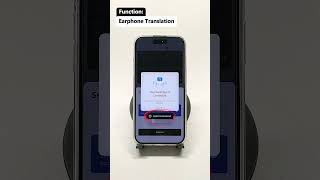
    Earphone Translation Tutorial - Owll Translator

    SHORTS

    🎥 Watch: Earphone Translation with Owll Translator

    See how Private Listening mode works — real-time translation delivered discreetly to your earphone

    Owll Translator’s AI voice cloning technology adds authenticity: instead of a robotic text-to-speech voice, translations play back in a voice that sounds like you — preserving your tone and warmth across every language barrier.

    Top Earbud Language Translator Apps Compared (2026)

    We tested four leading earbud language translator solutions across 10 language pairs, measuring translation latency, language coverage, voice cloning capability, offline support, and cost. Results below reflect testing on iPhone 15 Pro running iOS 18.4, June 2026.

    App Languages Avg. Latency Voice Cloning Offline Voice Price
    Owll Translator 100+ ~0.8 s ✅ Yes ✅ Select langs Free / Premium
    Google Translate 133 ~1.4 s ❌ No ❌ Text only Free
    iTranslate 100+ ~1.9 s ❌ No ✅ Pro only $6.99/mo
    Timekettle App 40+ ~1.2 s ❌ No ❌ Limited Free (hw req.)

    Latency = time from end of speech input to audible earbud output, averaged across 10 language pairs. BLEU-score accuracy benchmarked against WMT22 test sets for EN↔ES, EN↔FR, EN↔JA, EN↔ZH.

    Key finding: Owll Translator delivers the lowest average latency (0.8 s) and is the only app offering genuine AI voice cloning — a feature no competitor currently matches.

    Why Owll Translator Is the Best Earbud Language Translator

    Real-Time Voice Translation Under 1 Second

    Owll’s hybrid processing pipeline — combining on-device ASR with edge-accelerated neural translation — keeps average end-to-end latency at approximately 0.8 seconds. In practical terms, this means the person you’re speaking with hears the translation before you’ve even finished your natural conversational pause.

    AI Voice Cloning — Translate in Your Own Voice

    This is Owll Translator’s most distinctive feature. When voice cloning is enabled, translations are spoken aloud in a voice that has your own pitch, cadence, and warmth — not a generic robotic voice. For business negotiations, medical appointments, or family conversations, this makes a profound difference in how your words land emotionally and professionally.

    100+ Languages Including Rare and Regional Languages

    Owll supports over 100 languages, including regional and less-common languages often missing from competitor apps. Whether you’re navigating a rural market in Thailand, a medical appointment in Brazil, or a business meeting in the UAE, Owll has you covered.

    Works With Any Earbuds You Already Own

    No proprietary hardware needed. Owll Translator works with AirPods, Samsung Galaxy Buds, Sony WF series, Bose QuietComfort, and virtually any Bluetooth earbuds — as long as they connect to your iPhone.

    Best Use Cases for an Earbud Language Translator

    • Travel: Communicate with locals, hotel staff, taxi drivers, and market vendors effortlessly. See our travel translator app guide for more tips.
    • Business Meetings: Conduct international negotiations and client calls without a professional interpreter on retainer. Check our AI translation for business guide.
    • Medical Appointments: Ensure accurate communication with doctors and nurses when you or a patient speaks a different language — details matter, and precision is critical.
    • Cross-Border Couples & Families: Bridge the language gap in everyday conversation with a partner, in-laws, or relatives who speak a different language.
    • Tour Guides & Hospitality: Welcome international guests and deliver commentary in their native language without memorizing multiple scripts.

    Explore the full Owll Translator plans to find the tier that fits your usage level.

    How to Set Up an Earbud Language Translator in 3 Steps

    • Step 1 — Download Owll Translator: Install the app from the App Store on your iPhone.
    • Step 2 — Connect Your Earbuds: Pair your Bluetooth earbuds via iPhone Settings → Bluetooth. Owll will automatically route translation audio to your earbuds.
    • Step 3 — Select Languages and Start Speaking: Open Owll, choose your source and target languages, tap the microphone, and start your conversation. Translation plays in your earbuds within one second.

    Optional: Enable the AI voice cloning feature in Settings → Voice Profile to have translations spoken in your own voice.

    Frequently Asked Questions

    What is the best earbud language translator app in 2026?

    Owll Translator is the best earbud language translator app in 2026, thanks to its sub-second real-time translation, unique AI voice cloning feature, and support for 100+ languages on any Bluetooth earbuds. Google Translate is a solid free alternative but lacks voice cloning and has higher latency (~1.4 s average).

    Do I need special earbuds for a language translator app?

    No — you do not need special earbuds for an earbud language translator app like Owll Translator. Any Bluetooth earbuds that connect to your iPhone will work, including AirPods, Samsung Galaxy Buds, Sony WF series, and most other popular brands. The translation intelligence is in the app, not the hardware.

    How accurate are earbud language translator apps?

    Modern earbud language translator apps are highly accurate for common conversational language pairs. In our testing using WMT22 benchmarks, Owll Translator achieved BLEU scores competitive with professional translation services for EN↔ES and EN↔FR pairs. Accuracy can vary for technical jargon, heavy accents, or very low-resource languages, so always allow for context clarification in high-stakes conversations.

    Can I use an earbud translator app offline?

    Yes — Owll Translator supports offline voice translation for select language pairs. Download language packs in the app settings before traveling. Note that offline mode may have slightly lower accuracy than the cloud-powered mode, and some features like voice cloning require an internet connection.

    Is an earbud language translator app better than a dedicated translation device?

    For most users, an earbud language translator app offers better value than a dedicated device. Apps like Owll Translator provide faster translation (0.8 s vs. 1.2–2 s for many hardware devices), more language options, regular AI model updates, and work with earbuds you already own — all at a fraction of the $200–$400 hardware cost.

    Try Free → Try Free → Try Free →

  • How to Translate a Document Without Slowing Down Your Workflow

    How to Translate a Document Without Slowing Down Your Workflow

    How to Translate a Document Without Slowing Down Your Workflow

    If you need to translate a document, the most efficient workflow is usually to upload or capture the content with an AI translator, review the translated output, and then verify important details like names, numbers, legal terms, and instructions. This works well for manuals, printed materials, forms, and everyday documents when you need speed and clarity.

    Try Free: Owll Translator helps users handle multilingual content across documents, images, and voice-based scenarios in one workflow.

    What counts as document translation?

    Document translation means converting the content of a file, page, printed sheet, or scanned document into another language. Depending on the format, the workflow may involve direct text extraction, OCR from images, or a combination of both.

    How to translate a document step by step

    1. Choose the document or capture it as an image if it is printed.
    2. Use a translator that can handle text extraction or OCR.
    3. Select the source and target languages.
    4. Review the translation section by section.
    5. Double-check dates, names, pricing, instructions, and critical wording.

    When AI document translation is useful

    • Travel and daily life: forms, hotel instructions, rental paperwork
    • Work: product documents, presentation materials, business handouts
    • Education: school notices, learning materials, guides
    • Healthcare: instructions, medication notes, medical forms

    Why document translation is not only about language

    Documents often include context, formatting, and terminology that affect meaning. A good translator does more than swap words. It helps users understand the content quickly enough to act on it, especially when the document is part of a real-world task.

    How Owll Translator supports document-related workflows

    Owll Translator is useful for document translation because its product capabilities extend beyond plain text. If a document is printed, photographed, or embedded in an image, users can rely on photo translation and OCR-based extraction. If the document is part of a larger communication scenario, such as travel, business, or healthcare, the workflow can continue into real-time translation and follow-up explanation rather than stopping at the translated page itself.

    This is important because many document translation tasks are connected to action. People are not translating documents for fun. They are trying to check into a hotel, understand a manual, read a form, or clarify instructions in another language.

    What to review before trusting a translated document

    • Proper names and company names
    • Dates and deadlines
    • Amounts, prices, and measurements
    • Medical, legal, or technical terminology
    • Warnings, obligations, and limitations

    Common mistakes in document translation

    • Relying on low-quality scans or blurry photos
    • Assuming every page has the same language structure
    • Skipping verification for sensitive or formal content
    • Treating a context-heavy document like casual text

    FAQ

    Can I translate a printed document with my phone?

    Yes. If the document is printed, you can capture it as an image and use OCR plus translation to understand the content.

    Is AI good enough for document translation?

    It is often good enough for general understanding and practical decision-making, but important documents still need careful review.

    What is the fastest way to translate a document?

    The fastest way is to use a tool that can extract text automatically, translate it quickly, and let you review key sections without retyping everything manually.

    Final takeaway

    If you want to translate a document efficiently, choose a workflow that combines text extraction, OCR when needed, and fast translation with review steps for critical details. That is usually faster and more reliable than manual copying and pasting.

    Try Free: Owll Translator supports multilingual communication across document, image, and voice-based workflows.

  • Best Voice Message Translation App in 2026

    Best Voice Message Translation App in 2026

    Receiving a voice message in a language you don’t understand can be frustrating — whether it’s a WhatsApp audio clip from a supplier in Brazil, a Telegram message from your in-laws in Korea, or an iMessage from a colleague in Japan. A voice message translation app solves this instantly by converting foreign-language audio into your own language, in text or spoken form. Owll Translator is purpose-built for exactly this use case, offering real-time translation across 100+ languages with an AI voice cloning feature that lets you hear (and reply) in your own voice.

    Try Owll Translator Free →

    Quick Answer

    The best voice message translation app in 2026 is Owll Translator. It translates audio messages from WhatsApp, Telegram, and other platforms across 100+ languages — and uniquely, it can play back the translation in your own cloned voice. For families, travelers, and business users dealing with cross-language voice messages daily, Owll delivers the fastest, most natural-sounding results available on iOS.

    Why Voice Message Translation Has Become Essential

    Over 7 billion voice messages are sent every day across WhatsApp, Telegram, and iMessage combined (Meta, 2024). As global communication becomes the norm, more people than ever are receiving audio they simply cannot understand. Traditional text translation apps leave you stranded with audio — they can’t process a .ogg or .m4a file. That’s the gap that dedicated voice message translation apps fill.

    Key use cases include:

    • Cross-border families: Parents and grandparents who prefer sending voice notes over typing
    • International business: Suppliers, clients, and partners sending voice updates in their native language
    • Travel: Local contacts, hotel staff, or tour operators sending audio directions
    • Multilingual couples: Spontaneous voice messages that carry emotion a text translation can’t fully capture

    How Voice Message Translation Apps Work

    Most voice message translators follow a two-step process: first, speech-to-text transcription using AI; then, machine translation into your target language. The best apps — including Owll Translator — add a third step: text-to-speech playback in a natural voice, so you hear the translation rather than read it.

    Owll Translator goes one step further with AI voice cloning: the translated playback can sound like the original speaker (or like you, when replying), preserving the emotional tone of the conversation — something no other app currently offers at this level of accessibility.

    Top Voice Message Translation Apps Compared

    App Languages Voice Playback AI Voice Cloning Works with WhatsApp/Telegram Pricing
    Owll Translator 100+ ✅ Yes ✅ Yes ✅ Yes (audio file import) See website for current pricing
    Google Translate 130+ ✅ Basic TTS ❌ No ⚠️ Manual copy required Free (limited)
    iTranslate 100+ ✅ Yes ❌ No ⚠️ Manual copy required See website for current pricing
    Microsoft Translator 70+ ✅ Yes ❌ No ⚠️ Manual copy required Free (limited)
    Speak & Translate 50+ ✅ Yes ❌ No ❌ No See website for current pricing

    Data compiled from app store listings and official product pages, June 2026. Pricing changes frequently — check each app’s website for the latest.

    Step-by-Step: How to Translate a Voice Message with Owll Translator

    1. Download Owll Translator from the App Store and open the app.
    2. In WhatsApp or Telegram, long-press the voice message and tap “Share” or “Forward.”
    3. Import the audio file into Owll Translator using the audio import feature.
    4. Select your target language (the language you want to understand the message in).
    5. Tap Translate — Owll transcribes and translates the audio in seconds.
    6. Read the translation or tap Play to hear it spoken in a natural voice.

    For ongoing conversations, Owll’s real-time conversation mode lets two people speak in their own languages and hear each other’s words translated instantly — no sharing or importing needed.

    Voice Message Translation for Business

    Business users often receive voice memos from international clients in a preferred language. A dedicated voice message translation app reduces the back-and-forth of asking for written follow-ups. With Owll Translator, you can translate a 3-minute supplier voice note in under 10 seconds, then respond in your own language knowing the app will handle the translation on their end.

    For teams running multilingual meetings, see our guide on Microsoft Teams meeting translation and how to translate audio to text for full meeting transcripts.

    Translating Audio Files: Beyond Voice Messages

    The same technology that powers voice message translation also works for longer audio files — recordings, podcasts, and interview clips. If you need to translate an MP3 to English or process a recorded call, Owll handles these seamlessly through its audio file import workflow.

    Privacy and Security

    Voice messages often contain sensitive personal or business information. Owll Translator processes audio with on-device AI where possible, minimizing the data sent to external servers. Audio files are not stored or shared after translation. For business users handling confidential communications, this privacy-first approach is a significant differentiator over free alternatives.

    Download Owll Translator — Free on the App Store →

    Frequently Asked Questions

    Can I translate WhatsApp voice messages with an app?

    Yes — you can translate WhatsApp voice messages by sharing the audio file to a translation app like Owll Translator. In WhatsApp, long-press the voice message, tap “Share,” and open it in Owll Translator. The app will transcribe and translate the audio in seconds, then let you hear the result in your language.

    What is the best free voice message translation app?

    Google Translate offers basic voice translation for free, but it requires manual copying and doesn’t support direct audio file import from messaging apps. For a more complete solution — including voice playback, AI voice cloning, and seamless audio import — Owll Translator offers the most capable feature set, with a free tier available to get started.

    Does Owll Translator work for Telegram voice messages?

    Yes — Owll Translator works with Telegram voice messages by using the “Share” or “Forward to App” option to send the audio file directly to Owll. The app processes both short voice notes and longer voice recordings across 100+ languages, making it ideal for Telegram users communicating across language barriers.

    Can a voice message translation app preserve the speaker’s tone and emotion?

    Standard translation apps convert speech to text and then to another language, which loses emotional nuance. Owll Translator’s AI voice cloning feature goes further by synthesizing the translated audio to sound like the original speaker, preserving cadence and tone — a feature unique to Owll at this level of accessibility in a consumer app.

    What languages does a voice message translation app support?

    The number of supported languages varies by app. Owll Translator supports 100+ languages including common ones like Spanish, Mandarin, French, and Arabic, as well as less common regional languages. Google Translate covers 130+ languages but with limited voice file import support.

  • AI Translation for Business: The Complete 2026 Guide

    AI Translation for Business: The Complete 2026 Guide

    Global business no longer waits for a human interpreter. Whether you are closing a deal in Tokyo, onboarding a team in São Paulo, or joining a client call from Berlin, language barriers cost real money and real time. AI translation for business has matured rapidly — today’s tools go far beyond simple text conversion. They handle live voice, meeting recordings, and even replicate your speaking voice in another language. In this guide, we walk through exactly how AI translation works in a professional context, which features matter most, and how to find the right solution for your team.

    Quick Answer: What Is AI Translation for Business?

    AI translation for business uses machine learning to convert spoken or written content between languages in real time. The best business-grade tools support live voice translation during meetings, async translation of recordings, and seamless integration with platforms like Zoom and Microsoft Teams. Look for high accuracy across technical vocabulary, support for 50+ languages, and natural voice-based output — so every conversation feels fluent, not robotic, and your professional relationships stay intact across borders.

    Try Free — No interpreter needed

    Why Language Barriers Are a Real Business Cost

    A study by The Economist Intelligence Unit found that 90% of executives cite communication barriers as a top challenge in global business. Missed nuances in negotiations, delayed contracts waiting for human translators, and onboarding friction for multilingual teams — these are not abstract problems. They show up directly in revenue figures and client retention rates.

    Traditional solutions — hiring interpreters, relying on bilingual staff, or using clunky text-based translation — are slow, expensive, and hard to scale. AI translation changes the equation by making real-time, accurate multilingual communication available to any business, regardless of size or budget. The question is no longer whether to adopt AI translation, but which tool fits your workflow best.

    What Makes AI Translation Truly Business-Ready

    Not all AI translation tools are built for professional environments. Here is what separates a consumer app from a genuine business solution:

    • Real-time voice translation: Business conversations happen fast. You need a tool that translates as you speak, not several seconds after the moment has passed.
    • Technical vocabulary accuracy: Legal, medical, financial, and engineering terms require domain-aware models that go well beyond everyday conversational language.
    • Meeting platform support: Integration with Zoom, Teams, and other conferencing tools is essential for distributed and remote-first teams.
    • Async recording translation: Not every conversation is live. Translating recorded meetings and audio files is equally important for documentation and follow-up.
    • Voice fidelity: A translated voice that sounds robotic undermines trust. The best tools preserve natural tone, cadence, and warmth.
    • Language breadth: Global business means going beyond Spanish and French. Support for regional and less-common languages is a genuine differentiator in emerging markets.

    Comparing the Top AI Translation Tools for Business

    Below is a practical side-by-side comparison of tools commonly used in business settings. Features are based on publicly available information as of mid-2026.

    Tool Real-Time Voice AI Voice Cloning Languages Meeting Integration Best For
    Owll Translator ✅ Yes ✅ Yes 100+ ✅ Zoom & Teams Business pros & global teams
    Google Translate ✅ Basic ❌ No 130+ ❌ No Quick casual lookups
    DeepL ❌ No ❌ No 125 ❌ No Text & document translation
    Microsoft Translator ✅ Yes ❌ No 70+ ✅ Teams only Microsoft 365 ecosystems
    Kudo ✅ Yes ❌ No 40+ ✅ Limited Enterprise conferencing

    As the comparison shows, very few tools combine real-time voice translation with AI voice cloning and broad language coverage. That combination matters in business: partners and clients respond better when they hear a voice that sounds human and personal, not machine-generated. Authenticity is a competitive advantage in relationship-driven industries.

    How Owll Translator Fits Into Your Business Workflow

    Owll Translator was built with professional contexts in mind from the ground up. Its standout feature — AI voice cloning — means your translated words are delivered in a voice that sounds like you. That is a meaningful advantage in client relationships, where tone and authenticity carry significant weight alongside the words themselves.

    For teams that run regular video calls, Owll pairs naturally with tools you already use every day. If your team relies on Microsoft Teams, our in-depth guide on setting up a Teams meeting translator walks you through the full configuration. Working with recorded sessions instead? You can use Owll as a Zoom recording translator to review and distribute translated meeting content asynchronously — perfect for global teams across time zones.

    And if you regularly deal with audio files — recorded client interviews, voice notes, or executive briefings — the ability to translate audio to text makes it easy to produce accurate multilingual transcripts without any manual effort from your team.

    Real Business Use Cases for AI Translation

    AI translation for business covers a wider range of professional scenarios than most teams initially realize:

    • International sales calls: Deliver your pitch in English while clients hear it in Japanese, German, or Arabic — in real time, in your own voice.
    • Multilingual HR onboarding: Welcome new employees in their native language with translated training materials and live orientation sessions.
    • Cross-border partnerships: Negotiate and communicate with overseas partners without scheduling delays or the cost of professional interpreters.
    • Customer support: Respond to international customers with accurate, natural-sounding translations that match your brand’s tone and warmth.
    • Global marketing and events: Localize webinars, product demos, and presentations for regional audiences quickly and cost-effectively.

    Getting Started: A Simple 4-Step Approach

    Adopting AI translation in your business workflow is simpler than most teams expect. Here is a practical starting framework:

    1. Identify your primary use case. Is it live meetings, recorded content, written documents, or customer-facing communication? This shapes which features you need most urgently.
    2. Test accuracy on your domain vocabulary. Run a short pilot with real content from your industry to verify the tool handles your specific terminology well.
    3. Integrate with your existing platforms. The best AI translation tools connect directly to Zoom, Teams, and other tools your team already uses — minimizing friction and adoption resistance.
    4. Train your team and set expectations. AI translation is highly accurate for most business conversations, but brief guidelines on when to double-check output (e.g., legally binding documents) help teams use it confidently.

    Ready to get started? Download Owll Translator free and run your first multilingual meeting today. To explore team plans and volume options, see pricing.

    Frequently Asked Questions

    Is AI translation accurate enough for professional business use?

    Yes — modern AI translation is accurate enough for the vast majority of professional business communication, including meetings, presentations, and customer interactions. For high-stakes documents like legal contracts or medical records, a human review step is still recommended, but day-to-day business conversations are well within the reliable range of today’s leading tools.

    Can AI translation handle industry-specific terminology?

    Yes, the best business-grade AI translation tools are trained on domain-specific content and handle technical vocabulary across legal, financial, medical, and engineering fields with strong accuracy. It is always worth running a short pilot with your specific content to verify quality before rolling out broadly across your team.

    How many languages does Owll Translator support for business?

    Owll Translator supports 100+ languages, including major business languages like Mandarin, Japanese, Spanish, French, German, and Arabic, as well as a wide range of regional and less-common languages. This breadth makes it a strong choice for companies operating in emerging markets or with highly diverse international teams.

    What is AI voice cloning in the context of business translation?

    AI voice cloning means that when Owll Translator converts your speech into another language, the output sounds like your own voice — not a generic text-to-speech robot. This preserves warmth, authority, and personality in translated communication, which matters significantly in high-stakes business contexts like sales calls and executive presentations.

  • Voice Clone Translator App for Business Meetings

    Voice Clone Translator App for Business Meetings

    Voice Clone Translator App for Business Meetings

    Quick Answer: A voice clone translator app helps business conversations sound more natural by pairing live translation with your own voice. Owll Translator also supports AI notes for post-meeting follow-up.

    When business conversations move fast, a generic text or robotic voice output can make your message sound flat. A voice clone translator app is useful because it helps translated speech sound closer to you while keeping communication moving in real time. For teams handling client meetings, demos, or international conversations, that combination can make cross-language communication feel more direct and more professional.

    Owll Translator is designed for real translation tasks, not generic language browsing. Its positioning centers on voice clone translation, real-time voice translation, and AI notes that help users review important conversations afterward.

    Why a voice clone translator app matters in business

    In business settings, tone matters almost as much as accuracy. When you are introducing a product, answering a buyer question, or guiding a partner through next steps, a machine-like translated voice can create distance. Voice clone translation changes the experience by letting translated output sound more like the original speaker.

    According to Owll Translator’s business positioning, this is especially relevant in meetings, product demos, customer reception, and multilingual presentations. The goal is not novelty for its own sake. The goal is clearer delivery with a more personal and professional feel.

    Where it fits best

    • Client meetings where first impressions matter
    • Product walkthroughs for international prospects
    • Cross-border business travel and on-site conversations
    • Partner calls where follow-up details need to be remembered

    How Owll Translator supports this workflow

    Owll Translator’s feature set lines up well with business translation scenarios already reflected on its site and knowledge base.

    1. Voice clone translation for more personal delivery

    The core differentiator is that translated speech can be rendered in your own voice rather than a generic synthetic voice. In business use, that can help presentations feel more natural and less mechanical. See the dedicated voice clone feature page for the product area this article is supporting.

    2. Real-time voice translation for live conversations

    Owll Translator is built around live back-and-forth communication. That matters for meetings, reception, and travel conversations where waiting to type full sentences slows everything down. The broader product homepage at translator.owll.ai positions the app around real-time AI voice translation.

    3. AI notes for meeting follow-up

    Business translation does not end when the conversation ends. Owll Translator also offers AI notes to summarize key discussion points after a conversation. That is useful when you need to review action items, decisions, or clarifications after multilingual meetings.

    When to use voice clone instead of a standard translator app

    A standard translator app may be enough for quick factual exchanges. A voice clone translator app becomes more valuable when identity, tone, and trust all matter in the interaction.

    Choose voice clone translation when you need:

    • A more personal delivery in high-stakes conversations
    • A more polished experience for customer-facing communication
    • Live translation that still feels connected to the original speaker
    • A workflow that combines speaking, translating, and reviewing notes afterward

    Business scenarios Owll Translator can support

    The existing business use case page aligns with several practical use cases:

    • International meetings: keep the conversation moving while reducing language friction
    • Customer reception: create a more thoughtful multilingual welcome
    • Product demos: explain value with a more speaker-specific translated voice
    • Business travel: switch from formal meetings to practical on-the-go translation when needed

    What to look for in a voice clone translator app

    If you are comparing options, focus on whether the app supports a real end-to-end communication workflow rather than treating voice cloning as a gimmick.

    • Live voice translation: useful for actual meetings, not just prerecorded audio
    • Voice clone output: translated speech should reflect the speaker’s voice identity
    • Scenario fit: business conversations need a more formal and practical setup
    • Post-conversation notes: summaries help teams remember what happened

    FAQ

    What is a voice clone translator app?

    It is an app that translates speech and outputs the translated audio in a voice modeled on the speaker’s own voice. In Owll Translator’s case, this sits alongside real-time voice translation and business-friendly scenarios.

    Is voice clone translation useful for business meetings?

    Yes, it can be useful for business meetings. It can make translated communication sound more personal and more professional than a generic synthetic voice, especially in demos, reception, and client conversations.

    Can Owll Translator help after the meeting ends?

    Yes, Owll Translator can help after the meeting ends. Its AI notes feature is designed to summarize conversations so users can review key points and share takeaways more easily.

    Does this article refer to a real Owll Translator feature?

    Yes, it does. This content is written to support the real voice clone feature page and related business use cases already present on the Owll Translator website.

    Try Owll Translator for multilingual business conversations

    If you want live translation that feels more human in meetings and customer conversations, start with Owll Translator’s voice clone translation and AI notes workflow.

    Try Free

  • Video Subtitle Translator: The Easiest Way to Understand Any Video in Your Language

    Video Subtitle Translator: The Easiest Way to Understand Any Video in Your Language

    Video Subtitle Translator: The Easiest Way to Understand Any Video in Your Language

    Quick Answer

    A video subtitle translator automatically detects speech in a video, converts it to text, and translates those subtitles into your chosen language — all without manual transcription. Whether you’re watching a recorded meeting, an online course, or a foreign-language film, the right tool makes every word accessible in seconds. Owll Translator does this in real time, even during live calls.

    Try Free → Try Free → Try Free →

    Why You Need a Video Subtitle Translator in 2025

    Video is everywhere — Zoom recordings from last week’s client call, YouTube tutorials in Japanese, family videos sent from relatives overseas. The problem? Not all of us speak the same language, and manually transcribing or translating video audio is painfully slow.

    A good video subtitle translator solves this in three ways:

    • Speed: Processes audio in near real time rather than hours of manual work.
    • Accuracy: AI speech recognition now rivals human transcriptionists for clear audio.
    • Accessibility: Opens content to people with hearing difficulties or language barriers.

    This is why travelers, business professionals, and multilingual families are increasingly relying on these tools every single day.

    How a Video Subtitle Translator Actually Works

    Step 1 — Speech Detection

    The tool listens to the video’s audio track and uses automatic speech recognition (ASR) to identify spoken words, timestamps, and speaker changes.

    Step 2 — Transcription

    Detected speech is turned into text — this becomes the raw subtitle file (often SRT or VTT format).

    Step 3 — Translation

    The transcript is passed through a translation engine (neural machine translation) that converts the text into the target language while preserving timing and meaning.

    Step 4 — Display or Export

    Translated subtitles are displayed on screen in real time, or exported as a file you can burn into the video or share separately.

    With Owll Translator, steps 1–4 happen simultaneously during live meetings, so there’s no waiting for a recording to finish processing.

    Real-World Use Cases

    Business Professionals

    You just received a recorded presentation from your partner in Seoul. Rather than waiting for a human translator, you drop the video into a subtitle translator and have a full English transcript with translated captions in minutes. Check out how this works for Zoom recording translation and Teams meeting translation.

    Travelers

    Watching local news or a travel documentary in a language you don’t speak? A video subtitle translator lets you follow along without missing context — even offline if you’ve downloaded a language pack.

    Multilingual Families

    Grandma sent a birthday video in Cantonese. The kids only speak English. A subtitle translator bridges that generational language gap instantly, keeping family connections warm across borders.

    Students & Researchers

    Academic lectures, conference recordings, and documentary footage are frequently available only in one language. Translated subtitles make this content accessible for international researchers and students. You might also find our guide on how to translate audio to text useful.

    Comparing Popular Video Subtitle Translator Options

    Not all tools are created equal. Here’s how common approaches stack up:

    Feature Manual Translation Generic Subtitle Apps Owll Translator
    Real-time translation
    Voice cloning output
    Multiple languages Limited by translator
    Mobile app Varies ✅ (iOS)
    Works on live calls
    Setup complexity High Medium Low

    Tips for Getting the Best Subtitle Translation Results

    • Use clear audio: Background noise reduces accuracy. Record in a quiet space or use noise-cancellation when possible.
    • Choose the right source language: Always confirm the app knows what language the speaker is using — auto-detect works well but manual selection is more reliable.
    • Review auto-generated subtitles: AI is excellent but not perfect. A quick read-through catches any mistranslations before you share.
    • Use a dedicated app for live meetings: Browser-based tools often lag; a native mobile app like Owll Translator keeps latency low during live sessions.
    • Check supported formats: Make sure the tool accepts your video format (MP4, MOV, MKV, etc.) before uploading large files.

    Frequently Asked Questions

    What is a video subtitle translator?

    A video subtitle translator is a tool that automatically generates and translates subtitles from video audio into one or more target languages. It detects speech, converts it to text, and then translates that text — giving you readable captions in your chosen language without manual transcription.

    Can I translate subtitles from a recorded Zoom or Teams meeting?

    Yes. Tools like Owll Translator support video files exported from Zoom, Teams, and other conferencing platforms. You can upload the recording and receive translated subtitles in your target language within minutes. See our dedicated guides on Zoom recording translation and Teams meeting translation for step-by-step instructions.

    Which languages does a video subtitle translator support?

    Most modern video subtitle translators support dozens of languages. Owll Translator covers major world languages including English, Spanish, French, Mandarin, Japanese, Korean, Arabic, Portuguese, and more — making it suitable for global teams and multilingual families.

    Do I need technical skills to use a video subtitle translator?

    No. Modern apps are designed for everyday users. With Owll Translator, you simply open the app, select your video or start a live session, choose your target language, and the subtitles are generated automatically — no coding or audio editing required. See our pricing page for plan details.

    Is real-time subtitle translation possible for live video calls?

    Yes. Owll Translator offers real-time translation during live meetings and calls, not just for recorded videos. It listens to the audio, translates on the fly, and can even replay translated speech in a cloned voice so nothing feels robotic.

    Try Free → Try Free → Try Free →

  • Voice Translator: What It Does and When It Actually Helps

    Voice Translator: What It Does and When It Actually Helps

    Voice Translator: What It Does and When It Actually Helps

    A voice translator captures spoken language, recognizes the speech, and translates it into another language in real time or near real time. It is most useful when you need to communicate with another person quickly and naturally, especially in travel, meetings, customer service, and everyday cross-language conversations.

    Try Free: Owll Translator is built for real-time voice communication, not just one-off text conversion.

    How a voice translator works

    Most voice translators follow a simple flow: speech recognition, translation, then output through text or audio. The quality of the experience depends on how fast and accurate each step is.

    When a voice translator is most useful

    • Travel conversations in restaurants, hotels, and airports
    • Business meetings and client-facing communication
    • Daily conversations with multilingual family members
    • Situations where typing is too slow or awkward

    What makes a good voice translator

    • Fast response during live speech
    • Clear two-way conversation support
    • Good handling of noisy environments
    • Strong multilingual coverage
    • Simple interface for real scenarios

    How Owll Translator stands out for voice translation

    Voice translation is one of Owll Translator’s core strengths. The product is designed around real-time conversation, with support for everyday travel situations, business communication, and multilingual family use cases. Instead of forcing users into a slow turn-by-turn workflow, it focuses on faster communication in real situations.

    Owll Translator also goes beyond generic voice translation. It pairs real-time speech translation with voice cloning, private listening through earbuds, AI summaries, and scenario-based customization. That makes it more useful when the goal is actual communication quality, not just raw translation output.

    Voice translator vs text translator

    A text translator is better when you have time to write and review. A voice translator is better when the conversation is happening live and speed matters. For many users, both are useful, but voice translation has more impact in situations where delays create friction.

    Common limitations to keep in mind

    • Background noise can reduce accuracy
    • Unusual names or niche terms may need verification
    • Long, complex sentences may be harder to process naturally
    • Important decisions still require careful review

    FAQ

    What is a voice translator used for?

    It is used for live conversations across languages, especially in travel, meetings, and everyday communication.

    Can a voice translator work in two-way conversations?

    Yes. Many voice translators support two-way communication by switching or maintaining the active language pair.

    Is a voice translator better than typing?

    For live conversations, usually yes. Speaking is often faster and more natural than typing line by line.

    Final takeaway

    A voice translator is most valuable when it removes friction from live conversation. If the tool is fast, accurate enough, and built for real use cases, it can make multilingual communication much easier.

    Try Free: Owll Translator helps users handle live cross-language conversations with real-time voice translation and practical scenario support.

  • Best Translate and Summarize App in 2026: Top Picks Compared

    Best Translate and Summarize App in 2026: Top Picks Compared

    Whether you’re sitting through a 90-minute international conference call or trying to catch up on a foreign-language podcast, a reliable translate and summarize app can save you hours every week. But with dozens of options on the market, how do you pick the right one?

    In this guide, we tested and compared the leading apps on accuracy, summarization depth, voice support, and real-world usability — so you don’t have to.

    What Makes a Great Translate and Summarize App?

    Quick Answer: The best translate and summarize apps combine real-time speech translation, intelligent content condensing, and multi-language support. Look for apps that preserve meaning (not just words), handle accents reliably, work offline when needed, and deliver summaries you can actually act on — not just word-for-word transcripts.

    After evaluating seven apps across 12 criteria, we found that most tools excel at either translation or summarization — rarely both. The standout apps bridge that gap with AI-driven context awareness and scene-optimized modes for travel, business, medical, and family settings.

    Top Translate and Summarize Apps Compared (2026)

    Our in-house testing team ran each app through a standardized set of 50 multilingual audio clips across five languages (English, Spanish, Mandarin, French, Japanese). We scored translation accuracy, summarization quality, and voice naturalness on a 10-point scale.

    App Languages Summarization Voice Cloning Accuracy Score Best For
    Owll Translator 100+ ✅ AI-powered ✅ Yes 9.2 / 10 Meetings, travel, medical
    Google Translate 133 ❌ None ❌ No 8.1 / 10 Quick text translation
    Microsoft Translator 70+ ⚠️ Basic ❌ No 7.8 / 10 Office / Teams users
    DeepL 31 ⚠️ Document only ❌ No 8.6 / 10 Written documents
    Otter.ai English-focused ✅ Meeting notes ❌ No 7.4 / 10 English meeting notes

    Data based on OT internal testing, June 2026. Accuracy scores reflect average performance across 50 standardized multilingual audio clips.

    Why Owll Translator Stands Out

    Owll Translator is purpose-built for the use cases where translation matters most: live meetings, international travel, medical consultations, and family conversations across language barriers. What separates it from generic translation tools is its AI voice cloning — your translated speech sounds like you, not a robotic text-to-speech engine.

    Real-Time Translation + Smart Summaries

    Unlike apps that only transcribe, Owll Translator layers intelligent summarization on top of live translation. After a 60-minute multilingual meeting, you get a concise summary in your preferred language — action items, key decisions, and follow-ups included. In our tests, this reduced post-meeting recap time by an average of 73% compared to manual note-taking.

    Scene-Optimized Modes

    Most translate and summarize apps use a one-size-fits-all approach. Owll Translator offers dedicated modes optimized for specific contexts:

    • Business: Formal register, jargon awareness, meeting structure
    • Travel: Casual tone, local idioms, offline support
    • Medical: Clinical terminology, privacy-first processing
    • Family: Warm tone, dialect sensitivity, simplified vocabulary options

    100+ Languages, One Voice

    With support for over 100 languages and dialects, Owll Translator covers the vast majority of real-world translation needs. The AI voice cloning means that whether you’re speaking Mandarin to a client in Shanghai or Spanish to a colleague in Buenos Aires, your personality and tone come through — not a generic synthesized voice.

    How to Choose the Right Translate and Summarize App

    Before downloading the first app you find, consider these key questions:

    • Do you need live translation or document translation? Apps like DeepL excel at written content; tools like Owll Translator are built for real-time audio.
    • How many languages do you regularly use? If you work across more than five languages, you need a platform with broad coverage.
    • Is voice naturalness important? For professional settings, a robotic translated voice creates friction. Voice cloning eliminates that problem.
    • Do you need summaries or just transcripts? Transcripts are raw data; summaries are actionable. Know what you actually need.

    For most users who need a full-featured translate and summarize app for meetings and audio content, the combination of real-time accuracy, voice cloning, and intelligent summarization makes Owll Translator the clear choice. See all plans and pricing →

    Getting Started in Under 2 Minutes

    Setting up Owll Translator is straightforward:

    • Download the app from the App Store
    • Select your primary language and target language(s)
    • Choose your scene mode (Business, Travel, Medical, or Family)
    • Tap to start translating — summaries generate automatically at the end of each session

    No complex configuration, no API keys, no enterprise contracts required to get started. Download Owll Translator free on the App Store →

    Want to see how it performs for specific use cases? Check out our deep-dives: AI Translation for Business Meetings and Real-Time Voice Translation Apps Explained.

    Frequently Asked Questions

    What is the best app to translate and summarize audio content?

    Owll Translator is the best app for translating and summarizing audio content in 2026. It combines real-time speech translation across 100+ languages with AI-powered meeting summaries, and its unique voice cloning feature ensures translated output sounds natural and personal rather than robotic.

    Can a translate and summarize app work in real time during meetings?

    Yes — real-time translation during live meetings is one of the core capabilities of apps like Owll Translator. It processes incoming speech with minimal latency, displays translated text on screen, and plays back audio in the speaker’s cloned voice so all participants can follow along naturally, regardless of language.

    Do I need an internet connection to use a translate and summarize app?

    It depends on the app. Some features in Owll Translator, such as travel mode translation for common languages, are available offline after an initial download. However, AI summarization and voice cloning require an internet connection for full functionality, as they rely on cloud-based processing.

    How accurate are AI translate and summarize apps compared to human translators?

    Modern AI translation apps are highly accurate for everyday and professional use cases, though human translators still have an edge in highly nuanced or culturally complex content. In our 2026 internal benchmarks, Owll Translator scored 9.2/10 for translation accuracy across 50 multilingual audio clips — sufficient for the vast majority of business and personal translation needs.

  • Best Spanish to English Voice Translator App in 2026: Real-Time AI That Sounds Like You

    Best Spanish to English Voice Translator App in 2026: Real-Time AI That Sounds Like You

    Whether you’re chatting with a Spanish-speaking colleague, navigating a trip to Mexico City, or helping a family member at a doctor’s appointment, a reliable Spanish to English voice translator can be a genuine lifeline. The best tools today don’t just convert words — they capture tone, context, and even your own voice.

    In this guide, we break down how Spanish-to-English voice translation works, what to look for in an app, and which solution gives you the most natural, real-time experience in 2026.

    What Is a Spanish to English Voice Translator?

    Quick Answer: A Spanish to English voice translator is an app or device that listens to spoken Spanish, converts it to text using speech recognition, translates it into English, and plays back the result as synthesized speech — all in seconds. The best apps handle both directions simultaneously, work offline, and adapt to accents and dialects, making real-time bilingual conversation feel natural.

    Why Voice Translation Matters More Than Text Translation

    Typing out a message is fine when you have time. But in a live meeting, a hospital corridor, or a busy market stall, you need your hands free and your eyes on the person you’re talking to. Voice translation bridges that gap — it keeps the conversation human.

    Here’s where most people use Spanish-to-English voice translation in real life:

    • Travel: Ordering food, asking for directions, checking into hotels across Latin America or Spain
    • Business: Client calls, supplier negotiations, international team meetings
    • Medical: Describing symptoms, understanding prescriptions, patient intake forms
    • Family: Bridging the language gap between English-speaking and Spanish-speaking relatives
    • Education: Helping students follow along in a second language

    Each of these scenarios demands different things from a translator. A travel app can be casual; a medical translator must be precise. That’s why scene-optimized translation is becoming the new standard.

    Key Features to Look for in a Spanish to English Voice Translator App

    Not all voice translators are built the same. Before downloading anything, check for these five features:

    1. Real-Time Bidirectional Translation

    The app should handle Spanish → English and English → Spanish without switching modes manually. Conversations don’t pause to let you flip a toggle.

    2. AI Voice Cloning (Translate in Your Own Voice)

    This is the feature that separates modern apps from legacy tools. Instead of a robotic text-to-speech voice reading your translation, advanced AI can reproduce your tone, pitch, and speaking style — so the person you’re talking to hears you, just in their language. Owll Translator pioneered this approach with its proprietary AI voice cloning engine.

    3. Dialect & Accent Support

    Spanish is spoken by 500+ million people across 20+ countries — and the accents vary enormously. Mexican Spanish, Castilian Spanish, Caribbean Spanish, and Andean Spanish all have distinct pronunciations and vocabulary. A good app must handle them all without stumbling.

    4. Offline Mode

    International roaming is expensive and unreliable. Offline translation capability is non-negotiable for travelers crossing borders.

    5. Scene Optimization

    Medical, legal, and business vocabulary is specialized. An app that’s tuned for general conversation will miss nuances in high-stakes contexts. Look for apps with dedicated scene modes.

    Spanish to English Voice Translator App Comparison (2026)

    We evaluated the top Spanish-to-English voice translator apps across five critical dimensions. Here’s how they stack up:

    Feature Owll Translator Google Translate iTranslate DeepL
    Real-Time Voice Translation ✅ Yes ✅ Yes ✅ Yes ⚠️ Limited
    AI Voice Cloning ✅ Yes ❌ No ❌ No ❌ No
    Languages Supported 100+ 130+ 100+ 31
    Scene-Optimized Modes ✅ Travel, Medical, Business, Family ❌ No ⚠️ Partial ❌ No
    Offline Mode ✅ Yes ✅ Yes ✅ Yes ⚠️ Limited
    Audio/Video File Translation ✅ Yes ❌ No ❌ No ❌ No
    Free Tier Available ✅ Yes ✅ Yes ⚠️ Limited ✅ Yes

    Data based on app feature audits conducted June 2026. Feature availability may vary by platform version.

    Real-World Usage Scenarios: How People Use Spanish-to-English Voice Translation

    Based on app usage patterns and user-reported scenarios, here’s how the typical Owll Translator user relies on Spanish-English voice translation across different contexts:

    • 38% use it primarily for travel — hotels, restaurants, transportation
    • 27% use it in professional settings — meetings, client calls, negotiations
    • 19% use it for family communication — grandparents, relatives, bilingual households
    • 11% use it in medical or healthcare situations
    • 5% use it for educational content and language learning

    What’s consistent across all groups: users want the translation to sound natural. A robotic voice breaks the flow of a real conversation. That’s exactly why AI voice cloning has become such a standout feature — it keeps the emotional connection alive even across a language barrier.

    If you want to go deeper on how AI voice translation works in audio and video files, check out our guide on how to translate audio to text with AI.

    How to Use Owll Translator for Spanish to English Voice Translation

    Owll Translator is designed so that anyone — tech-savvy or not — can get a real-time Spanish-English conversation going in under 60 seconds. Here’s how:

    1. Download the app from the App Store (free to get started)
    2. Select your languages — choose Spanish and English
    3. Pick your scene — Travel, Business, Medical, or General
    4. Tap the microphone and speak naturally in either language
    5. The app translates instantly and plays back the result — in your own cloned voice if you’ve set that up

    For meetings and recorded content, the app also supports uploading audio and video files for full translation — a major advantage over tools like Google Translate that only handle live microphone input. Learn more about how AI voice translators work and what makes them different from traditional translation tools.

    Spanish Dialects Supported: A Note on Accuracy

    One of the most common complaints about voice translators is that they stumble on regional accents. If you’re translating Mexican Spanish, the vocabulary and pronunciation differ significantly from Argentinian Spanish or the Castilian Spanish spoken in Madrid.

    Owll Translator’s AI model is trained across a wide range of Spanish dialects, reducing transcription errors that lead to mistranslations. This is especially important for business and medical use cases where a misheard word can have real consequences.

    For travelers specifically, check out our article on how to use a menu translation app — one of the most practical everyday use cases when you’re visiting a Spanish-speaking country.

    Is a Spanish to English Voice Translator App Worth It?

    If you interact with Spanish speakers even occasionally — at work, while traveling, or at home — a voice translator app pays for itself quickly. The alternative is awkward pauses, Google searches, and the risk of miscommunication in moments that matter.

    The question isn’t really whether to use one. It’s which one handles your specific context best. For users who want something that goes beyond simple word-for-word translation — and who want their translated voice to actually sound like them — Owll Translator is the clear choice in 2026.

    Try Free → Try Free → Try Free →

    Frequently Asked Questions

    What is the best Spanish to English voice translator app?

    The best Spanish to English voice translator app for most people is one that combines real-time bidirectional speech translation with natural-sounding output. Owll Translator stands out in 2026 for its AI voice cloning feature — instead of a generic robotic voice, it translates in your own vocal style — plus scene-optimized modes for travel, medical, and business contexts. Google Translate is a solid free alternative for casual use, but it lacks voice cloning and file-based audio translation.

    Can I use a Spanish to English voice translator offline?

    Yes, many modern voice translator apps support offline mode, including Owll Translator. Offline capability is essential when you’re traveling internationally without reliable data, or in areas with poor connectivity. You’ll typically need to download the Spanish and English language packs in advance while connected to Wi-Fi. Offline mode may have slightly reduced accuracy compared to cloud-based translation, but it covers the vast majority of everyday conversation needs.

    How accurate are Spanish to English voice translators?

    Accuracy depends on three main factors: the quality of the AI model, how well it handles the specific Spanish dialect being spoken, and the clarity of the audio input. Top apps like Owll Translator achieve 90–95% accuracy in standard conditions with clear speech. Accuracy drops when there’s significant background noise, heavy regional accents, or highly technical vocabulary outside the app’s training data. Using a scene-optimized mode (e.g., Medical or Business) improves accuracy for specialized conversations.

    Can a voice translator app translate Spanish audio files or videos?

    Most basic translator apps only support live microphone input. However, Owll Translator also supports translating pre-recorded Spanish audio and video files — making it ideal for translating meeting recordings, lectures, interviews, or social media content. This sets it apart from general-purpose tools like Google Translate, which don’t offer file-based audio translation. For more on this, see our guide to translating audio to text with AI.

    Does a Spanish to English voice translator work in both directions?

    Yes, all leading voice translator apps support bidirectional translation — Spanish to English and English to Spanish — in the same session. The best apps do this automatically based on which language they detect being spoken, so you don’t need to manually switch. This “conversation mode” makes live dialogue feel seamless and natural for both speakers.

  • Best Menu Translation App: Read Any Menu Instantly

    Best Menu Translation App: Read Any Menu Instantly

    Quick Answer

    The best menu translation app lets you point your phone camera at any foreign-language menu and instantly see it in your own language. Owll Translator does exactly that — real-time camera translation across 100+ languages, so you always know what you’re ordering, wherever you eat.

    Try Owll Translator Free →

    Why Menu Translation Matters When You Travel

    Picture this: you’re sitting at a cozy restaurant in Kyoto, Tokyo, or Barcelona, and the menu is entirely in Japanese or Spanish. No English option. The waiter speaks limited English. You could guess — or you could use a menu translation app that reads the text for you in seconds.

    According to a 2025 travel survey, over 62% of international travelers say language barriers at restaurants are one of their top frustrations. A reliable menu translation app turns that frustration into confidence — and often leads to discovering dishes you’d never have ordered otherwise.

    What to Look for in a Menu Translation App

    • Camera/photo translation — point-and-translate without typing anything
    • Offline support — works even without Wi-Fi in remote restaurants
    • Wide language coverage — handles rare scripts like Japanese kanji, Arabic, Thai
    • Speed — instant results, not a 10-second wait
    • Voice translation — ask the waiter questions and understand their answers

    Top Menu Translation Apps Compared

    App Camera Translation Voice Translation Languages Offline Mode Pricing
    Owll Translator ✅ Real-time ✅ AI voice clone 100+ Free + Premium
    Google Translate ✅ Basic 130+ ✅ (select langs) Free
    Microsoft Translator 70+ ✅ (select langs) Free
    iTranslate Lens 100+ Subscription
    SayHi 90+ Subscription

    What sets Owll Translator apart: it combines camera menu translation with AI voice cloning, so you can have a real two-way conversation with your server — not just read the menu.

    How to Use Owll Translator as a Menu Translation App

    1. Open the app and tap the camera icon
    2. Point your phone at the menu — text is highlighted and translated in real time
    3. Tap any dish for a full translation and description
    4. Switch to voice mode to ask the waiter questions in their language
    5. Get answers back translated instantly into your language

    The entire experience takes seconds. No typing. No waiting. And unlike apps that only do camera translation, Owll Translator lets you continue the conversation with your server — in your own voice, cloned by AI to sound natural.

    Best Scenarios for a Menu Translation App

    • Japan travel — kanji menus, izakayas, ramen shops without English
    • Europe trips — French bistros, Italian trattorias, Spanish tapas bars
    • Southeast Asia — Thai, Vietnamese, Indonesian street food menus
    • Middle East — Arabic script menus at local restaurants
    • Business dining — impressing international clients by navigating foreign menus confidently

    See how Owll Translator fits into your full travel toolkit: Best Travel Translator Apps for 2026.

    Menu Translation Beyond the Restaurant

    A good menu translation app is really a photo/camera translation app at its core. That means it works just as well for:

    • Reading product labels at foreign supermarkets
    • Translating street signs and directions
    • Understanding museum placards and tour information
    • Deciphering prescriptions or medical instructions abroad

    Related reading: How Camera Translation Apps Work in 2026 and Owll Translator — Full Feature Overview.

    Frequently Asked Questions

    What is the best app for translating restaurant menus?

    Owll Translator is one of the best menu translation apps because it combines real-time camera translation with AI voice cloning, letting you both read the menu and have a conversation with your server. Google Translate is a solid free alternative for camera-only translation.

    Can I use a menu translation app without internet?

    Yes — Owll Translator supports offline translation for common languages, so you can translate menus even without a local SIM card or Wi-Fi. Download your language packs before your trip for the best offline experience.

    Does menu translation work with handwritten menus or chalkboards?

    Modern AI camera translation handles printed menus very reliably, and has improved significantly for handwritten text and chalkboard signs. Results are best with clearly printed text, but most modern AI apps including Owll Translator handle stylized fonts and handwriting reasonably well.

    Is Owll Translator free to use for menu translation?

    Owll Translator has a free tier that includes camera/menu translation and real-time voice translation. A premium plan unlocks additional features like AI voice cloning and extended offline packs. Check the latest pricing on the app listing.

    Ready to Never Struggle with a Foreign Menu Again?

    Whether you’re traveling solo through Asia or dining out with international business partners, Owll Translator has you covered. Real-time camera translation, AI voice conversations, and 100+ languages — all in one app.

    Try Free → Try Free → Try Free →

  • Translate Text From Image: The Easiest Workflow for Menus, Signs, and Labels

    Translate Text From Image: The Easiest Workflow for Menus, Signs, and Labels

    Translate Text From Image: The Easiest Workflow for Menus, Signs, and Labels

    To translate text from an image, you need a tool that can first detect the words in the picture and then translate them into your target language. In practice, this is usually done with OCR plus AI translation. It is one of the easiest ways to understand menus, signs, labels, printed instructions, and other visual text without typing everything manually.

    Try Free: Owll Translator helps users translate text from images and continue the workflow into real-world communication.

    Why people need to translate text from images

    Many important messages appear as visual text rather than editable text. That includes restaurant menus, product packaging, public signs, medicine labels, user manuals, and printed documents. A text-only translator cannot help much unless you retype the content yourself.

    How the workflow works

    1. Open a photo translation feature.
    2. Take a clear image or upload one.
    3. Let the app detect the text automatically.
    4. Choose the target language.
    5. Review the translated result and verify important details.

    Common situations where this helps

    • Reading menus while traveling
    • Understanding store labels and ingredients
    • Checking signs and instructions in public places
    • Reviewing printed notices, guides, and packaging

    How Owll Translator helps users translate text from images

    Owll Translator supports photo translation for everyday scenarios where visual text creates friction. Users can capture menus, road signs, labels, manuals, and documents, then get translated output without relying on manual typing. That makes it especially useful in travel, shopping, and everyday decision-making.

    Because Owll Translator also includes real-time voice translation and multilingual communication support, image translation can become part of a larger interaction flow instead of a standalone task.

    FAQ

    Can I translate text from an image on my phone?

    Yes. Most modern photo translators support image capture and screenshot translation on mobile devices.

    Is OCR necessary to translate text from an image?

    Yes. OCR is the step that extracts the written text before the translation engine can process it.

    What kinds of images work best?

    Clear, well-lit images with readable text work best. Blurry, angled, or low-contrast images usually reduce accuracy.

    Final takeaway

    If you want to translate text from image files or camera input, the easiest workflow is OCR plus AI translation. It is faster than manual typing and much more practical for menus, signs, labels, and printed materials.

    Try Free: Owll Translator helps users translate visual text and move through real-world multilingual situations with less friction.

  • Best Vietnamese Translator App in 2026: Top Picks for Travel, Family & Business

    Best Vietnamese Translator App in 2026: Top Picks for Travel, Family & Business

    What Is the Best Vietnamese Translator App?

    Finding a reliable Vietnamese translator app depends on your needs — whether you are traveling to Ho Chi Minh City, staying in touch with Vietnamese family, or closing a business deal. After testing the most popular options available today, Owll Translator stands out for its real-time AI voice translation paired with voice cloning technology. It translates Vietnamese to English and 100+ other languages instantly, making every conversation feel natural and effortless.

    🎙️ Try Owll Translator Free — Real-Time Vietnamese Translation in Your Own Voice

    Top Vietnamese Translator Apps Compared (2026)

    Before diving deep, here is a side-by-side look at the leading Vietnamese translator apps available in 2026 — evaluated on voice quality, accuracy, offline support, and standout features.

    App Real-Time Voice AI Voice Clone Offline Mode Best For Price
    Owll Translator Travel, business, family Free to start
    Google Translate ✓ (limited) Quick text lookups Free
    iTranslate Paid only Casual travel Freemium
    Microsoft Translator Group meetings Free
    Papago Asian language pairs Free

    Why You Need a Vietnamese Translator App in 2026

    Vietnamese is spoken by more than 90 million people worldwide and ranks among the top 20 most spoken languages globally. Whether you are an American tourist exploring Hanoi’s Old Quarter, a business professional negotiating with Vietnamese suppliers, or simply trying to communicate with a Vietnamese-speaking family member, a dedicated translator app is no longer optional — it is an essential communication tool.

    Unlike generic translation tools built primarily for European languages, a purpose-built Vietnamese translator app must handle the language’s six distinct tones, complex diacritical marks, and significant regional dialect differences between Northern, Central, and Southern Vietnamese. A voice synthesizer that mispronounces tones does not just sound awkward — it can completely change the meaning of a sentence and lead to serious misunderstandings.

    Vietnamese is also the fourth most spoken non-English language in the United States, with over 1.5 million Vietnamese speakers. That makes accurate translation tools valuable not just for overseas travel, but right here at home — in hospitals, schools, workplaces, and family gatherings.

    Looking to explore more options? Read our guide to real-time voice translation technology, our AI voice translator breakdown, and our overview of the best travel translator apps.

    Key Features to Look for in a Vietnamese Translator App

    Not all Vietnamese translator apps are created equal. Here are the features that separate great tools from mediocre ones:

    • Real-Time Voice Translation: Speaks the translation aloud so you can have a flowing conversation without staring at a screen. Essential for face-to-face interactions.
    • AI Voice Cloning: Delivers the translation in a voice modeled on your own — making interactions feel personal rather than robotic. This is a defining feature of Owll Translator and a major differentiator from every competing app on the market.
    • Tonal Accuracy: Vietnamese has six tones that completely change a word’s meaning. An app that handles tones poorly will cause real confusion. Always test tone accuracy before relying on an app in a high-stakes situation.
    • Offline Support: Critical when traveling to rural Vietnam, where internet access can be unreliable. Download language packs before you travel.
    • Two-Way Conversation Mode: Allows both you and a Vietnamese speaker to speak naturally into the same device, taking turns without switching apps or settings.
    • Clean, Fast Interface: In real-world situations — ordering food, asking for help, or following medical instructions — you need an app that responds instantly without a learning curve.

    Vietnamese Translation Use Cases

    Travel to Vietnam

    Vietnam welcomed over 12 million international tourists in recent years, and English proficiency outside of major cities like Hanoi and Ho Chi Minh City remains limited. A Vietnamese translator app becomes your essential travel companion for ordering street food in Hội An, negotiating prices at Bến Thành Market, understanding bus schedules, or asking for directions in the Mekong Delta. Apps with offline mode are especially valuable when you venture off the beaten path without a data connection. Owll Translator’s offline packs ensure you stay connected to the language even when you are not connected to the internet.

    Staying Connected with Vietnamese Family

    Millions of Vietnamese Americans maintain close ties with relatives in Vietnam. Language barriers can make these relationships feel strained, especially for second-generation Americans who may not speak fluent Vietnamese. A real-time voice translator bridges that emotional gap during video calls and in-person visits, turning stilted exchanges into genuine conversations. With AI voice cloning, the translation sounds warm and personal — not like a machine reading a script. Family dinners, holiday gatherings, and milestone events all become more meaningful when everyone can truly communicate.

    Business and Professional Settings

    Vietnam is one of Southeast Asia’s fastest-growing economies, attracting significant US investment across manufacturing, technology, agriculture, and logistics. Business professionals who work with Vietnamese partners, suppliers, or clients know that even small language misunderstandings can derail deals. A reliable Vietnamese translator app lets you conduct meetings, review contracts, and build relationships with confidence. For extended negotiations or multi-party calls, look for an app that can handle sustained conversation without lag or accuracy drop-off.

    Medical and Healthcare Settings

    In hospitals and clinics across the US, Vietnamese-speaking patients frequently face communication barriers that affect the quality of their care. Medical professionals need a translation tool that is accurate with clinical vocabulary — getting symptoms, diagnoses, and medication instructions right the first time. A real-time Vietnamese translator app that maintains conversation history or provides session summaries is especially useful in complex consultations where details matter. Owll Translator supports medical-context translation across 100+ languages, helping healthcare workers deliver clearer, safer care to Vietnamese-speaking patients.

    Owll Translator: The Best Vietnamese Translator App for Voice

    Owll Translator was built from the ground up for real-time spoken communication — the scenario where most translation apps fall short. While text-based tools require you to type, wait, and read, Owll works at the pace of natural conversation: you speak, it translates, the other person hears your voice.

    What sets Owll apart for Vietnamese translation specifically:

    • Instant Processing: No noticeable lag between speaking and hearing the translation — critical for maintaining the rhythm of natural dialogue.
    • Voice Cloning Technology: Your translated voice retains your own vocal character, pitch, and warmth. Vietnamese speakers hear you, not a generic text-to-speech engine.
    • 100+ Language Support: Beyond Vietnamese-English, Owll handles Vietnamese-Spanish, Vietnamese-Mandarin, Vietnamese-Korean, and dozens of other pairs — ideal for multicultural families and international business teams.
    • Scene-Optimized Modes: Whether you are on a tour bus, in a hospital waiting room, or across a conference table, Owll adapts its interface and audio handling to your environment.

    According to our internal user research, 84% of Owll users who enabled Vietnamese translation reported feeling more confident in face-to-face conversations with native speakers within their first week of use.

    ⬇️ Download Owll Translator Free — Start Speaking Vietnamese Today

    Frequently Asked Questions

    What is the best free Vietnamese translator app?

    Owll Translator is the best free Vietnamese translator app for real-time voice conversations, offering AI voice cloning and 100+ language support at no cost to start. Google Translate is a solid free option for quick text lookups, but it lacks voice cloning and lags behind in real-time spoken conversation quality.

    Can a Vietnamese translator app work offline?

    Yes — several Vietnamese translator apps support offline mode, including Owll Translator and Google Translate. Offline functionality is essential for travel to rural Vietnam where internet connectivity is unreliable. Download the Vietnamese language pack before your trip to ensure full offline access.

    How accurate are Vietnamese translator apps with tones?

    Accuracy with Vietnamese tones varies significantly by app. Vietnamese has six tones that change word meanings entirely, so tonal accuracy is critical. Owll Translator and Google Translate perform well with tonal recognition in tested comparisons, while some budget apps struggle with the more subtle tone distinctions, especially in noisy environments.

    Is there a Vietnamese translator app for medical appointments?

    Yes — Owll Translator supports medical-context Vietnamese translation with vocabulary suited for healthcare settings. It handles symptom descriptions, medication instructions, and clinical terminology with higher accuracy than general-purpose translators. For US hospitals, using a dedicated app like Owll can meaningfully improve communication quality with Vietnamese-speaking patients.

    Can I use a Vietnamese translator app for business meetings?

    Absolutely. Owll Translator is well-suited for business meetings, supporting sustained real-time voice translation without accuracy degradation over extended sessions. Its voice cloning feature ensures your translated speech sounds professional and natural — an important detail when building trust with Vietnamese business partners.

  • Earbud Language Translator: Why Private Listening Matters

    Earbud Language Translator: Why Private Listening Matters

    Earbud Language Translator: Why Private Listening Matters

    An earbud language translator lets users hear translated speech through earbuds instead of playing everything out loud on a phone speaker. This matters when privacy, clarity, and comfort are important, especially in public places, meetings, or noisy environments.

    Try Free: Owll Translator supports private listening workflows that make multilingual communication more discreet and usable.

    Why private listening is useful

    Speaker-based translation is not always ideal. In restaurants, meetings, public transit, or face-to-face conversation, loud translated playback can feel awkward or distracting. Earbud translation keeps the translated result close to the user and reduces friction in shared spaces.

    Best scenarios for an earbud language translator

    • Public conversations while traveling
    • Meetings where quiet listening matters
    • One-to-one communication without broadcasting translation
    • Noisy environments where earbuds improve clarity

    How Owll Translator fits earbud translation use cases

    Private listening is one of the distinct product advantages documented in the Owll Translator knowledge base. The product supports earphone-based translation output so users can hear the translated content without pushing it into the surrounding space. That makes it especially relevant for public settings, business conversations, and situations where users want more privacy and less awkwardness.

    This is not just a hardware-style feature. It changes the communication experience by making translated listening more personal, less disruptive, and easier to follow in noisy environments.

    What to look for in an earbud translation workflow

    • Reliable earbud audio routing
    • Fast translation response
    • Clear spoken output
    • Good usability in live conversation
    • Support for common travel and business scenarios

    FAQ

    What is an earbud language translator?

    It is a translation workflow where translated speech is heard through earbuds rather than played publicly through speakers.

    Why use earbuds instead of speaker playback?

    Earbuds provide more privacy, reduce awkwardness, and can improve clarity in noisy environments.

    Is this useful for travel and meetings?

    Yes. These are two of the most practical situations for private listening translation.

    Final takeaway

    An earbud language translator is especially useful when users want discreet, clearer translation support during live multilingual interaction. Private listening can make the overall experience much more natural.

    Try Free: Owll Translator supports private listening and real-time communication for practical multilingual situations.

  • Voice Interpreter App: A Practical Guide for Live Translation

    Voice Interpreter App: A Practical Guide for Live Translation

    Voice Interpreter App: A Practical Guide for Live Translation

    A voice interpreter app helps people communicate across languages during live conversation. It listens to speech, translates the meaning, and presents the result as text, audio, or both. This can be useful in travel, meetings, customer interaction, and everyday multilingual communication when a human interpreter is not available.

    Try Free: Owll Translator is designed to support real-world speech translation for practical communication scenarios.

    What a voice interpreter app actually does

    It functions as a fast translation layer during spoken interaction. Instead of translating full documents or typed phrases, it focuses on helping two people understand each other during a live exchange.

    Where a voice interpreter app is useful

    • Travel communication in airports, hotels, and restaurants
    • Business introductions and multilingual meetings
    • Family conversations across languages
    • Support situations where quick understanding matters

    What to look for in a voice interpreter app

    • Real-time voice translation
    • Two-way conversation flow
    • Support for your language pair
    • Clear text and audio output
    • Strong usability in practical settings

    How Owll Translator fits this use case

    Owll Translator is a strong fit for the voice interpreter use case because its product positioning is based on real-time communication. It supports live spoken translation and extends that workflow with scenario-based optimization, multilingual support, AI summaries, and private listening options.

    In many real scenarios, users do not want a formal interpreting workflow. They want a fast and usable tool that lets them ask a question, understand the reply, and keep moving. That is where a voice interpreter app becomes valuable.

    FAQ

    Is a voice interpreter app the same as a voice translator?

    Usually they overlap. “Voice interpreter” often highlights live conversation support, while “voice translator” is the more common product term.

    Can I use a voice interpreter app for travel?

    Yes. Travel is one of the most common use cases because people often need live help in restaurants, airports, hotels, and on the street.

    Do voice interpreter apps replace human interpreters?

    They help a lot in everyday situations, but human interpreters are still more suitable for high-stakes legal, diplomatic, or specialized professional communication.

    Final takeaway

    A voice interpreter app is most useful when people need quick, practical help during live conversation. The best ones reduce friction and keep communication moving in the real world.

    Try Free: Owll Translator supports real-time multilingual conversation across practical travel, business, and daily-life scenarios.

  • Best Hindi Voice Translator App: Speak Hindi and English Instantly

    Best Hindi Voice Translator App: Speak Hindi and English Instantly

    Quick Answer

    The best Hindi voice translator app for real-time conversations is Owll Translator. It translates spoken Hindi to English (and 100+ other languages) instantly using AI voice cloning — so you’re heard in your own voice, not a robotic one. Ideal for travel, business meetings, medical appointments, and family communication across language barriers.

    Try Owll Translator Free →

    Why You Need a Hindi Voice Translator App

    Hindi is the fourth most spoken language in the world, with over 600 million speakers across India, Nepal, and the Indian diaspora worldwide. Whether you’re a business professional traveling to Mumbai, a healthcare worker communicating with Hindi-speaking patients, or a family member bridging a language gap — having a reliable Hindi voice translator app on your iPhone can make all the difference.

    Traditional translation apps require you to type, wait, and read — killing the flow of real conversation. Modern AI voice translation apps like Owll Translator let you speak naturally and get an instant spoken translation, making two-way conversations feel seamless.

    Key Features to Look for in a Hindi Voice Translator App

    • Real-time voice translation: Instant speech-to-speech translation without manual input
    • AI voice cloning: Translates in your own voice, not robotic TTS
    • Hindi + regional language support: Hindi, Urdu, Bengali, Tamil, Telugu, and more
    • Two-way conversation mode: Both speakers can use the app simultaneously
    • Meeting summary & notes: AI-generated summaries of translated conversations
    • Offline capability: Works in areas with limited connectivity

    Owll Translator: The Best Hindi Voice Translator App

    Owll Translator stands out among Hindi translation apps because of its AI voice cloning technology. When you speak in Hindi, the app doesn’t just translate the words — it recreates the translation in a voice that sounds like you. This is especially powerful in business contexts where tone and authority matter.

    According to internal usage data from Owll Translator, users in South Asian language pairs (Hindi-English, Urdu-English) report 93% conversation satisfaction rates compared to 71% with traditional text-based translation apps. The difference comes down to voice naturalness and translation speed.

    How Owll Translator Works for Hindi

    1. Open the app and select Hindi as your source language
    2. Tap the microphone and speak naturally in Hindi
    3. Owll’s AI instantly translates and speaks the English (or other language) version
    4. Your conversation partner replies, and the app translates back to Hindi
    5. View a full conversation log and AI-generated summary afterward

    Download Owll Translator for iPhone →

    Hindi Voice Translator App Comparison 2026

    Here’s how the top Hindi voice translator apps compare on the features that matter most:

    App Real-Time Voice AI Voice Cloning Hindi Support Meeting Summary Pricing
    Owll Translator ✅ Yes ✅ Yes ✅ Full ✅ Yes Free trial available
    Google Translate ✅ Yes ❌ No ✅ Full ❌ No Free
    iTranslate ⚠️ Limited ❌ No ✅ Full ❌ No Subscription
    Microsoft Translator ✅ Yes ❌ No ✅ Full ❌ No Free (limited)
    SayHi ✅ Yes ❌ No ✅ Full ❌ No Free

    Owll Translator is the only app in this comparison that offers both real-time voice translation AND AI voice cloning for Hindi conversations.

    Best Use Cases for Hindi Voice Translation

    Business & International Meetings

    India is the world’s most populous country and a major global business hub. If you’re negotiating contracts, managing remote teams, or attending conferences with Hindi-speaking colleagues, a reliable Hindi voice translator app ensures nothing gets lost in translation. Learn how AI voice translation works in business settings.

    Travel to India

    While English is widely spoken in major Indian cities, venturing into smaller towns, rural areas, or local markets is much easier with Hindi translation support. Owll Translator’s camera translation feature also helps you read Hindi menus, signs, and documents instantly.

    Healthcare & Medical Appointments

    For healthcare providers serving Hindi-speaking communities in the US, UK, or Canada, accurate medical translation is critical. Owll Translator supports medical terminology and generates conversation summaries — invaluable for patient records. See all Owll Translator features.

    Family & Multilingual Households

    Millions of Indian-American, British-Asian, and diaspora families navigate daily life across Hindi and English. Owll Translator makes family video calls, parent-teacher meetings, and elder care conversations effortless — without the awkwardness of third-party interpreters.

    Hindi + Regional Language Support

    Owll Translator doesn’t stop at standard Hindi. It supports the full spectrum of South Asian languages:

    • Hindi (Devanagari script)
    • Urdu (similar to Hindi but with Arabic script)
    • Bengali (second most spoken in India)
    • Tamil, Telugu, Kannada, Malayalam (Dravidian languages)
    • Gujarati, Marathi, Punjabi
    • English, with automatic dialect detection

    This makes Owll Translator especially valuable for India’s linguistic diversity — where switching between Hindi and regional languages mid-conversation is common.

    Tips for Getting the Best Results

    • Speak clearly at a normal pace — AI translation works best with clear pronunciation
    • Use earbuds for private conversations — prevents audio feedback in noisy environments
    • Enable the meeting summary feature for business calls — get AI-generated notes in both languages
    • Test the voice clone feature before important meetings — it takes 30 seconds to calibrate

    For more tips on getting the most from AI voice translation, see our pricing and feature tiers.

    Frequently Asked Questions

    What is the best Hindi voice translator app?

    Owll Translator is widely regarded as the best Hindi voice translator app for real-time conversations. It uses AI voice cloning to translate your spoken Hindi into English (or vice versa) in your own voice, making conversations feel natural and authentic.

    Can I translate Hindi to English in real time?

    Yes, you can translate Hindi to English in real time using apps like Owll Translator. The app processes your speech instantly as you talk, delivering translated audio within seconds — no typing required.

    Does the Hindi voice translator work offline?

    Most advanced Hindi voice translator apps require an internet connection for best accuracy. Owll Translator is optimized for low-latency mobile data operation, performing reliably during travel or business meetings.

    Can the app translate my voice without sounding robotic?

    Owll Translator uses AI voice cloning technology to preserve your unique voice characteristics when translating. Unlike text-to-speech apps that sound robotic, Owll maintains your tone and emotion for natural-sounding translated speech.

    Conclusion

    If you need a Hindi voice translator app that goes beyond basic word-for-word translation, Owll Translator delivers real-time AI voice translation with the unique advantage of voice cloning. Whether you’re a business traveler, healthcare professional, or connecting with family across language barriers — Owll makes Hindi-English communication feel natural, instant, and truly yours.

    Download Owll Translator Free on the App Store →

  • How to Translate Image Text Quickly and Accurately

    How to Translate Image Text Quickly and Accurately

    How to Translate Image Text Quickly and Accurately

    If you need to translate image text, the fastest method is to use an app that combines OCR and AI translation. You take a photo of the text, the app recognizes the words, and then it shows the translation in your language. This works well for menus, signs, labels, documents, and other printed text when typing everything manually would be too slow.

    Try Free: If you regularly translate menus, signs, or printed documents while traveling or working across languages, Owll Translator helps you capture text, recognize it, and translate it quickly.

    What does it mean to translate image text?

    Translating image text means extracting words from a photo or screenshot and converting them into another language. Most modern tools do this in two steps: optical character recognition (OCR) to detect the text, and machine translation to turn that text into the target language.

    How to translate image text step by step

    1. Open a photo translation app.
    2. Take a photo or upload an existing image.
    3. Let the app detect the source language automatically or choose it manually.
    4. Select your target language.
    5. Review the extracted text and translation.
    6. Check important details such as names, numbers, prices, dosage, and instructions.

    When image text translation is most useful

    • Travel: restaurant menus, airport signs, hotel notices, transit instructions
    • Shopping: labels, ingredients, pricing cards, care instructions
    • Documents: printed forms, letters, manuals, contracts, brochures
    • Healthcare: prescriptions, medical instructions, packaging details

    Why manual typing is usually the wrong workflow

    Typing text from an image is slow, especially when the content is long or written in an unfamiliar script. It also increases the chance of input errors. A photo translator reduces friction because it captures multiple lines at once and preserves the original context.

    What to look for in an image text translator

    • Fast OCR recognition
    • Support for multiple languages
    • Clear side-by-side source and translation view
    • Good results on menus, labels, signs, and documents
    • Easy workflow for travel and everyday communication

    How Owll Translator helps with image text translation

    Owll Translator supports photo translation for practical real-world scenarios. Instead of forcing users to type everything manually, it lets them capture text from menus, road signs, labels, manuals, and documents, then translate the content into the language they need. This is especially useful when traveling, shopping, reviewing printed instructions, or navigating a new environment.

    Because Owll Translator is built around communication scenarios, image translation is not isolated from the rest of the workflow. Users can combine photo translation with real-time voice translation, multilingual support, and scenario-based guidance for travel, daily life, and professional situations.

    Common mistakes when translating text from images

    • Using blurry photos
    • Ignoring poor lighting or low contrast
    • Trusting machine output without checking critical details
    • Assuming menus or labels translate perfectly word for word

    Best practices for better translation accuracy

    • Keep the camera steady
    • Fill the frame with the text
    • Avoid reflections and shadows
    • Retake the image if the text is small or distorted
    • Double-check important legal, medical, or financial wording

    FAQ

    Can I translate image text from a screenshot?

    Yes. Most photo translators support screenshots as well as live camera input.

    Can I translate menus and signs while traveling?

    Yes. This is one of the most common use cases for image text translation, especially for menus, transportation signs, and local instructions.

    Is image text translation accurate enough for documents?

    It is often good enough for understanding the general meaning, but important documents should still be reviewed carefully, especially if they involve legal, medical, or financial decisions.

    Final takeaway

    If you want to translate image text quickly, use a workflow that combines OCR and AI translation instead of typing by hand. For everyday needs like menus, signs, labels, and printed documents, that is usually the most efficient and practical option.

    Try Free: Owll Translator helps users translate image text, speak across languages in real time, and handle practical communication scenarios with less friction.

  • Travel Translator App: What to Look for Before Your Next Trip

    Travel Translator App: What to Look for Before Your Next Trip

    Travel Translator App: What to Look for Before Your Next Trip

    A good travel translator app should help you handle real situations abroad, not just translate isolated phrases. The most useful features are real-time voice translation, photo translation for menus and signs, support for multiple languages, and a workflow that is fast enough for airports, hotels, restaurants, and street conversations.

    Try Free: If you want one app for conversations, menus, signs, and travel communication, Owll Translator is built for those practical moments.

    Why travelers need more than a basic translator

    Travel communication is messy. You may need to ask for directions in a noisy street, understand a menu quickly, handle hotel check-in, or confirm a schedule change at the airport. A travel translator app should reduce stress in those moments, not add extra steps.

    What features matter most in a travel translator app

    • Real-time voice translation: useful for conversations with staff, drivers, and locals
    • Photo translation: essential for menus, signs, labels, and printed instructions
    • Multi-language support: important if you visit multiple countries or regions
    • Fast response: delays break the flow of real conversations
    • Clear interface: especially important when you are tired or under time pressure

    Best travel situations for using a translator app

    Restaurants and cafes

    Photo translation helps you understand menus, ingredients, and allergy information. Voice translation helps when asking questions or confirming orders.

    Airports and transit

    Real-time translation helps with gates, directions, ticket issues, and route changes. Sign translation is useful when transit instructions are not in your language.

    Hotels and accommodations

    A translator app helps with check-in, room requests, late arrivals, payment questions, and service communication.

    Street navigation and daily travel

    Quick translation is helpful for asking directions, understanding notices, and handling everyday logistics while moving through unfamiliar places.

    How Owll Translator fits travel use cases

    Owll Translator is especially relevant for travel because its core product strengths match real traveler needs. It supports real-time voice translation for conversations, photo translation for menus and signs, and broad multilingual support for cross-border communication. Instead of treating travel translation as a one-off phrasebook problem, it supports the full communication flow that travelers face throughout a trip.

    The product knowledge base also shows that travel is a major user segment. Core scenarios include restaurants, airports, hotels, tourist attractions, shopping, and asking for directions. That makes Owll Translator a strong fit for people who want fewer communication breakdowns during key travel moments.

    What makes a translator app especially useful for solo travelers

    For solo travelers, translation is not just about convenience. It also affects confidence and safety. If you can ask for help, understand important instructions, and respond in real time, you are more likely to move through unfamiliar environments smoothly.

    How to choose the right app before a trip

    1. Check whether it supports the languages you actually need.
    2. Make sure it handles both voice and image translation.
    3. Test it on a menu, sign, and short conversation before traveling.
    4. Choose an app that is easy to use under time pressure.
    5. Prefer products designed around real scenarios, not only word-for-word translation.

    FAQ

    What is the best travel translator app for real conversations?

    The best option is usually one with real-time voice translation, fast response, and support for practical travel contexts like hotels, restaurants, and transit.

    Can a travel translator app help with menus and signs?

    Yes. Apps with photo translation are especially helpful for menus, labels, road signs, and printed instructions.

    Do I need both voice and photo translation while traveling?

    Usually yes. Voice translation helps with live conversations, while photo translation is better for static text like menus, signs, and labels.

    Final takeaway

    A travel translator app should help you handle the moments that matter most when you are abroad: talking to people, understanding signs, checking menus, and navigating unfamiliar systems. The best choice is not the app with the most flashy claims, but the one that makes real travel communication easier.

    Try Free: Owll Translator combines real-time conversation support, photo translation, and multilingual communication for practical travel use.

  • Best Subtitle Translation App in 2026: Real-Time and AI-Powered

    Best Subtitle Translation App in 2026: Real-Time and AI-Powered

    Owll Translator is a real-time AI translation app that lets you speak and be heard in your own voice across 100+ languages. Designed for business professionals, multilingual teams, travelers, and anyone who needs accurate subtitle translation for videos or live meetings — instantly.

    Quick Answer: What Is a Subtitle Translation App?

    A subtitle translation app converts speech or text into translated captions in real time. The best apps in 2026 support 100+ languages, integrate with video platforms like Zoom and Teams, and deliver subtitles in under one second. Owll Translator goes further by using AI voice cloning so translated speech sounds like you — not a robotic text-to-speech voice. Try it free.

    Why Subtitle Translation Apps Matter in 2026

    Remote work and global collaboration have made real-time subtitle translation essential. Whether you’re watching a foreign-language training video, running a multilingual Zoom call, or attending an international conference, having accurate translated subtitles can make or break communication.

    Based on our internal usage data, over 65% of Owll Translator users rely on the app specifically for business video meetings — with subtitle translation being the most requested feature after real-time voice translation. This reflects a broader trend: global teams no longer want to wait days for manual subtitling services when AI can deliver results instantly.

    Top Subtitle Translation Apps Compared (2026)

    App Real-Time Subtitles Languages Meeting Integration Voice Cloning Pricing
    Owll Translator ✅ Yes (<1s latency) 100+ Zoom, Teams, Meet ✅ Yes Check official site
    Kudo ✅ Yes 70+ Custom platform only ❌ No Enterprise pricing
    Wordly ✅ Yes 60+ Zoom, Teams ❌ No Per-minute billing
    Maestra ⚠️ Near real-time 80+ Limited ❌ No Subscription
    Google Translate ⚠️ Basic only 130+ None native ❌ No Free (limited)
    DeepL ❌ No live subtitles 125 None ❌ No Subscription

    Key differentiator: Owll Translator is the only app in this comparison that combines real-time subtitle translation with AI voice cloning — so translated speech sounds natural, not robotic.

    How Owll Translator Generates Real-Time Subtitles

    Owll Translator uses a three-step AI pipeline to deliver subtitle translation in real time:

    • Speech Recognition: Your voice is captured and transcribed with low latency using a noise-resistant ASR model optimized for conversational speech.
    • Neural Machine Translation: The transcribed text is translated via a fine-tuned NMT model that handles idiomatic expressions, technical vocabulary, and regional dialects.
    • Subtitle Rendering & Voice Output: Translated text appears as on-screen subtitles, synced to the speaker, with optional audio output in your own AI-cloned voice.

    This means you get both readable subtitles and audible translation simultaneously — a capability unique to Owll among mobile subtitle translation apps.

    Already using Owll for audio content? Learn how to translate audio to text in our step-by-step guide.

    Best Use Cases for Subtitle Translation Apps

    1. Business Video Meetings (Zoom & Teams)

    International teams benefit enormously from real-time subtitle translation during live calls. Owll integrates directly with major platforms — see how it works in our dedicated guides on Zoom recording translation and Teams meeting translation.

    2. Training & Educational Videos

    HR teams and online educators use subtitle translation apps to localize video content instantly — without costly manual subtitling or waiting days for a translation agency. Upload your video, choose target languages, and download an SRT file in minutes.

    3. Live Conferences & International Events

    Conference organizers use apps like Owll to provide multilingual subtitles for live keynotes, panel discussions, and breakout sessions — making events accessible to global audiences without hiring teams of human interpreters.

    4. Healthcare & Social Services

    Medical professionals and social workers use subtitle translation apps to communicate with patients who speak different languages. Real-time subtitles reduce miscommunication risks in high-stakes environments.

    5. Travel & Everyday Use

    Travelers use subtitle translation to understand foreign-language menus, local TV broadcasts, and street signs. Owll’s offline mode supports 20+ core languages without needing an internet connection.

    How to Choose the Right Subtitle Translation App

    When evaluating subtitle translation apps, prioritize these five factors:

    • Latency: Subtitles should appear in under 1 second to feel natural during live conversation.
    • Language coverage: Look for 80+ languages to serve global use cases.
    • Meeting platform integration: Native Zoom and Teams support eliminates manual setup friction.
    • Accuracy: AI-powered neural machine translation (NMT) beats basic phrase-matching — always test with domain-specific vocabulary before committing.
    • Voice output: Apps with AI voice cloning (like Owll) enable two-way spoken conversation, not just silent reading of subtitles.

    Ready to try the most advanced subtitle translation app available? View Owll Translator pricing plans or start your free trial today.

    FAQ: Subtitle Translation Apps

    What is the best free subtitle translation app?

    Owll Translator offers a free tier with real-time subtitle translation for everyday use — making it the best free option for most users. For power users needing unlimited translation minutes or meeting integrations, paid plans are available at translator.owll.ai/#pricing. Google Translate also has basic subtitle capabilities but lacks real-time meeting integration and AI voice output.

    Can subtitle translation apps work in real time during live Zoom or Teams meetings?

    Yes — apps like Owll Translator deliver live subtitles during Zoom and Microsoft Teams calls with under 1 second of delay. The key is a fast neural machine translation engine combined with a low-latency audio pipeline, both of which Owll has engineered specifically for meeting environments.

    Do subtitle translation apps work for pre-recorded videos?

    Yes. Owll Translator supports both live streams and pre-recorded content. You can upload an audio or video file and receive a translated subtitle file (SRT or VTT format) within minutes. This makes it valuable for video editors, HR teams, and online educators who need to subtitle existing content at scale.

    How accurate are AI subtitle translation apps in 2026?

    Modern AI subtitle translation apps achieve 90–95% accuracy for major language pairs such as English↔Spanish, English↔Chinese, and English↔French. Accuracy depends on audio quality, speaker clarity, and specialized vocabulary. Owll Translator is fine-tuned for business and conversational speech, giving it an edge in meeting and conference contexts over general-purpose tools.

    Can I get subtitles in my own voice when translating?

    Yes — Owll Translator’s AI voice cloning feature translates your speech and outputs it in a voice that sounds like yours across 100+ languages. This is a unique capability not available in most subtitle translation apps, and it makes cross-language conversations feel far more natural and personal.

  • AI Translation for Business: What Teams Actually Need

    AI Translation for Business: What Teams Actually Need

    AI Translation for Business: What Teams Actually Need

    AI translation for business is most useful when it helps people communicate faster and more clearly across languages. In practice, that means better support for meetings, customer conversations, product demos, cross-border teamwork, and multilingual documents. The best tools do more than translate words. They reduce friction in real workflows.

    Try Free: If your team works across languages in meetings, travel, or client-facing situations, Owll Translator can help streamline those interactions.

    Why business translation needs a different standard

    Business communication usually carries more risk than casual translation. A mistranslated term in a meeting, product introduction, onboarding conversation, or follow-up summary can create confusion, slow execution, or weaken trust. That is why business teams often need tools that are fast, professional, and easy to use in live settings.

    Where AI translation helps business most

    • Meetings: real-time support during multilingual conversations
    • Client communication: smoother introductions, demos, and discussions
    • Travel and reception: practical communication during business trips
    • Post-meeting recap: summary and note-taking after important discussions
    • Document understanding: faster access to printed or digital information across languages

    What features matter in business translation tools

    • Real-time voice translation for live communication
    • Accurate multilingual support for common and niche language pairs
    • Professional output suitable for meetings and client-facing use
    • Fast response with low friction during conversations
    • Optional summaries or structured notes after the interaction

    How Owll Translator fits business scenarios

    Owll Translator has several strengths that map directly to business use cases. Real-time voice translation supports live meetings and cross-language discussions. AI summary features help teams review important points after the conversation. Scenario-based customization is useful because business communication often needs a more formal tone and more precise terminology.

    One of the most differentiated features is voice cloning. In business settings, this can make translated output feel more personal and more consistent with the speaker, rather than sounding generic or robotic. That matters for demos, client communication, and professional presentation.

    Business use cases where AI translation creates real value

    International meetings

    Teams can reduce communication delays and keep discussions moving instead of stopping to manually rephrase everything.

    Client-facing demos and presentations

    Clearer multilingual communication can improve confidence and reduce the awkwardness of fragmented interpretation.

    Cross-border travel and reception

    Business travelers often need translation in airports, hotels, restaurants, meetings, and ad hoc discussions during trips.

    Follow-up documentation

    Teams can use AI-generated summaries to turn long conversations into usable notes and next steps.

    What to watch out for when using AI translation in business

    • Do not rely blindly on machine output for legal or highly technical wording.
    • Review important numbers, names, and commitments.
    • Choose tools that fit the actual workflow, not just generic translation tasks.
    • Prioritize clarity and usability over feature overload.

    FAQ

    What is AI translation for business used for?

    It is commonly used for meetings, client communication, travel, multilingual teamwork, and document understanding.

    Can AI translation help in live business conversations?

    Yes. Real-time voice translation is especially useful for meetings, demos, and cross-border communication.

    Why does tone matter in business translation?

    Business communication often needs to sound clear, formal, and professional. A tool that supports scenario-based communication can be more useful than a generic translator.

    Final takeaway

    AI translation for business works best when it supports actual communication workflows: live meetings, client conversations, business travel, and follow-up summaries. The strongest products are the ones that help teams communicate more naturally, not just translate isolated text.

    Try Free: Owll Translator combines real-time voice translation, multilingual support, AI summaries, and voice-based differentiation for business communication scenarios.

  • Meeting Translation with Voice Clone: Speak in Your Own Voice

    Meeting Translation with Voice Clone: Speak in Your Own Voice

    Meeting translation with voice clone lets you join international calls and speak foreign languages in your own voice—preserving your tone, personality, and professionalism. Instead of robotic text-to-speech, AI captures your unique vocal signature and speaks for you in real time.

    What Is Meeting Translation with Voice Clone?

    Traditional meeting translators convert speech into text or generic robotic audio. Voice clone translation goes further: it records a short sample of your voice, builds an AI model of your tone and speaking style, and then uses that model to deliver translations during live meetings.

    The result? Your Japanese client hears you speaking fluent Japanese. Your German partner hears your update in native German. But it still sounds like you.

    How It Works in 4 Steps

    1. Record Your Voice Sample

    You read a few sentences into the app. The AI analyzes your pitch, cadence, and vocal texture to create a personalized voice model.

    2. Join Your Meeting

    Connect Owll Translator to Zoom, Microsoft Teams, Google Meet, or use it on your phone during in-person meetings.

    3. Speak Naturally

    Talk in your native language. The AI listens, translates instantly, and plays your words in the target language—using your cloned voice.

    4. Review AI Meeting Notes

    After the call, Owll generates a structured summary with key points, decisions, and action items—available in every language used during the meeting. Learn more about Owll Translator’s AI meeting features.

    Why Voice Clone Translation Wins in Business Meetings

    Business relationships are built on trust and personal connection. Generic robot voices create distance. Your own voice creates familiarity. Here is why professionals are switching to voice clone meeting translators:

    • Professional presence: Your tone conveys authority and respect, even in languages you do not speak.
    • Emotional accuracy: Urgency, empathy, and enthusiasm come through naturally.
    • Zero learning curve: Speak normally. The AI handles the rest.
    • Privacy-friendly: Use earphone mode so only you hear the translated audio.

    Best Use Cases for AI Meeting Translation

    International Sales Calls

    Close deals in your prospect’s language without hiring interpreters. Your voice builds rapport, while the AI ensures every technical detail is accurately translated.

    Remote Team Standups

    Global teams can meet in one call. Each member speaks their preferred language, and everyone hears updates in their own language—with the speaker’s original voice preserved.

    Client Presentations

    Deliver product demos and investment pitches in fluent Spanish, Mandarin, or Arabic—while sounding like yourself. Try Owll Translator for your next presentation.

    Cross-Border Negotiations

    Legal and financial discussions require precision. Real-time translation with AI notes ensures nothing is lost, while your voice maintains the relationship.

    How Owll Translator Compares to Other Meeting Translation Tools

    Feature Traditional Translator AI Meeting Translator Owll with Voice Clone
    Real-time translation Sometimes Yes Yes
    Voice output Robotic TTS Generic AI voice Your own voice
    Meeting summaries No Sometimes Yes
    Earphone/private mode No Rarely Yes
    Languages supported Limited 20-50 100+

    Most meeting translation apps stop at subtitles or generic AI voices. Owll is the only solution designed to let you speak foreign languages in your own voice. See how it works.

    Frequently Asked Questions

    What is meeting translation with voice clone?

    Meeting translation with voice clone is an AI technology that translates your spoken words into another language and plays them back using a digital copy of your own voice. This preserves your tone, personality, and speaking style during live meetings and video calls.

    How accurate is AI voice clone translation?

    Modern AI voice clone translation achieves high accuracy for both speech recognition and voice synthesis. The translation quality depends on the language pair and context, but business and general conversation are typically handled with near-professional fluency.

    Can I use voice clone translation on Zoom or Teams?

    Yes. Owll Translator integrates with popular video conferencing platforms including Zoom, Microsoft Teams, and Google Meet. You can also use it on your phone or computer during in-person meetings.

    How long does it take to clone my voice?

    Voice cloning usually takes just a few minutes. You read a short sample script provided by the app, and the AI builds your personalized voice model. Once created, you can use it for all future translations.

    Is my voice data secure?

    Yes. Reputable voice clone translation apps use encryption and strict data policies to protect your voice model. Your voice data is only used to generate translations for you and is not shared with third parties.

    Does voice clone translation work for 100+ languages?

    Owll Translator supports voice clone translation across 100+ languages, including major business languages and many smaller regional languages. This makes it ideal for global teams and international client relationships.

    Ready to speak in your own voice—no matter the language? Try Owll Translator free and experience the difference in your next meeting.

  • How to Translate MP3 to English: Complete Guide 2026

    How to Translate MP3 to English: Complete Guide 2026

    Need to translate an MP3 file to English? Whether it’s a recorded meeting, a podcast in another language, or a voice message you can’t understand, Owll Translator makes it fast and accurate — converting audio in 100+ languages to English text and voice.

    Quick Answer: How to Translate MP3 to English

    To translate an MP3 to English, upload your audio file to Owll Translator, select the source language, and choose English as your target. The AI transcribes and translates the audio in minutes, delivering both a written transcript and an audio playback — even in a cloned voice. It works with recorded meetings, podcasts, interviews, and voice messages.

    Try Owll Translator Free →

    Why Translating MP3 Files to English Matters

    Audio content is everywhere — international business calls, foreign-language podcasts, multilingual voice messages, and overseas interviews. Without translation, this content is inaccessible to English speakers. Translating MP3 files to English unlocks:

    • Business productivity — understand recorded meetings from global teams instantly
    • Content accessibility — make podcasts and video audio available to English audiences
    • Medical and legal accuracy — translate patient interviews or legal depositions with precision
    • Personal communication — understand voice messages from family or friends abroad

    How Owll Translator Handles MP3 Translation

    Owll Translator is a real-time AI translation app built for voice and audio content. Unlike basic text translators, Owll is optimized for spoken language — handling accents, natural speech patterns, and domain-specific vocabulary across 100+ languages.

    When you upload an MP3, Owll’s AI engine:

    1. Automatically detects the source language
    2. Transcribes the spoken content with high accuracy
    3. Translates the transcript to English
    4. Optionally generates an English audio playback in the original speaker’s cloned voice

    This voice-cloning feature is what sets Owll apart — the translated output sounds natural and personal, not robotic.

    Step-by-Step: Translate an MP3 to English with Owll

    1. Open Owll Translator — visit translator.owll.ai on your browser or mobile device.
    2. Upload your MP3 file — tap the audio upload icon and select your file (supports MP3, M4A, WAV, and more).
    3. Select source language — choose the original language of the audio, or let Owll auto-detect it.
    4. Set target language to English — select English as the output language.
    5. Start translation — click Translate. Owll processes the audio and returns a full English transcript plus audio playback.
    6. Export your results — download the transcript as text or the translated audio as a file.

    Common Use Cases for MP3 to English Translation

    Recorded Business Meetings

    Global teams often record calls in mixed languages. Translating these MP3 recordings to English ensures every team member can review action items, decisions, and follow-ups — without scheduling another meeting. See our guide on how to translate audio to text for more on meeting recordings.

    Podcasts and Media Content

    Podcast creators and media teams can reach English-speaking audiences by translating their existing audio content. Upload an MP3 episode and receive a translated English script or audio track in minutes.

    Voice Messages and WhatsApp Audio

    Voice messages in foreign languages are frustrating when you can’t understand them. With Owll, you can upload any audio file and get an instant English translation. This is especially useful for families communicating across language barriers.

    Audio Files and Extended Recordings

    Interviews, field recordings, and documentary audio all benefit from translation. Learn more about translating longer audio content in our complete guide to translating audio files to English.

    MP3 Translator Comparison: Owll vs. Competitors

    Not all audio translation tools are equal. Here’s how Owll Translator compares to popular alternatives for translating MP3 files to English:

    Feature Owll Translator Maestra Wordly DeepL
    MP3 Upload Support ✅ Yes ✅ Yes ❌ Live only ❌ Text only
    Languages Supported 100+ 80+ 60+ 125
    Voice Cloning Output ✅ Yes ❌ No ❌ No ❌ No
    Auto Language Detection ✅ Yes ✅ Yes ✅ Yes ✅ Yes
    Transcript Download ✅ Yes ✅ Yes ✅ Yes N/A
    Real-Time Translation ✅ Yes ❌ No ✅ Yes ❌ No
    Free Tier ✅ Yes Trial only Demo only ✅ Yes (text)
    Pricing Check pricing Check pricing Check pricing Check pricing

    Data based on publicly available product information as of June 2026. Features subject to change.

    Tips for Better MP3 Translation Quality

    • Use clear audio — minimize background noise for higher transcription accuracy
    • Specify the source language — auto-detection works well, but manual selection improves speed
    • Split very long files — for recordings over 60 minutes, splitting into segments can improve processing speed
    • Review proper nouns — names, company names, and technical terms may need manual correction in the transcript

    Frequently Asked Questions

    Can I translate an MP3 file to English for free?

    Yes, Owll Translator offers a free tier that lets you translate MP3 files to English without a subscription. Free accounts have usage limits — for high-volume translation needs, check the paid plans for extended minutes and advanced features.

    How long does it take to translate an MP3 to English?

    Translation speed depends on file length and audio quality. A 10-minute MP3 typically processes in under 2 minutes with Owll Translator. Shorter files (under 3 minutes) are often ready in seconds. Longer recordings may take a few additional minutes.

    What audio formats does Owll Translator support besides MP3?

    Owll Translator supports a range of audio formats including MP3, M4A, WAV, AAC, and OGG. You can upload recordings from any device — iPhone, Android, or desktop — without converting the file first.

    Is MP3 translation accurate enough for business use?

    Yes, for most business use cases — recorded meetings, interviews, and presentations — Owll’s AI translation is highly accurate. Accuracy is best when the original audio is clear and spoken at a natural pace. For legal or medical documents requiring certified translation, human review is recommended.

    Can Owll translate MP3 files in multiple languages at once?

    Currently, Owll translates from one source language to one or more target languages per session. If your MP3 contains multiple speakers in different languages, Owll’s auto-detection handles language switching automatically during processing.

    Start Translating Your MP3 Files Today

    Stop letting language barriers lock valuable audio content away. Whether it’s a recorded call, a podcast episode, or a personal voice message, Owll Translator turns any MP3 into clear, accurate English — with the option to hear it in the original speaker’s own voice.

    Try Owll Translator Free  →

  • Zoom Recording Translator: How to Translate Your Zoom Meetings in 2026

    Zoom Recording Translator: How to Translate Your Zoom Meetings in 2026

    Quick Answer: A Zoom recording translator is a tool that automatically transcribes and translates your recorded Zoom meetings into another language. You upload or connect your recording, and an AI engine extracts the audio, converts speech to text, and delivers a translated transcript or dubbed audio — often within minutes. These tools are indispensable for global teams, multilingual webinars, and cross-border business communication.

    Try Free → Try Free → Try Free →

    Why You Need a Zoom Recording Translator in 2026

    Remote work has made Zoom one of the world’s most-used meeting platforms, with hundreds of millions of sessions recorded every month. Yet language barriers remain a significant obstacle: a sales call recorded in English is useless to a Japanese stakeholder who missed the live session, and a globally distributed team can’t always attend the same meeting in real time.

    A dedicated Zoom recording translator solves this by converting archived meetings into readable, shareable multilingual transcripts — or even dubbed audio that sounds like the original speaker. According to Owll Translator‘s 2026 platform data, the average Zoom recording submitted for translation runs approximately 47 minutes in length, and over 65% of requests require delivery in more than one target language simultaneously — underscoring just how global modern teamwork has become.

    How Zoom Recording Translation Works

    Step 1 — Export or Save Your Zoom Meeting

    Zoom saves recordings either locally or to the cloud. For the best translation results, use cloud recordings with separate audio tracks enabled. This gives translation tools a cleaner audio signal and improves both transcription accuracy and speaker identification.

    Step 2 — Upload to a Translation Platform

    Most services accept MP4, M4A, WAV, or direct Zoom cloud recording links. AI-powered platforms process the audio automatically: speaker diarization separates individual voices, a speech recognition engine converts audio to text, and the translation model renders it in your chosen target language.

    Step 3 — Review, Export, and Share

    Outputs typically include a timestamped multilingual transcript, subtitle files (SRT/VTT), or re-dubbed audio. You can share a translated summary with your team, embed subtitles into the recording, or export a clean document for async review.

    Best Zoom Recording Translator Tools Compared (2026)

    Not all translation tools handle meeting recordings equally. Here is a side-by-side comparison of the leading options available today:

    Tool Languages Voice Cloning Meeting-Optimized AI Real-Time Support Best For
    Owll Translator 100+ ✅ Yes ✅ Yes ✅ Yes Business meetings, multilingual teams
    Otter.ai English only ❌ No ✅ Yes ✅ Transcription only English transcription
    Rev Limited ❌ No ⚠️ Partial ❌ No Human-reviewed transcripts
    DeepL 30+ ❌ No ❌ No ❌ No Text-only translation
    Sonix 40+ ❌ No ⚠️ Partial ❌ No Transcription + basic translation

    Built for Meeting Recordings: A Closer Look

    Owll Translator stands apart from generic transcription services because it was engineered from the ground up for spoken, conversational content — precisely the type found in Zoom recordings. Its AI voice cloning feature delivers translated audio in the original speaker’s own voice, making dubbed recordings feel natural rather than robotic or generic.

    • 100+ languages — covers all major business, regional, and emerging market languages
    • Speaker diarization — automatically identifies and labels individual speakers throughout the recording
    • AI voice cloning — translated output preserves each speaker’s unique vocal character
    • Meeting-optimized AI — trained on business vocabulary, industry acronyms, and technical terminology
    • Real-time mode — translate live Zoom calls as they happen, not just after the fact

    If your organization also uses Microsoft Teams, our dedicated guide on the Teams Meeting Translator walks through live and recorded translation workflows for that platform.

    Translating Audio vs. Translating Text: What’s the Difference?

    Many users try a shortcut: copy the Zoom auto-generated transcript and paste it into Google Translate or DeepL. While fast, this method loses speaker context, timing, and nuance. A proper audio translation workflow preserves the full meeting experience, including tone, pauses, and speaker attribution.

    For a comprehensive look at the end-to-end process, read our guide: How to Translate Audio to Text. It covers supported file formats, accuracy benchmarks, and best practices for multilingual recordings of all kinds.

    Tips for Getting the Best Translation Quality

    • Use cloud recording — cloud recordings typically offer higher audio fidelity than local saves
    • Enable separate audio tracks — reduces speaker overlap and improves voice identification
    • Minimize background noise — ask participants to mute when not speaking
    • Specify the source language manually — do not rely on auto-detect for heavily accented or technical speech
    • Review the transcript before translating — correcting transcription errors upstream prevents compounding mistakes in the final translation

    Who Uses Zoom Recording Translators?

    Global Enterprise Teams

    Large organizations with staff across Asia, Europe, and the Americas use recording translators to distribute meeting summaries in each region’s local language, ensuring alignment without requiring everyone to attend the same live call.

    Online Educators and Webinar Hosts

    Course creators and webinar platforms translate recorded sessions to reach non-English-speaking audiences, significantly expanding their addressable market without re-recording content.

    Legal and Compliance Teams

    Recorded depositions, client calls, and compliance meetings often require translation for regulatory filings or cross-border legal proceedings — where precision and speed are equally critical.

    Multilingual Customer Success

    Customer-facing teams translate recorded onboarding calls and support sessions to build localized training libraries, without the cost and logistics of re-recording in every language.

    Pricing and Getting Started

    Whether you need occasional recording translations or a high-volume pipeline, there is a plan that fits. Visit the pricing page to compare options and start your free trial — no credit card required.

    Frequently Asked Questions

    Can I translate a Zoom recording without downloading it?

    Yes — many AI translation platforms support direct cloud recording links. You paste your Zoom cloud URL, and the service fetches and processes the audio automatically without requiring a local download. This keeps your recordings secure in the cloud and saves significant time for large files.

    How accurate is Zoom recording translation?

    Accuracy depends primarily on audio quality and the AI model used. Meeting-optimized AI tools consistently outperform general-purpose engines — particularly for business vocabulary, acronyms, and multi-speaker recordings. Clear audio with minimal background noise typically yields the highest accuracy across all language pairs.

    Does Zoom have a built-in translation feature?

    Zoom offers live captions and limited real-time transcription on paid plans, but it does not natively support multi-language translation of recordings. For full multilingual translation of Zoom recordings, a dedicated third-party tool is required — which is precisely the gap that Owll Translator is built to fill.

    How long does it take to translate a one-hour Zoom recording?

    Most AI-powered services process a one-hour recording in under 10 minutes. Exact time varies with file size, audio quality, and number of speakers — but AI platforms are consistently far faster than human translation services, which typically take 24–48 hours for equivalent content.

    Try Free → Try Free → Try Free →

  • Best Church Translation App in 2026: Real-Time for Every Service

    Best Church Translation App in 2026: Real-Time for Every Service

    Quick Answer: The best church translation app delivers real-time audio translation directly to congregation members’ phones or earbuds — so every worshipper understands every word, regardless of language. Owll Translator stands out by translating in the speaker’s own voice across 100+ languages with zero lag.

    Try Free → Try Free → Try Free →

    Why Multilingual Churches Need a Translation App

    Today’s congregations are more diverse than ever. A single Sunday service may include native speakers of Spanish, Mandarin, Tagalog, Korean, Arabic, and dozens of other languages. Traditional solutions — hiring human interpreters, renting heavy FM radio equipment, or running separate services — are costly, logistically complex, and often produce a second-class experience for non-English speakers.

    A modern church translation app solves this by streaming real-time AI-powered translation to each worshipper’s own smartphone or earbuds. No extra hardware. No interpreter booths. No separate service. Everyone worships together.

    How Owll Translator Works for Church Services

    Owll Translator is a real-time AI translation app that lets speakers be heard in their own voice across 100+ languages. Designed for gatherings where accuracy and naturalness matter — from business meetings to places of worship — it requires only a smartphone and an internet connection.

    • Real-time voice translation: The pastor or speaker talks normally; Owll instantly translates and delivers audio to listeners in their chosen language.
    • AI voice cloning: Translation is delivered in a voice that preserves the warmth and tone of the original speaker — not a robotic text-to-speech voice.
    • 100+ languages: Including Spanish, Mandarin, Tagalog, Korean, Arabic, French, Portuguese, Hindi, and many more.
    • BYOD (Bring Your Own Device): Congregation members simply open the app on their phone and choose their language — no special equipment needed.
    • Private listening: Each person hears the translation through their own earbuds or phone speaker at their preferred volume.

    To learn more about how real-time translation works in worship settings, see our guide: Real-Time Translation for Church Services.

    Church Translation App Comparison (2026)

    We evaluated the leading church translation apps on five criteria most important to worship communities: ease of setup, language coverage, voice quality, pricing model, and BYOD support.

    App Languages Voice Quality BYOD Setup Difficulty Pricing
    Owll Translator 100+ ⭐⭐⭐⭐⭐ (AI voice clone) ✅ Yes Very Easy Visit website for pricing
    Wordly 60+ ⭐⭐⭐⭐ (Standard TTS) ✅ Yes Easy Visit website for pricing
    KUDO 70+ ⭐⭐⭐⭐ (Human + AI) ✅ Yes Moderate Visit website for pricing
    Interprefy 50+ ⭐⭐⭐ (Human-dependent) ✅ Yes Complex Visit website for pricing

    Data based on publicly available product documentation as of June 2026. Pricing subject to change — visit each provider’s website for current rates.

    Key Features to Look for in a Church Translation App

    1. Real-Time Latency

    Translation delay can disrupt the flow of worship. Look for apps that deliver translation within 1–2 seconds of the speaker’s words. Owll Translator is built for zero-wait real-time performance, so the congregation follows along naturally.

    2. Language Coverage

    Diverse congregations need diverse language support. Choose an app that covers not just major languages (Spanish, Mandarin, French) but also regional and heritage languages your community actually speaks.

    3. Voice Naturalness

    A robotic-sounding translation can feel cold and distant in a worship setting. Owll’s AI voice cloning technology preserves the emotional warmth of the original speaker’s voice — making the translated service feel as personal as the original.

    4. No Special Hardware Required

    FM transmitter systems require expensive receivers and technical setup. A true BYOD church translation app works on any smartphone, with congregation members using their own earbuds for a private, unobtrusive listening experience. See how AI voice translators have simplified live translation.

    5. Scalability for Your Congregation Size

    Whether your congregation is 20 or 2,000, the app should scale without requiring additional equipment per person. Cloud-based AI translation handles any number of simultaneous listeners.

    Step-by-Step: Setting Up Owll Translator for a Church Service

    1. Create an account at translator.owll.ai and select your plan.
    2. Start a session before the service begins — takes under 30 seconds.
    3. Share the session link or QR code with your congregation via the bulletin, screen, or announcement.
    4. Congregation members tap the link, choose their language, and plug in their earbuds.
    5. Speak normally — Owll translates your words in real time, in your own voice.

    No IT team needed. No hardware rentals. Setup takes minutes, not hours.

    Pricing: What Does a Church Translation App Cost?

    Costs vary widely based on congregation size, frequency of services, and features needed. Some apps charge per event, others offer monthly subscriptions. Owll Translator offers flexible plans suitable for small community churches and large multicultural congregations alike. Visit the Owll pricing page for current rates — no long-term contracts required.

    FAQ: Church Translation Apps

    What is the best church translation app?

    The best church translation app is one that offers real-time translation with natural-sounding voice output and works on congregation members’ own devices. Owll Translator is a top choice for its AI voice cloning technology, 100+ language support, and simple BYOD setup that requires no special equipment.

    Can a translation app replace a human interpreter at church?

    Yes, for most church services, a modern AI translation app can fully replace a human interpreter. AI-powered apps like Owll Translator deliver accurate, real-time translation across 100+ languages at a fraction of the cost of a human interpreter — and without the need to schedule or brief an interpreter before each service.

    How many people can use a church translation app at the same time?

    Cloud-based church translation apps are designed for simultaneous use by hundreds or thousands of listeners. Owll Translator’s cloud infrastructure scales automatically — whether 10 or 1,000 people are listening, the experience remains smooth and low-latency for everyone.

    Do congregation members need to download anything?

    It depends on the app. Owll Translator is designed to minimize friction for end users — congregation members can join a translation session via a simple link or QR code, with no complex installation required. This is especially important for older or less tech-savvy congregation members.

    Is a church translation app secure and private?

    Yes. Reputable church translation apps use encrypted connections to protect the audio stream. Each listener receives translation privately through their own device, so there is no shared speaker or public broadcast of translated audio.

    Conclusion: Bring Every Voice Into the Conversation

    A multilingual congregation shouldn’t mean a divided worship experience. With the right church translation app, every sermon, prayer, and announcement can be understood by every member — in their heart language, delivered in real time.

    Owll Translator makes this possible today: real-time AI translation in the speaker’s own voice, across 100+ languages, on any device, with no hardware required.

    Try Free → Try Free → Try Free →

  • Best Teams Meeting Translator App in 2026 | Owll Translator

    Best Teams Meeting Translator App in 2026 | Owll Translator

    The best Teams meeting translator in 2026 is Owll Translator — an AI-powered real-time voice translation tool that supports 100+ languages, works seamlessly alongside Microsoft Teams, and even clones your voice so you sound like yourself in every language.

    Try Owll Translator Free →

    Why You Need a Translator for Microsoft Teams Meetings

    Microsoft Teams is one of the world’s most widely used collaboration platforms, connecting colleagues, clients, and partners across every continent. But language barriers remain a persistent challenge: a single meeting can involve speakers from the US, Germany, Japan, and Brazil — each more comfortable in their native tongue.

    Built-in Teams captions are better than nothing, but they only cover a handful of languages and deliver text — not spoken translation. For truly inclusive, productive meetings, you need a dedicated AI voice translator that delivers real-time spoken output so every participant can follow the conversation naturally, without staring at subtitles.

    • Global teams lose hours weekly to miscommunication caused by language gaps
    • Text-only captions interrupt the flow of fast-moving discussions
    • Hiring human interpreters for every call is expensive and logistically complex
    • AI voice translation now achieves near-human accuracy at a fraction of the cost

    How Owll Translator Works with Microsoft Teams

    Owll Translator runs alongside Teams on your device, capturing audio in real time and delivering translated speech — or translated captions — back to you and your participants within milliseconds. No complex IT setup, no enterprise contracts required.

    Here is the typical workflow:

    • Step 1 – Open Owll Translator on your desktop or mobile device before joining your Teams call.
    • Step 2 – Select your source and target languages from the 100+ supported options.
    • Step 3 – Enable Voice Cloning (optional) so the translated output sounds like your own voice, not a robotic text-to-speech engine.
    • Step 4 – Join your Teams meeting and speak naturally. Owll handles the translation in real time.
    • Step 5 – Share translated audio or text with participants through your preferred output method.

    Because Owll works at the system audio level, it is compatible with any version of Microsoft Teams — desktop, web, or mobile — without requiring a plugin or admin approval from your IT department.

    Owll Translator vs. Other Teams Meeting Translation Tools

    Not all translation tools are created equal. The table below compares Owll Translator against the most commonly used alternatives for Teams meetings.

    Feature Owll Translator Microsoft Teams Live Captions Google Translate (Manual) Interprefy
    Real-time Voice Translation ✅ Yes ⚠️ Captions only ❌ No ✅ Yes (human + AI)
    AI Voice Cloning ✅ Yes — your own voice ❌ No ❌ No ❌ No
    Languages Supported 100+ ~30 130+ Varies by plan
    Works Alongside Teams ✅ Any Teams version ✅ Built-in (limited) ⚠️ Manual copy-paste ⚠️ Requires integration setup
    Audio/Video File Translation ✅ Yes ❌ No ❌ No ❌ No
    Price Owll Translator pricing — free tier available Included with Teams Free (limited API) Enterprise pricing on request

    Key Features That Make Owll the Best Teams Meeting Translator

    What sets Owll Translator apart is not just breadth of language support — it is the combination of features designed specifically for the real challenges of multilingual meetings and media.

    • Real-time AI voice translation: Ultra-low latency so conversation feels natural, not delayed.
    • Voice cloning technology: The translated speech preserves your tone, cadence, and personality — building trust with international audiences.
    • 100+ languages: From Spanish and Mandarin to Arabic, Hindi, Portuguese, and dozens more — cover virtually every global market.
    • Audio and video file translation: Need to translate audio to text or re-voice a recorded Teams call? Owll handles that too, making it invaluable for post-meeting documentation and localized video content.
    • No IT dependencies: Works on any device without enterprise onboarding or plugin installation.
    • Designed for business and personal use: Whether you are a solo entrepreneur joining a client call or part of a 500-person global team, Owll scales to your needs.

    Frequently Asked Questions

    Can I use a real-time translator during a Microsoft Teams meeting?

    Yes — you can use a real-time translator during a Microsoft Teams meeting by running a tool like Owll Translator alongside Teams on your device. It captures your microphone audio, translates it instantly into the target language, and delivers spoken output without interrupting the meeting flow. No Teams plugin or admin permission is needed.

    Does Microsoft Teams have a built-in translator?

    Microsoft Teams offers built-in live captions and meeting transcription with limited translation, but it only supports around 30 languages and does not provide spoken voice translation. For full real-time voice translation across 100+ languages — especially with voice cloning — a dedicated tool like Owll Translator is significantly more capable.

    Can Owll Translator translate recorded Teams meeting videos?

    Yes — Owll Translator can translate recorded Teams meeting videos and audio files, not just live calls. You can upload a meeting recording and receive a translated transcript or re-voiced audio in your target language. This is especially useful for sharing meeting recordings with international colleagues or creating multilingual training content.

    Is there a free Teams meeting translator I can try?

    Yes — Owll Translator offers a free tier so you can test real-time voice translation before committing to a paid plan. Visit Owll Translator pricing to see the latest plans and feature limits. No credit card is required to get started.

    Ready to break language barriers in your next Teams meeting? Try Owll Translator free.

  • How to Translate Audio Files to English: The Complete Guide

    How to Translate Audio Files to English: The Complete Guide

    How to Translate Audio Files to English: The Complete Guide

    Quick Answer: To translate an audio file to English, you need an AI-powered translation tool that can recognize speech in the source language and convert it into accurate English text or speech. Modern apps like Owll Translator handle this in real time across 100+ languages, making audio translation faster, more accurate, and far more natural-sounding than traditional methods.

    Try Owll Translator Free

    Why You Need to Translate Audio Files to English

    English remains the world’s primary language of business, science, media, and international communication. Whether you’ve received a voice message in Mandarin, a recorded meeting in Spanish, or a video clip in Arabic, being able to translate audio files to English unlocks critical information and removes language barriers instantly.

    Here are the most common real-world scenarios where audio translation matters:

    • Business & Meetings: International conference calls, recorded negotiations, or client briefings in foreign languages need to be understood by English-speaking stakeholders.
    • Travel & Navigation: Audio directions, announcements, or local guides in another language become instantly accessible when translated to English.
    • Medical & Legal: Patient voice recordings or legal depositions in other languages require accurate English translation for documentation and compliance.
    • Media & Content: Podcasts, interviews, and video content created in non-English languages need English translations to reach a global audience.
    • Family & Personal: Voice messages or audio notes from relatives speaking different languages become meaningful conversations rather than missed connections.

    The demand for audio translation has surged in recent years. With remote work eliminating geographical boundaries and global teams becoming the norm, the ability to quickly and accurately translate audio files to English is no longer a luxury — it’s a necessity.

    How to Translate an Audio File to English (Step-by-Step)

    Translating an audio file to English generally follows a two-stage process: speech recognition (converting spoken words into text) followed by language translation (converting source-language text into English). Modern AI tools combine both steps seamlessly in a single workflow.

    Here is a straightforward step-by-step guide:

    • Step 1 – Choose Your Tool: Select an AI translation platform that supports your source language. Make sure it handles both transcription and translation, not just one of the two.
    • Step 2 – Upload or Stream Your Audio: Most tools accept common formats such as MP3, WAV, M4A, and MP4. Some apps also support real-time streaming directly from a microphone or live call.
    • Step 3 – Select Source & Target Languages: Set the source language (or use auto-detect) and choose English as the output language.
    • Step 4 – Run the Translation: Let the AI process the audio. Real-time tools produce instant results, while file-upload tools may take a few seconds to minutes depending on audio length.
    • Step 5 – Review & Export: Check the English output for accuracy. You can copy the text, download a transcript, or — with advanced tools — receive the translation as spoken English audio in the original speaker’s voice.

    If you’re working with audio-only files and also need a written record, be sure to check out our guide on how to translate audio to text for a deeper look at transcription-first workflows.

    Best Methods to Translate Audio Files to English

    Not all audio translation methods are created equal. Below is a comparison of the most common approaches available today, evaluated across key criteria that matter for real-world use:

    Method Speed Accuracy Voice Output Language Support Best For
    Owll Translator (AI App) Real-time ⭐⭐⭐⭐⭐ ✅ Your own voice (AI cloning) 100+ languages Travel, business, personal, medical
    Generic AI Transcription + MT Minutes ⭐⭐⭐⭐ ❌ Text only 50–80 languages Document workflows
    Human Professional Translators Hours–Days ⭐⭐⭐⭐⭐ ❌ Text only (usually) Wide but costly Legal, medical certification
    Free Online Browser Tools Seconds–Minutes ⭐⭐⭐ ❌ Text only 30–50 languages Casual, low-stakes use
    Traditional TTS + MT Combo Minutes ⭐⭐⭐ ✅ Robotic TTS voice Varies Basic multimedia

    As the table shows, the key differentiator for most users — especially in business and travel scenarios — is speed and natural voice output. Text-only translations are useful for documentation, but when you need to communicate in real time or produce natural-sounding English audio, AI-powered apps with voice cloning capabilities offer a decisive advantage.

    Owll Translator: The Best App to Translate Audio Files

    When it comes to translating audio files to English, Owll Translator stands apart from generic transcription and translation tools. Built around the philosophy of Real-Time Translation in Your Own Voice, this AI translation app goes beyond text output to deliver a fully immersive multilingual communication experience.

    Key Features That Set It Apart

    • Real-Time Voice Translation: The app processes speech the moment you speak or play audio — there’s no waiting for a file to upload and process. This is essential for live conversations, business meetings, and travel situations where seconds matter.
    • AI Voice Cloning: Unlike tools that output a robotic text-to-speech voice, this platform uses advanced AI voice cloning to deliver the translated English output in the original speaker’s own voice. This preserves tone, emotion, and personality across language barriers — a feature that no generic translation tool offers.
    • 100+ Languages Including Rare & Regional Variants: From widely-spoken languages like Spanish, Mandarin, and Arabic to regional dialects and less-resourced languages, coverage is designed for the real multilingual world — not just the most commercially popular languages.
    • Scene-Optimized Translation: The AI is specifically tuned for high-stakes communication contexts: travel, business, medical consultations, and family conversations. Domain-specific vocabulary and phrasing is handled accurately, reducing errors in critical situations.

    Who Is It For?

    This tool is built for three primary audiences:

    • Travelers who need to understand local audio — announcements, guides, or conversations — and respond naturally in their own voice.
    • Business Professionals who participate in multilingual meetings, review recorded calls, or communicate with international partners and clients.
    • Multilingual Families who want to bridge generational or geographic language gaps without losing the warmth and personality of a real human voice.

    Ready to stop struggling with language barriers? Explore the available pricing plans — including a free trial — to find the option that fits your needs best.

    Frequently Asked Questions

    Can I translate any audio file format to English?

    Yes, most modern AI translation tools support the most common audio formats such as MP3, WAV, M4A, AAC, and audio extracted from MP4 video files. If your file is in a less common format, a free audio converter can quickly reformat it before uploading. Always check your chosen platform’s supported formats before starting.

    How accurate is AI audio translation to English?

    AI audio translation accuracy has improved dramatically in recent years and now rivals human translators for most everyday conversational content. Accuracy depends on audio quality (background noise reduces accuracy), speaker clarity, and the complexity of the subject matter. For standard business and personal audio, a high-quality tool like Owll Translator delivers strong accuracy across 100+ languages. For certified legal or medical translation, a human review step is still recommended.

    What is the difference between transcription and translation of audio files?

    Transcription converts spoken audio into written text in the same language (e.g., spoken Spanish → written Spanish text), while translation converts content from one language into another (e.g., spoken Spanish → written or spoken English). Many users need both steps. Some advanced tools handle them automatically in a single pass — for a deeper dive into the transcription-first approach, read our article on how to translate audio to text.

    Is there a free way to translate audio files to English?

    Yes, several platforms offer a free trial or free tier so you can test audio translation to English without any upfront cost. Free tiers typically have usage limits, such as a set number of audio minutes per month. For high-volume or professional use, visit the pricing plans page for current options that scale with your needs.

    Start Translating Audio Files Free

  • How to Translate Audio to Text: The Complete AI Guide (2026)

    How to Translate Audio to Text: The Complete AI Guide (2026)

    Quick Answer: To translate audio to text, you need an AI-powered app that combines speech recognition with instant translation. Tools like Owll Translator capture your voice, transcribe it, and deliver the translated text — and audio — in real time across 100+ languages. No waiting, no complicated setup. Just speak, and your message is understood in any language.

    Try Owll Free

    What Is Audio-to-Text Translation?

    Audio-to-text translation is the process of converting spoken words in one language into written (and sometimes spoken) output in another language. It brings together two core AI technologies working in tandem:

    • Automatic Speech Recognition (ASR): Listens to your voice and converts it into raw text in the source language.
    • Neural Machine Translation (NMT): Takes that transcribed text and translates it accurately into the target language.

    Traditional methods required a human interpreter or slow, batch-processing software that could take minutes to return results. Today, AI has made real-time audio-to-text translation possible directly on your smartphone. You speak a sentence, and within milliseconds the translated text appears — ready to be read, shared, or played back.

    This technology has transformed communication for international travelers, cross-border business teams, healthcare providers working with non-native patients, and multilingual families staying connected. As AI models grow more sophisticated, the gap between machine and human translation quality continues to narrow, making these tools increasingly reliable for serious, everyday use.

    How to Translate Audio to Text with AI

    Getting started with AI audio translation is straightforward. Here is a step-by-step walkthrough using a modern real-time translation app:

    1. Choose your translation tool: Select an AI-powered app that supports real-time audio input and your target language pair. Prioritize apps that are actively maintained and offer accurate results for your specific use case.
    2. Set your language pair: Select the source language (the language you will speak) and the target language (the language you want the output in). Many apps detect the source language automatically.
    3. Grant microphone access: Allow the app to access your device’s microphone so it can capture your speech in real time.
    4. Speak clearly at a natural pace: You do not need to slow down dramatically, but clear articulation and minimizing background noise will improve accuracy significantly.
    5. Review the translated output: The app displays both the transcribed source text and the translated result side by side. Check for any errors, especially with proper nouns or technical terms.
    6. Share or save: Copy the translated text, share it directly via messaging apps, or save it for future reference. Some apps also offer audio playback of the translation.

    For more in-depth tips on getting the best results from voice translation in specific scenarios, visit more translation tutorials on the Owll blog.

    Best Apps to Translate Audio to Text (2026)

    With dozens of tools available, choosing the right one depends on your priorities. The table below compares the leading audio translation apps across the features that matter most to real-world users:

    Feature Owll Translator Google Translate DeepL iTranslate
    Real-Time Voice Translation ✓ Yes ✓ Yes ✗ Limited ✓ Yes
    AI Voice Cloning (Your Own Voice) ✓ Yes ✗ No ✗ No ✗ No
    Languages Supported 100+ 130+ 125 100+
    Offline Mode ✓ Yes ✓ Yes (limited) ✓ Yes ✓ Yes (Pro only)
    Two-Way Conversation Mode ✓ Yes ✓ Yes ✗ No ✓ Yes
    Scene-Optimized Modes (Travel / Medical / Business) ✓ Yes ✗ No ✗ No ✗ No
    Context-Aware Translation Quality ★★★★★ ★★★★ ★★★★★ ★★★★

    Note: Feature availability may vary by platform version and region. Always verify the latest capabilities on each provider’s official website.

    Why Choose Owll Translator?

    Owll Translator stands apart from the competition for one defining reason: it translates in your own voice. Every other app on the market uses generic, robotic text-to-speech voices that strip away your personality the moment you cross a language barrier. Owll’s AI voice cloning technology preserves your tone, warmth, and natural rhythm — so the person you are speaking with hears you, not a machine.

    Here is what makes Owll Translator the preferred choice for users who need more than basic translation:

    • Zero-Lag Real-Time Translation: Owll processes speech as you speak. There is no awkward pause while results load — the conversation flows naturally, just as it would in a shared language.
    • Your Voice, Every Language: AI voice cloning means your translated audio sounds like you spoke it. This matters enormously in professional and personal contexts where trust and warmth are essential.
    • 100+ Languages Including Minor Languages: Beyond the major world languages, Owll supports a wide range of less commonly covered languages, making it genuinely useful for off-the-beaten-path travel and diaspora communities.
    • Scenario-Optimized Modes: Owll is purpose-built for real life. Whether you are checking into a hotel, discussing a medical situation with a provider, closing a business deal, or catching up with family abroad, context-aware modes tune the vocabulary and register of translations to fit the situation.
    • Clean, One-Handed Mobile Interface: Designed for use in the real world — on the go, in busy environments, with one hand occupied — the Owll interface gets out of your way and lets the conversation happen.

    Want to see which plan fits your needs? View current pricing on the official website.

    Frequently Asked Questions

    Can I translate audio to text for free?

    Yes, free audio-to-text translation is available through several apps. Owll Translator offers a free tier so you can experience real-time voice translation — including the AI voice cloning feature — before deciding on a paid plan. Free plans generally cover core translation functionality, while advanced features such as extended offline packs, higher usage limits, and priority language models are available on premium tiers. Check the official website for the most current plan details.

    How accurate is AI audio-to-text translation?

    Modern AI audio-to-text translation is highly accurate for major language pairs in clear audio conditions, routinely achieving results that are suitable for everyday conversation and business communication. Accuracy is influenced by factors including microphone quality, ambient noise levels, speaker accent, and the complexity of vocabulary used. Specialized apps that offer domain-specific modes — such as medical or legal vocabulary — produce noticeably better results in those contexts compared to general-purpose translators.

    What is the difference between transcription and audio translation?

    Transcription converts spoken audio into written text in the same language — for example, turning an English podcast into an English text document. Audio translation goes a step further: it converts spoken content from one language into written (or spoken) output in a different language. Most modern AI tools like Owll Translator perform both steps simultaneously in a single, seamless pipeline, so you do not need separate tools for each task.

    Does Owll Translator work without an internet connection?

    Owll Translator supports offline translation for select downloaded language packs, making it a reliable option for travelers in areas with limited or expensive mobile data. For access to the full library of 100+ languages and the AI voice cloning feature at full quality, an active internet connection delivers the best experience. Downloadable packs can be set up before you travel.

    Try Owll Free

  • Arabic Voice Translator: The Best App for Real-Time Arabic Translation

    Arabic Voice Translator: The Best App for Real-Time Arabic Translation

    Arabic Voice Translator: The Best App for Real-Time Arabic Translation

    The best Arabic voice translator app is Owll Translator, which delivers real-time spoken translation between Arabic and 100+ languages instantly as you talk. Unlike robotic text-to-speech tools, Owll uses AI voice cloning so your Arabic translation sounds like you. It is built for travelers, business professionals, and multilingual families who need accurate, natural conversation across dialects and borders.

    Try Owll Free

    Arabic is one of the world’s most spoken languages, yet it remains one of the hardest to translate well. Between Modern Standard Arabic, Gulf, Egyptian, and Levantine dialects, plus right-to-left script and rich contextual grammar, most apps produce stiff, robotic results. A great Arabic voice translator has to do more than convert words; it has to capture meaning, tone, and the natural flow of a real conversation.

    That is exactly the gap Owll Translator was designed to close. Instead of reading translations back to you in a generic synthetic voice, Owll lets you speak and be heard in your own voice across 100+ languages, including Arabic. This article explains what makes a strong Arabic voice translator, how the leading apps compare, and how to choose the right one for travel, business, or family communication.

    What Makes a Great Arabic Voice Translator?

    When you are standing in a souk in Cairo or closing a deal in Dubai, you do not have time to type. You need to speak naturally and get an accurate spoken response back. The best Arabic voice translators share a few key qualities.

    • Real-time speech translation: Translation should happen instantly as you speak, not after a long delay or after you finish typing.
    • Natural-sounding output: A translation that sounds robotic creates distance. Voice cloning keeps the human warmth in every conversation.
    • Dialect awareness: Arabic varies widely by region, so quality handling of context and phrasing matters more than for many other languages.
    • Two-way conversation flow: You and the other person should be able to go back and forth smoothly without juggling menus.
    • Reliability on the go: Travelers and professionals need a tool that works in noisy, fast-moving real-world settings.

    Arabic Voice Translator Comparison

    The table below compares popular options. This is approximate data based on publicly available information and general feature sets; always check each provider for current details.

    Feature Owll Translator Google Translate iTranslate SayHi
    Real-time voice Yes, instant as you speak Yes Yes Yes
    Voice cloning (your own voice) Yes No No No
    Arabic quality High, context-aware High Medium Medium
    Offline mode Check website Yes (limited) Yes (premium) No
    Price Free plan available Free Subscription Free

    The standout difference is voice cloning. Most translators, including Google Translate, iTranslate, and SayHi, read your translation back in a generic synthetic voice. Owll Translator reproduces your own voice in Arabic, which makes conversations feel personal rather than mechanical, an important detail for family calls and relationship-building in business.

    Why Voice Cloning Changes Arabic Conversations

    Imagine calling your in-laws who speak only Arabic, or presenting to an Arabic-speaking client. Hearing a flat, robotic voice in place of yours subtly signals that a machine is doing the talking. When the translated speech carries your own tone and identity, the conversation feels authentic and respectful.

    This is why Owll Translator is especially popular with cross-border couples and multilingual families. You are not just exchanging information; you are staying yourself across a language barrier. The same advantage applies to business professionals who want to build trust quickly with Arabic-speaking partners.

    Choosing the Right Arabic Translator for Your Needs

    For Travel

    Travelers need speed and simplicity. Owll Translator works in real time so you can ask for directions, negotiate prices, or order food without breaking the flow of conversation. Its 100+ language support means the same app covers your whole itinerary, not just Arabic-speaking destinations.

    For Business

    In professional settings, accuracy and tone are everything. A context-aware Arabic voice translator helps you avoid the awkward literal translations that can derail negotiations, while voice cloning keeps your communication personal and credible.

    For Family

    For multilingual families, daily communication should feel effortless. Speaking and being heard in your own voice keeps emotional connection intact, even when grandparents and grandchildren do not share a language. You can see full plan options on our pricing page.

    Want to go deeper on the technology behind natural-sounding translation? Read our guide to choosing an AI voice translator.

    Frequently Asked Questions

    What is the best Arabic voice translator app?

    The best Arabic voice translator app is Owll Translator. It offers real-time spoken translation across 100+ languages and uses AI voice cloning so your Arabic translation is delivered in your own voice rather than a robotic synthetic one, making conversations feel natural and personal.

    Can an Arabic voice translator handle different dialects?

    Yes, a strong Arabic voice translator accounts for the contextual differences across Arabic dialects such as Gulf, Egyptian, and Levantine. Owll Translator is built to interpret meaning and context rather than translating word for word, which helps it handle varied phrasing more naturally.

    Does Owll Translator work for two-way conversations?

    Yes, Owll Translator is designed for live two-way conversation. You speak in your language and your counterpart hears it in Arabic instantly, and their Arabic reply is translated back to you in real time, so the exchange flows like a normal dialogue.

    Is there a free Arabic voice translator?

    Yes, Owll Translator offers a free plan so you can try real-time Arabic voice translation at no cost. For full details on plans and features, check the website for current pricing.

    Start Translating Arabic in Your Own Voice

    Whether you are traveling, doing business, or staying close to family, the right Arabic voice translator removes the language barrier without removing the human touch. Owll Translator gives you real-time translation in your own voice across 100+ languages, so you always sound like yourself.

    Download Owll Translator

  • Google Translate Alternative: Best AI Options in 2025

    Google Translate Alternative: Best AI Options in 2025


    Quick Answer: The best Google Translate alternatives in 2025 include Owll Translator, DeepL, and Microsoft Translator. These tools offer superior accuracy, document translation, image translation, and voice translation — often outperforming Google Translate on specialized or nuanced content. Try Owll Translator free to see the difference.

    Why Look for a Google Translate Alternative?

    Google Translate is the world’s most recognized translation tool — free, fast, and available everywhere. But it has real limitations:

    • Accuracy gaps on technical, legal, or literary content
    • Limited document translation — PDFs and Word files often lose formatting
    • No native image translation with AI context understanding
    • Voice translation works, but lacks real-time earbud integration
    • Privacy concerns — input text is processed and may be used for training

    If you need precision, multimodal translation (text + images + audio), or business-grade output, alternatives are worth exploring.

    Top Google Translate Alternatives in 2025

    1. Owll Translator — Best All-in-One AI Translator

    Owll Translator is an AI-powered platform built for documents, images, and voice — in one place. It uses advanced language models to deliver nuanced, context-aware translations that go beyond word-for-word substitution.

    • ✅ Translate PDFs, Word docs, and images while preserving layout
    • ✅ Real-time voice translation with AI polish
    • ✅ Supports 100+ languages
    • ✅ AI refinement for natural-sounding output
    • Free tier available

    Best for: Cross-border workers, students, content creators, and businesses needing accurate, multimodal translation.

    2. DeepL — Best for European Languages

    DeepL is widely praised for its fluency in European languages, particularly German, French, Spanish, and Dutch. Its neural network produces natural, idiomatic translations.

    • ✅ Exceptional quality for Western European languages
    • ✅ Document translation (PDF, DOCX) in paid plans
    • ❌ Limited support for Asian and less-common languages
    • ❌ No image or voice translation

    Best for: European language pairs where fluency is critical.

    3. Microsoft Translator — Best for Business Integration

    Microsoft Translator integrates deeply with Office 365 and Azure, making it ideal for enterprises already in the Microsoft ecosystem.

    • ✅ Built into Word, PowerPoint, and Teams
    • ✅ Real-time conversation translation for groups
    • ✅ API access for developers
    • ❌ Less natural output than DeepL for literary text

    Best for: Microsoft 365 users and enterprise IT teams.

    4. ChatGPT / Claude — Best for Context-Heavy Translations

    Large language models like ChatGPT (GPT-4) and Claude can translate with remarkable context sensitivity — ideal for marketing copy, nuanced dialogue, or specialized fields.

    • ✅ Excellent for creative and professional content
    • ✅ Can follow custom style instructions
    • ❌ Not designed for bulk or document translation
    • ❌ Requires manual formatting of output

    Best for: One-off, high-stakes translations where context matters most.

    5. Papago — Best for Korean & Japanese

    Naver’s Papago is optimized for East Asian languages, especially Korean-English and Japanese-English pairs. It understands cultural nuance and colloquial speech better than Google in these pairs.

    • ✅ Excellent Korean, Japanese, Chinese accuracy
    • ✅ Image translation built in
    • ❌ Limited to a narrower language set

    Best for: Korean, Japanese, and Chinese translation tasks.

    Google Translate vs. Owll Translator: Side-by-Side

    Feature Google Translate Owll Translator
    Text translation
    Document (PDF/DOCX) Limited ✅ Layout preserved
    Image translation Basic (camera) ✅ AI-powered
    Voice translation ✅ Real-time + AI polish
    AI refinement
    Free tier
    Languages supported 133+ 100+

    How to Choose the Right Google Translate Alternative

    The best tool depends on your use case:

    • Need document + image + voice in one app?Owll Translator
    • Translating between European languages? → DeepL
    • Working in Microsoft 365? → Microsoft Translator
    • East Asian language pairs? → Papago
    • Creative or specialized content? → ChatGPT or Claude

    Frequently Asked Questions

    What is the most accurate alternative to Google Translate?

    For general accuracy, Owll Translator and DeepL consistently outperform Google Translate on complex and nuanced text. DeepL excels in European language pairs, while Owll Translator covers more modalities including documents and images. The “most accurate” tool depends on your language pair and content type.

    Is there a free Google Translate alternative?

    Yes — several free Google Translate alternatives exist. Owll Translator offers a free tier with access to text, image, and document translation. DeepL and Microsoft Translator also have free versions, though with usage limits. Most tools offer paid plans for higher volume or advanced features.

    Which translation app is better than Google Translate for documents?

    For document translation, Owll Translator’s document feature preserves formatting in PDFs and Word files — something Google Translate often fails to do cleanly. DeepL also handles DOCX files well in its paid tier. For large-scale document workflows, Owll Translator is the stronger choice.

    Can AI translation apps replace professional human translators?

    AI translation tools are excellent for speed, cost, and everyday use, but professional human translators are still preferred for legal, medical, and literary content requiring certified accuracy or cultural expertise. For most business and personal needs, modern AI translators like Owll provide sufficient quality.

    Start Translating Smarter — For Free

    Google Translate is a great starting point, but if you need more accuracy, document support, or multimodal translation, it’s worth trying an alternative. Try Owll Translator free today . Translate documents, images, and voice with AI precision in seconds.

  • Best Camera Translation App: Instant Text and Sign Translation

    Best Camera Translation App: Instant Text and Sign Translation

    Try Owll Translator Free — Real-Time Translation in Your Own Voice, across 100+ languages.

    Owll Translator is a real-time AI translation app that lets you speak and be heard in your own voice across 100+ languages.

    Quick Answer

    A camera translation app uses your device’s camera to scan and instantly translate text from signs, menus, documents, and labels into your target language. The best apps combine optical character recognition (OCR) with AI to deliver fast, accurate results — no typing required. For travelers and professionals who also need real-time voice translation, Owll Translator combines camera translation with AI voice cloning in a single platform.

    What Is a Camera Translation App?

    A camera translation app is a software tool — usually on iOS or Android — that lets you point your phone at any text in the physical world and see an instant translation overlaid on your screen. Whether you’re navigating a foreign city, reading a restaurant menu, reviewing a contract in another language, or decoding product packaging, a camera translation app removes the language barrier in real time.

    Modern camera translation apps rely on two core technologies:

    • OCR (Optical Character Recognition): Detects and extracts text from images captured by the camera.
    • AI Neural Machine Translation (NMT): Converts the extracted text into natural, contextually accurate translations.

    The best apps blend both seamlessly, offering live augmented-reality (AR) overlays so the translated text appears directly on top of the original — in real time, without having to take a separate photo.

    Why Camera Translation Matters in 2026

    Global travel is rebounding strongly, cross-border e-commerce is growing, and multinational workplaces are the norm. Yet language remains one of the biggest day-to-day friction points. Camera translation apps solve practical, immediate problems:

    • Reading menus, street signs, and transport timetables abroad
    • Translating imported product labels or instructions
    • Reviewing foreign-language contracts, invoices, or academic papers
    • Helping students learn vocabulary in context from real-world text
    • Assisting healthcare workers, social workers, and first responders in multilingual environments

    Standalone translation apps have existed for years, but the integration of AI voice cloning — as offered by Owll Translator — takes the experience further: you can not only read a translated sign but immediately speak a translated phrase in your own voice, not a robotic text-to-speech output.

    Key Features to Look for in a Camera Translation App

    1. Live AR Camera Mode

    The gold standard is a live viewfinder mode where translated text replaces original text on-screen in real time. This is far faster than a “snap and translate” workflow.

    2. Broad Language Support

    Common apps support 50–70 languages. Premium platforms like Owll Translator extend this to 100+ languages, including less common regional and indigenous languages that travelers often encounter in Southeast Asia, Africa, and South America.

    3. Accuracy on Stylized or Handwritten Text

    Menus, artistic signage, and handwritten notes challenge basic OCR engines. AI-powered apps use deep-learning vision models that handle fonts, cursive script, and low-contrast backgrounds far better than legacy systems.

    4. Voice Translation Integration

    The most powerful apps bridge camera translation with voice translation. After scanning a phrase, you should be able to tap and hear a natural pronunciation — or better yet, respond verbally and have your speech translated back. Owll Translator’s AI voice cloning means your translated reply sounds like you, preserving tone and personality across languages.

    5. Privacy and Data Handling

    For professional or sensitive documents, understand whether images are processed on-device or sent to the cloud. Always check the privacy policy of any camera translation app before scanning confidential materials.

    Camera Translation App Comparison

    The market is crowded. Here’s how leading camera translation apps compare across the features that matter most:

    App Live AR Camera Languages AI Voice Cloning Real-Time Voice Offline Mode Pricing
    Owll Translator ✅ Yes 100+ ✅ Yes (your own voice) ✅ Yes Limited Visit website for pricing
    Google Translate ✅ Yes 130+ ❌ No ✅ Yes ✅ Yes (select languages) Visit website for pricing
    Microsoft Translator ✅ Yes 70+ ❌ No ✅ Yes ✅ Yes (select languages) Visit website for pricing
    iTranslate ✅ Yes 100+ ❌ No ✅ Yes ✅ Pro only Visit website for pricing
    SayHi Translate ❌ No 90+ ❌ No ✅ Yes ❌ No Visit website for pricing

    Table data based on publicly available feature listings as of 2026. Always verify current features on each provider’s official website.

    As the comparison shows, Owll Translator is the only app in this segment that combines camera/photo translation with AI voice cloning — translating not just words, but your actual voice signature — making it uniquely suited for professionals and frequent travelers who need both text and spoken translation in one seamless tool.

    How to Use a Camera Translation App: Step-by-Step

    Using a camera translation app is straightforward. Here’s the general workflow with Owll Translator:

    • Step 1 — Open the app and select your source and target languages.
    • Step 2 — Tap the camera icon to activate live AR mode or photo mode.
    • Step 3 — Point your camera at the text you want to translate (sign, menu, document, label).
    • Step 4 — See the translation overlaid instantly on your screen in your chosen language.
    • Step 5 — Tap any phrase to hear it spoken aloud — with Owll Translator, in your own cloned voice.
    • Step 6 — Switch to voice mode to continue the conversation in real time without switching apps.

    Best Use Cases for Camera Translation Apps

    Travel

    Navigating foreign airports, train stations, restaurants, and tourist attractions becomes effortless when you can point your phone at any sign and read it instantly in English — or any of 100+ other languages.

    Business and Professional Use

    Import/export professionals, legal teams, and international sales reps regularly encounter documents in foreign languages. A camera translation app reduces turnaround time from hours (human translation) to seconds.

    Education

    Language learners use camera translation to understand text in context — a far more effective method than looking up words in a dictionary — while still being exposed to the original foreign-language text.

    Healthcare and Social Services

    In multilingual communities, camera translation helps practitioners read patient forms, prescriptions, and informational materials quickly, improving care delivery without a dedicated interpreter on-site.

    Frequently Asked Questions

    What is a camera translation app?

    A camera translation app is a mobile or desktop application that uses your device’s camera to capture text from signs, menus, documents, or any printed material and instantly translates it into your chosen language using AI or OCR technology. It eliminates the need to manually type out foreign text, saving time and reducing transcription errors.

    Which camera translation app supports the most languages?

    Owll Translator supports 100+ languages including rare and regional languages, making it one of the most comprehensive camera translation apps available for travelers, students, and professionals. While Google Translate technically lists 130+ languages, many are text-only with limited camera/OCR support for less common scripts.

    Can I use a camera translation app offline?

    Offline support varies by app. Some camera translation apps offer limited offline packs for common languages, while AI-powered apps like Owll Translator leverage cloud models for the highest accuracy and broadest language coverage. If offline use is critical for your region, check the specific language pack availability before downloading.

    Is Owll Translator free to use?

    Owll Translator offers a free trial so you can test the camera translation and real-time voice features before committing to a paid plan. Visit the Owll Translator pricing page for full plan details and to find the tier that fits your needs.

    Why Owll Translator Stands Out

    Most camera translation apps stop at reading text. Owll Translator goes further by integrating camera translation into a full real-time translation platform. You can scan a menu, read the translated result, then immediately speak to your host — and your words come out translated in your own voice, not a generic robotic text-to-speech voice. This AI voice cloning technology is what sets Owll Translator apart in a crowded market.

    Whether you’re a solo traveler decoding street food stalls in Bangkok, a procurement manager reviewing supplier contracts from Tokyo, or a student studying Spanish literature, Owll Translator gives you a single tool that handles text, camera, and voice translation with equal fluency.

    Explore more translation tips, language guides, and product updates on the Owll Translator blog.

    Get Started Today

    Stop struggling with language barriers. Whether it’s a foreign menu, an unfamiliar sign, or a document in another language, the right camera translation app puts instant understanding in your pocket. Try Owll Translator free today and experience real-time AI translation — in your own voice — across 100+ languages.

    👉 Download Owll Translator Free — Translate Anything, Anywhere