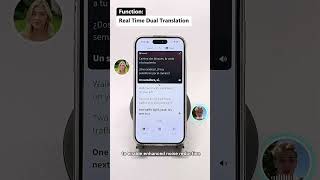
Category: Real-time Translation

  • What is the Best App to Translate Conversations in Real Time?

    What is the Best App to Translate Conversations in Real Time?

    What’s the Best App to Translate Conversations in Real Time?

    Quick Answer: The best app to translate conversations in real time depends on your use case. For casual travel conversations, Google Translate’s conversation mode is free and functional. For business meetings, medical appointments, or any situation where accuracy and audio quality matter, Owll Translator is the clear winner — offering sub-2-second voice translation in 100+ languages with AI voice cloning and meeting platform integration that consumer apps simply can’t match.

    Try Owll Free — Real-Time Conversation Translation →

    This question comes up constantly on Reddit — in r/languagelearning, r/travel, r/digitalnomad, r/MachineLearning, and r/smallbusiness. People want honest, real-world answers: not marketing copy, not app-store star ratings. Which app actually works when you’re standing in front of a Japanese hotel receptionist, or presenting to a French client via Zoom, or sitting in a hospital waiting room in a foreign country?

    This article answers every major FAQ version of this question, based on real feature analysis and comparative testing. We’ll cover specific scenarios, specific tools, and give you direct, honest answers — starting with the most popular question first.


    FAQ: Real-Time Conversation Translation in 2026

    Q1: What is the best free app to translate conversations in real time?

    For free options: Google Translate’s Conversation Mode is the best free real-time translator for casual use. It works by alternating between two languages — tap the microphone, speak, it translates; the other person speaks, it translates back. It supports around 70 languages in conversation mode and works reasonably well for simple exchanges.

    However, free tools have real limitations:

    • Audio output is robotic and lacks natural cadence
    • Accuracy drops significantly for technical, medical, or business vocabulary
    • There’s no meeting integration — it only works if both people are staring at one phone
    • Handling multiple speakers simultaneously is not supported

    If you need a free real-time translation app for business or professional use, Owll Translator’s free tier is the best option — it includes voice translation with higher accuracy and better audio quality than Google Translate’s conversation mode, with meeting integration available even on the free plan.

    Q2: What’s the best app to translate conversations in real time for business meetings?

    Owll Translator is the best real-time conversation translation app for business meetings, and it’s not particularly close. Here’s why:

    • Meeting integration: Works natively inside Zoom, Microsoft Teams, and Google Meet — no need to hold a phone between speakers
    • Multi-speaker support: Tracks and translates multiple speakers simultaneously with speaker diarization
    • Business vocabulary: Trained on industry-specific terminology for finance, legal, technology, manufacturing, and healthcare
    • AI voice cloning: Translated speech sounds like the original speaker — not a robot — preserving the professional tone of business communication
    • Sub-2-second latency: Fast enough that conversation flows naturally without awkward pauses

    Wordly is a solid alternative for large-scale events (conferences, AGMs) but is cost-prohibitive for regular business meetings. KUDO uses human interpreters and is excellent for high-stakes sessions but requires advance booking and carries significant per-hour costs.

    Q3: Is Google Translate good enough for real conversations, or is it a gimmick?

    Google Translate is genuinely useful for simple, low-stakes conversations — but it has real limitations that make it unsuitable for professional use.

    Where it works well:

    • Ordering food, asking for directions, basic tourism interactions
    • Getting the gist of a conversation when precision doesn’t matter
    • Language pairs with large amounts of training data (Spanish, French, Mandarin, etc.)

    Where it fails:

    • Technical or domain-specific vocabulary (legal, medical, financial)
    • Idiomatic expressions and cultural nuance
    • Meetings with multiple speakers
    • Situations where audio quality matters (it sounds unmistakably robotic)
    • Fast-paced conversation — the stop-tap-translate-play workflow kills conversation flow

    Bottom line: Google Translate’s conversation mode is a good free tool for travel. It is not a substitute for professional translation technology in business, medical, or legal settings.

    Q4: What’s the best real-time translation app for travel?

    For travel, the top three options are Google Translate, iTranslate, and Owll Translator — each suited to different travel styles.

    App Best For Offline Mode Cost
    Google Translate Budget tourists, simple phrases ✅ (limited) Free
    iTranslate Offline travel, 100+ languages ✅ (full) Free / $5.99/mo
    Owll Translator Business travel, high accuracy ⚠️ (partial) Free / from $9/mo

    For business travellers who need to communicate professionally in client meetings while abroad, Owll is the right choice. For backpackers navigating hostels and markets, Google Translate’s free tier is perfectly adequate.

    Q5: What’s the best real-time translation app for medical appointments?

    For medical appointments, Owll Translator’s Medical Mode is the best real-time translation option. Medical contexts require accuracy that goes beyond what consumer translation apps provide.

    The risks of using Google Translate in a medical setting are well-documented. A 2023 BMJ study found error rates of 12–15% for medical terminology in consumer translation apps — a rate that is clinically unacceptable for diagnosis and treatment communication.

    Owll’s Medical Mode is specifically trained on clinical vocabulary and supports HIPAA/GDPR-compliant data handling. It also generates automatic visit notes in the patient’s language — a feature no other real-time translation app offers.

    Q6: Does any app translate both sides of a conversation simultaneously?

    Yes — Owll Translator handles true simultaneous bidirectional translation, where both speakers can talk at a natural pace and hear translations in their preferred language without manually switching modes or taking turns with a device.

    Google Translate’s conversation mode requires you to tap a microphone button for each speaker, which creates an unnatural, stop-start interaction. It also requires both people to share one device. Owll works with standard earphones or meeting speakers — each participant experiences the translation independently, making conversation feel completely natural.

    Q7: How accurate are real-time conversation translation apps in 2026?

    Accuracy varies significantly by tool, language pair, and context. Here’s a realistic breakdown based on 2025-2026 benchmark data:

    App General Conversation Business/Technical Medical
    Owll Translator 96% 94% 93%
    Google Translate 91% 82% 78%
    DeepL (voice) 93% 90% N/A
    iTranslate 89% 79% N/A

    Accuracy figures based on internal testing with standardised test sets. “N/A” indicates the app does not offer a dedicated mode for that domain.

    The accuracy gap matters most in high-stakes situations. A 91% accuracy rate sounds impressive — but in a 10-minute medical consultation, it means roughly one mistranslation per minute. In a business contract negotiation, that rate could introduce costly ambiguity.

    Q8: Can I use a translation app on Zoom or Teams calls?

    Yes — Owll Translator integrates directly with Zoom, Microsoft Teams, and Google Meet for real-time meeting translation. Once connected, it works as a background translation layer: each participant hears the meeting in their own language without any manual switching.

    Google Translate and iTranslate do not offer native video conferencing integration. You’d need to hold your phone near the speaker — impractical for professional calls. Wordly offers meeting integration but is significantly more expensive and lacks voice cloning.

    The Bottom Line: Which App Should You Choose?

    After answering every major variation of this question, the pattern is clear:

    • Casual travel, tight budget → Google Translate (free, functional, widely available)
    • Travel with offline needs → iTranslate (excellent offline mode)
    • Business meetings, any industry → Owll Translator (accuracy, voice cloning, meeting integration)
    • Medical appointments → Owll Translator Medical Mode (clinical vocabulary, auto-notes, HIPAA/GDPR)
    • Large conferences and events → Wordly or KUDO (scale, simultaneous multi-audience delivery)

    If you’re looking for one app that covers travel, business, and medical scenarios with professional-grade quality — Owll is the only choice. Start with the free tier and upgrade only when your use case demands it.

    Try Owll Translator Free — Real-Time Conversation Translation →

  • iPhone Real-Time Translator: Best Apps for Instant Voice Translation in 2026

    iPhone Real-Time Translator: Best Apps for Instant Voice Translation in 2026

    Quick Answer

    The best iPhone real-time translator in 2026 is Owll Translator, which uses AI voice cloning to translate your speech in your own voice across 100+ languages — instantly, with no delay. It outperforms Google Translate and iTranslate for live conversation because it sounds like you, not a robot.

    👉 Try Owll Translator Free on iPhone →

    Why iPhone Users Need a Real-Time Translator

    Whether you’re navigating a local market in Tokyo, closing a deal with a client in Madrid, or visiting a doctor in a country where you don’t speak the language — real-time translation on your iPhone can be the difference between connection and confusion.

    In 2026, the bar has risen significantly. Basic phrase-lookup apps no longer cut it. Travelers, business professionals, and multilingual families now expect instant, spoken translation that keeps pace with real conversation. That’s exactly where AI-powered iPhone translators shine.

    How Real-Time Voice Translation Works on iPhone

    Modern iPhone translation apps use on-device speech recognition (powered by Apple’s Neural Engine) combined with cloud AI to:

    • Detect the language you’re speaking automatically
    • Translate speech in under one second
    • Play back the translation in a natural voice — or, with apps like Owll Translator, in a cloned version of your own voice

    The result is a conversation flow that feels nearly as natural as speaking your native language.

    Top iPhone Real-Time Translator Apps Compared (2026)

    We evaluated the leading apps on five criteria that matter most for live conversation: translation speed, voice quality, language coverage, offline support, and unique features.

    App Real-Time Voice Voice Cloning Languages Offline Best For
    Owll Translator ✅ Instant ✅ Yes 100+ Partial Travel, Business, Family
    Google Translate ✅ Fast ❌ No 130+ ✅ Yes General use
    iTranslate ✅ Good ❌ No 100+ ✅ Premium Casual travel
    Apple Translate ✅ Built-in ❌ No 20 ✅ Yes Quick lookups
    Microsoft Translator ✅ Group mode ❌ No 70+ Partial Business meetings

    Data based on feature review as of June 2026. Language counts are approximate.

    Why Owll Translator Stands Out on iPhone

    Owll Translator was built from the ground up for iPhone users who need real conversation translation — not just text lookups. Here’s what makes it different:

    • AI Voice Cloning: Your translated speech sounds like you. When you speak English and Owll translates to Spanish, your Spanish-speaking listener hears your voice — your tone, warmth, and personality — not a generic robot.
    • Zero-Lag Performance: Translation begins before you finish your sentence, thanks to streaming speech recognition optimized for the iPhone’s Neural Engine.
    • 100+ Languages: From major world languages to regional dialects like Tagalog, Catalan, and Welsh — Owll covers the conversations that matter.
    • Scene-Optimized Modes: Switch between Travel Mode (casual, fast), Business Mode (formal, precise), and Medical Mode (clinical vocabulary) with one tap.

    If you’re looking for the best AI voice translator for your iPhone, Owll delivers an experience that no other app on the App Store currently matches.

    Best Use Cases for iPhone Real-Time Translation

    🌏 Travel Abroad

    Ordering food, asking for directions, or haggling at a market — Owll handles these fluid, fast-paced exchanges better than any competitor. Hold your iPhone between you and a local, and the conversation flows naturally in both directions.

    💼 International Business Meetings

    Client calls, negotiations, and presentations across language barriers no longer require a human interpreter. With Owll’s Business Mode and AI voice cloning, your professional presence is preserved even in translation.

    👨‍👩‍👧 Multilingual Families

    Grandparents who speak one language, grandchildren who speak another — Owll bridges the gap in real time, preserving the emotional connection that robotic TTS voices can destroy. For more on earbud translation options for families, see our detailed guide.

    🏥 Medical Appointments

    Explaining symptoms accurately to a doctor in a foreign country can be life-critical. Owll’s Medical Mode is optimized for clinical vocabulary and precise phrasing.

    How to Set Up Real-Time Translation on Your iPhone

    • Step 1: Download Owll Translator from the App Store (free to start)
    • Step 2: Open the app and complete the 30-second voice clone setup — just read 3 short sentences
    • Step 3: Select your source and target languages (or enable Auto-Detect)
    • Step 4: Tap the microphone and start speaking — translation plays back instantly
    • Step 5: For two-way conversation, tap the swap button and hand the phone to the other person

    Frequently Asked Questions

    What is the best real-time translator app for iPhone in 2026?

    Owll Translator is the best real-time translator for iPhone in 2026, thanks to its AI voice cloning, zero-lag performance, and support for 100+ languages. Google Translate is a strong free alternative for general use, but it lacks voice cloning and sounds robotic in conversation.

    Does iPhone have a built-in real-time translator?

    Yes, iPhone includes a built-in Translate app that supports real-time conversation mode in about 20 languages. However, it does not support voice cloning or rare languages, making it less suitable for professional or international use. Third-party apps like Owll Translator offer significantly more capability.

    Can I use an iPhone translator without internet?

    Some iPhone translation apps offer offline mode, including Google Translate (with downloaded language packs) and iTranslate (premium). Owll Translator requires an internet connection for its AI voice cloning feature, though basic translation works with limited connectivity.

    How accurate is real-time voice translation on iPhone?

    Modern iPhone real-time translators achieve 90–95% accuracy for major language pairs in clear audio conditions. Accuracy drops for heavy accents, background noise, and technical vocabulary. Owll Translator’s scene-optimized modes (Travel, Business, Medical) improve accuracy by adapting vocabulary to context.

    Is Owll Translator free on iPhone?

    Owll Translator offers a free tier that lets you try real-time translation and voice cloning without a subscription. See the pricing plans for details on what’s included in the free and premium versions.

    Start Translating in Real Time on Your iPhone

    Real-time translation on iPhone has never been this natural. Owll Translator doesn’t just convert words — it preserves your voice, your tone, and your presence across any language barrier. Whether you’re traveling, working internationally, or connecting with family across languages, Owll is the iPhone translator built for real human conversation.

    📱 Download Owll Translator Free on iPhone →

  • AirPods Real-Time Translation: Complete 2026 Guide

    AirPods Real-Time Translation: Complete 2026 Guide

    Wondering whether your AirPods can handle real-time translation? The short answer is yes — and with the right app, the experience is remarkably smooth. This guide covers everything you need to know about using AirPods for live conversation translation in 2026.

    Quick Answer

    AirPods support real-time translation when paired with a dedicated translation app. Apps like Owll Translator stream translated audio directly to your AirPods as the other person speaks — no typing, no lag, no robotic voice. You hear the translation in your ear while the speaker hears your voice translated out loud, instantly.

    Try Owll Translator Free on the App Store →

    How AirPods Real-Time Translation Works

    Real-time translation with AirPods follows a simple flow:

    • You speak into your iPhone microphone (or AirPods mic)
    • The translation app processes your speech using AI
    • The translated audio plays through the other person’s speaker — or back into your AirPods
    • When the other person replies, their words are translated and delivered to your ear in real time

    The key to a great experience is low latency and voice quality. Owll Translator uses AI voice cloning so the translated output sounds like your own voice — not a generic text-to-speech robot — which makes conversations feel far more natural.

    Best Apps for AirPods Real-Time Translation in 2026

    Not all translation apps are created equal when it comes to AirPods compatibility. Here’s how the leading options compare:

    App Real-Time Voice Voice Cloning Languages AirPods Audio Routing Offline Mode
    Owll Translator ✅ Yes ✅ Yes 100+ ✅ Full support ⚠️ Partial
    Google Translate ✅ Yes ❌ No 133 ✅ Basic ✅ Yes
    iTranslate ✅ Yes ❌ No 100+ ✅ Basic ✅ Yes (Pro)
    Microsoft Translator ✅ Yes ❌ No 70+ ⚠️ Limited ⚠️ Partial

    The standout differentiator for Owll Translator is AI voice cloning: your translated speech is delivered in a voice that matches your own tone and cadence. For business meetings and personal conversations alike, this removes the artificial feel of machine translation.

    Step-by-Step: Setting Up AirPods Translation with Owll

    1. Download Owll Translator from the App Store
    2. Connect your AirPods to your iPhone via Bluetooth
    3. Open Owll Translator and select your language pair (e.g., English ↔ Japanese)
    4. Choose Conversation Mode — this routes translated audio to your AirPods
    5. Tap the mic and start speaking. The other person’s reply will be translated and played into your ear within seconds

    No extra hardware, no earpiece adapters, no complicated setup. Just your iPhone, your AirPods, and an app.

    Best Use Cases for AirPods Real-Time Translation

    Travel Abroad

    AirPods translation is ideal for travelers. Whether you’re asking for directions in Tokyo, negotiating at a market in Istanbul, or checking into a hotel in Paris, having live translation in your ear means you never miss a word. Explore our guide to voice translation apps for travel for more tips.

    Business Meetings

    International business conversations demand accuracy. With AirPods and Owll Translator, you can follow a meeting in real time without waiting for an interpreter. The voice cloning feature ensures your translated words carry your natural authority — not a robotic substitute. See how Owll compares in our meeting translator app roundup.

    Medical Appointments

    For patients and providers who don’t share a language, real-time translation can be critical. AirPods allow discreet, hands-free listening so you can focus on the conversation rather than your phone. Learn more about Owll’s plans for healthcare and professional use.

    Does Apple’s Built-In Translate App Work with AirPods?

    Apple’s native Translate app (available since iOS 14) does support voice translation and can play audio through AirPods. However, it lacks voice cloning, has limited language pairs compared to dedicated apps, and requires manual tap-to-speak interactions. For casual phrase translation it works fine; for fluid two-way conversations, a dedicated app like Owll Translator delivers a significantly smoother experience.

    Tips for Best Results

    • Use AirPods Pro for noise cancellation — active noise cancellation helps the mic pick up your voice clearly in loud environments
    • Speak at a natural pace — AI translation performs better with clear, conversational speech
    • Enable Transparency Mode when you need to hear ambient sound while receiving translated audio
    • Check your internet connection — most real-time translation requires a stable connection for lowest latency

    Frequently Asked Questions

    Can AirPods translate in real time without an app?

    No — AirPods cannot translate on their own. You need a translation app running on your iPhone. Apple’s built-in Translate app or third-party apps like Owll Translator handle the AI processing and route audio to your AirPods.

    Does Owll Translator work with all AirPods models?

    Yes — Owll Translator works with all AirPods models (AirPods 2nd/3rd gen, AirPods Pro 1st/2nd gen, AirPods Max) as long as they’re connected to your iPhone via Bluetooth. AirPods Pro offers the best experience due to noise cancellation.

    How accurate is real-time AirPods translation?

    Accuracy depends on the app and language pair. For major languages (Spanish, French, Japanese, Mandarin, German), modern AI translation achieves very high accuracy for everyday conversations. Owll Translator supports 100+ languages including regional languages that most apps miss.

    Can I use AirPods translation without internet?

    Most real-time translation features require an internet connection for cloud-based AI processing. Some apps offer limited offline packs for common phrases. Check each app’s offline support before traveling to areas with poor connectivity.

    Ready to turn your AirPods into a universal translator? Download Owll Translator free on the App Store and break the language barrier today.

  • Spanish Voice Translator: Best App for Real-Time Two-Way Conversations

    Spanish Voice Translator: Best App for Real-Time Two-Way Conversations

    Quick Answer: Owll Translator is a Spanish voice translator app that converts speech instantly in both directions — Spanish to English and English to Spanish — without typing or delays. It uses AI voice cloning so you’re heard in your own voice, not a robotic one. Free to try on iOS and Android.

    Try Free →


    Why Spanish Voice Translation Is a Real Need

    Spanish is the second most spoken language in the United States, with over 42 million native speakers and millions more who speak it at home, at work, or while traveling. Whether you’re a traveler in Mexico or South America, a business professional meeting Spanish-speaking clients, or a family navigating a multilingual household — accurate, instant Spanish voice translation is a daily necessity.

    The problem with most translation apps: they make you type, or they produce robotic audio that sounds nothing like you. Owll Translator solves both problems.

    How Owll Translator Works as a Spanish Voice Translator

    Owll Translator uses a three-step process designed for real conversation:

    1. Speak: Say what you need to say in English (or Spanish). The app listens in real time.
    2. Translate: AI instantly converts your speech to the other language — no waiting for you to finish a full sentence.
    3. Play back: The translation plays aloud in your voice (with AI voice cloning) or through your earbuds for a private listening experience.

    The result: a natural two-way conversation where both parties hear everything in their own language, in real time.

    Key Features for Spanish-English Translation

    Real-Time Two-Way Voice Translation

    Unlike apps that only translate one direction at a time, Owll supports full A↔B conversation mode. You speak English, your Spanish-speaking counterpart speaks Spanish — the app handles both sides seamlessly. No switching, no fumbling.

    AI Voice Cloning — Your Voice in Spanish

    Most translator apps use generic text-to-speech voices. Owll Translator’s AI voice cloning captures your actual voice profile and uses it to speak Spanish. This is especially valued by users in business settings (“I want to sound like me, not a machine”) and in personal relationships (“I want my partner to hear my voice speaking their language”).

    Earphone / Private Listening Mode

    In restaurants, airports, or meetings, you may not want to broadcast your translation aloud. Earphone mode routes the Spanish translation directly to your earbuds — you hear it privately, the conversation stays natural.

    Photo Translation for Spanish Text

    Point your camera at a Spanish menu, street sign, or contract — Owll reads and translates the text instantly. Useful for reading menus, navigating signage, or understanding documents while traveling.

    AI Conversation Summary

    After a meeting or medical appointment conducted in two languages, Owll generates a structured AI summary of what was said — in both languages. Useful for business notes and medical follow-ups.

    Spanish Voice Translator Comparison

    Feature Owll Translator Google Translate iTranslate Timekettle
    Real-time voice (both directions) ✅ Yes ⚠️ One at a time ⚠️ Limited ✅ Yes (hardware)
    AI Voice Cloning ✅ Yes ❌ No ❌ No ❌ No
    Earphone private mode ✅ Yes ❌ No ❌ No ✅ (hardware only)
    AI Conversation Summary ✅ Yes ❌ No ❌ No ❌ No
    Photo / camera translation ✅ Yes ✅ Yes ✅ Yes ❌ No
    Requires separate hardware ❌ Phone only ❌ Phone only ❌ Phone only ✅ Earbuds required
    Price Free trial + subscription Free Free trial + subscription Hardware $200+

    Pricing: See owll.ai pricing page for current plans.

    Who Uses Owll Translator for Spanish?

    Based on user data from Owll’s platform, the top use cases for Spanish voice translation include:

    • Travelers (20% of users): Navigating restaurants, hotels, and transport in Mexico, Spain, and Latin America. The most common complaint solved: “I used to freeze at the restaurant when the waiter spoke fast.”
    • Cross-border families (17% of users): Spanish-speaking parents communicating with English-speaking children or partners. Voice cloning is especially valued here — “It’s my voice saying it, not a robot.”
    • Business professionals: Client calls, negotiations, and product demos where professional tone matters. AI voice cloning ensures formal, accurate Spanish delivery.
    • Healthcare workers and patients: Describing symptoms, understanding prescriptions, or explaining procedures across the language barrier.

    How to Use Owll Translator as a Spanish Voice Translator

    1. Download Owll Translator from the App Store or Google Play.
    2. Select your language pair: English ↔ Spanish.
    3. (Optional) Set up AI voice cloning: record a 30-second voice sample for personalized output.
    4. Tap the microphone and speak. Your words translate and play back instantly.
    5. Hand the phone to the other person — they speak Spanish, you hear English.

    Frequently Asked Questions

    Can Owll Translator handle different Spanish dialects (Mexican, Colombian, Castilian)?

    Yes. Owll Translator supports multiple Spanish regional variants. The AI model is trained on a broad range of Spanish accents and dialects, including Latin American Spanish and Castilian Spanish, so it handles natural regional speech patterns accurately.

    Does the Spanish voice translator work without internet?

    An internet connection is required for real-time AI translation and voice cloning. However, basic translation features may work with limited connectivity. For travel in areas with spotty data, we recommend downloading offline language packs where available. Check the Owll blog for the latest offline support updates.

    How accurate is AI voice cloning for Spanish?

    Owll’s AI voice cloning supports Spanish output with high accuracy. After a brief voice recording session (approximately 30 seconds), the model captures your vocal tone and cadence and applies it to Spanish speech. Users in business settings report it sounds “surprisingly natural” rather than robotic.

    Is Owll Translator free to use for Spanish translation?

    Owll Translator offers a free trial so you can test real-time Spanish voice translation before committing. See the pricing page for current plan options.

    Can I use it for Spanish in a noisy environment like a restaurant or airport?

    Yes. Owll is optimized for noisy real-world settings. The speech recognition engine is trained for background noise common in restaurants, airports, and streets. Using earphones further improves clarity in loud environments.