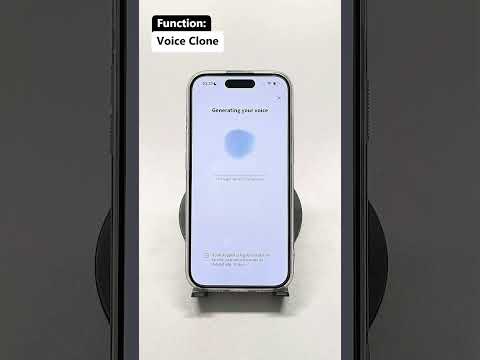
Category: uncategorized

  • Voice Clone Translator: Speak Any Language in Your Own Voice (2026)

    Voice Clone Translator: Speak Any Language in Your Own Voice (2026)

    Owll Translator is a real-time AI translation app that lets you speak and be heard in your own voice across 100+ languages. Designed for travelers, business professionals, and multilingual families who need accurate, instant communication in any situation.

    Try Owll Translator Free →

    What Is a Voice Clone Translator?

    A voice clone translator is an AI-powered tool that does two things at once: it translates your spoken words into another language and delivers that translation in a voice that sounds like yours — not a generic robot. Instead of hearing an unfamiliar text-to-speech voice, your conversation partner hears something that preserves your natural pitch, tone, and cadence. This makes cross-language conversations feel more personal, more trustworthy, and far less awkward.

    Quick Answer

    A voice clone translator captures your voice, translates your speech in real time, and plays back the translated audio in your own cloned voice. The result is natural, personal communication across 100+ languages without losing your identity in the conversation. Owll Translator does this on your phone with zero hardware required — just speak, and your voice crosses the language barrier intact.

    Start speaking in any language — Try Free →

    How Voice Cloning Translation Works

    Traditional translation apps convert speech to text, run it through a translation engine, and then convert the translated text back to audio using a generic synthetic voice. Voice clone translation adds a critical layer: before any translation happens, the app creates a lightweight acoustic model of your voice — capturing your unique vocal signature. When the translated text is synthesized, it uses that model to output audio that sounds genuinely like you.

    Here is the typical flow inside a modern voice clone translator:

    • Voice capture: The app records a short sample of your speech to build your acoustic profile.
    • Speech recognition: Your spoken input is transcribed in real time using AI speech-to-text.
    • Translation engine: The transcribed text is translated into the target language, preserving meaning and context.
    • Voice synthesis: The translated text is converted to audio using your cloned voice model, maintaining your pitch and tone.
    • Playback: The translated audio plays immediately — often within one to two seconds of you speaking.

    Voice Clone Translator vs. Standard Voice Translator: Key Differences

    Feature Standard Voice Translator Voice Clone Translator (Owll)
    Output voice Generic TTS robot voice Your own cloned voice
    Real-time speed Varies (1–5 sec delay) Near-instant (<2 sec)
    Languages supported Typically 30–80 100+ including rare languages
    Hardware required None / optional earbuds None / optional earbuds
    Feels personal No — robotic delivery Yes — sounds like you
    Best for Quick word lookups Real conversations, meetings, travel
    Pricing Free to paid tiers See current plans →

    Best Use Cases for a Voice Clone Translator

    International Business Meetings

    When you pitch to a client in Tokyo or negotiate with a supplier in São Paulo, your voice carries authority. A standard robot voice undermines that. A voice clone translator keeps your vocal presence intact — your confidence, your pacing, your gravitas — while the AI handles the language barrier. For a deeper look at business translation scenarios, see our guide on voice cloning translator apps for professionals.

    Travel and Tourism

    Navigating airports, hotels, and restaurants in a country where you do not speak the language is stressful. Voice clone translation lets you speak naturally to locals — asking for directions, ordering food, or negotiating at a market — and your translated voice sounds human, not machine-generated. This makes locals more receptive and conversations more productive.

    Cross-Language Relationships

    For couples, families, or close friends separated by a language gap, the robotic tone of standard translators adds emotional distance. Hearing your partner’s actual voice — even if the words are in a different language — preserves intimacy and warmth in a way no generic TTS can replicate.

    Medical Appointments Abroad

    Clarity matters most in healthcare settings. A voice clone translator ensures your questions and concerns are communicated naturally and clearly, reducing the risk of misunderstanding. The familiar voice quality also helps medical staff stay focused on the content rather than the delivery.

    What to Look for in a Voice Clone Translator App

    • Low latency: Delays above two seconds break conversational flow. Look for apps that advertise sub-two-second real-time translation.
    • Language breadth: If you travel frequently or work in multilingual environments, choose an app with 100+ languages — especially if you need coverage for less common languages like Thai, Dutch, or Swahili.
    • Voice quality: Test the app in a noisy environment. Background noise is a real-world condition, and the best apps handle it without degrading voice clone fidelity.
    • Offline support: Airport Wi-Fi is unreliable. A good translation app should have some offline capability for core languages.
    • Privacy: Your voice model is sensitive data. Check that the app’s privacy policy clearly states how your voice sample is stored and whether it is used for model training.

    Owll Translator is built around all five of these criteria. If you are curious how it compares to other voice translation tools, read our full breakdown: Voice Clone Translation — How It Works and Why It Matters.

    Setting Up Your Voice Clone in Owll Translator

    Getting started with Owll’s voice cloning feature takes under three minutes:

    1. Download Owll Translator from the App Store or Google Play.
    2. Open the app and navigate to Settings → Voice Profile.
    3. Read three to five short sentences aloud to create your voice model.
    4. Select your target language and tap Start Translating.
    5. Speak naturally — Owll handles the rest in real time.

    Your voice profile is stored locally on your device by default, meaning your acoustic data never leaves your phone unless you explicitly enable cloud sync.

    Create your voice profile now — it is free to start →

    Voice Clone Translator FAQ

    Is a voice clone translator the same as a deepfake voice tool?

    No. Voice clone translation is designed specifically for real-time cross-language communication — it clones your voice to reproduce your words in another language, not to impersonate you saying things you never said. The output is a translation of exactly what you spoke, delivered in your vocal style. Deepfake audio tools serve an entirely different and unrelated purpose.

    How many languages does Owll’s voice clone translator support?

    Owll Translator supports over 100 languages for real-time translation. Voice clone output is available for major languages including Spanish, French, German, Japanese, Mandarin, Korean, Hindi, Portuguese, Arabic, and many others. The full updated list is available on the Owll website.

    Does voice cloning work in noisy environments like airports or restaurants?

    Yes. Owll Translator uses AI-driven noise suppression to isolate your voice from background sounds before running speech recognition. The voice clone output also applies noise-aware synthesis so the translated audio remains clear even in loud settings. Performance may vary in extremely loud environments, but typical real-world conditions — cafés, conference rooms, transit hubs — are handled well.

    Can I use a voice clone translator for business meetings on Zoom or Teams?

    Owll Translator works as a standalone app, and you can use its audio output alongside video conferencing tools. For meeting-specific workflows including transcript and summary features, see our guide on using a my-voice translator in professional settings.

    How accurate is the translation when using voice cloning?

    Translation accuracy depends on the underlying translation engine, not the voice cloning layer. Owll Translator uses large language model-powered translation for contextual accuracy — the voice cloning layer only affects how the translated text is spoken, not what it says. In practice, translation quality is high for major language pairs and continues to improve for less common languages.

    The Future of Voice Clone Translation

    Voice clone translators represent the next evolution in human communication technology. As AI models become more efficient and edge-processing improves, latency will approach zero — meaning real-time voice clone translation will feel indistinguishable from talking to a bilingual version of yourself. For travelers, global businesses, and multilingual families, this shift is already well underway.

    Owll Translator is at the front of this wave. With voice cloning, real-time processing, and support for 100+ languages, it is the closest thing available today to speaking every language in your own voice.


    Try Owll Translator free — hear yourself in any language →

  • Best Private Translation App for Confidential Conversations

    Best Private Translation App for Confidential Conversations

    Whether you’re discussing sensitive medical details, negotiating a confidential business deal, or having a private conversation with a loved one who speaks a different language, you need a translation app that respects your privacy. A good private translation app doesn’t just translate words — it ensures your conversations stay between you and the other person, with no audio stored on third-party servers.

    Quick Answer

    Owll Translator is the best private translation app for confidential conversations. It delivers real-time voice translation across 100+ languages, uses AI voice cloning so you sound like yourself (not a robot), and is designed for sensitive scenarios including medical consultations, legal meetings, and private family discussions. No conversation recordings are retained after your session ends.

    Try Free — No Account Needed

    Why Privacy Matters in Translation Apps

    When you use a translation app, your voice data — sometimes including highly sensitive information — is processed on remote servers. For most casual travel apps, this is acceptable. But for medical appointments, attorney consultations, or business negotiations involving trade secrets, you need to know exactly how your audio is handled.

    Common privacy risks with generic translation apps include:

    • Audio snippets retained for AI training purposes
    • Conversation logs stored indefinitely in cloud servers
    • No encryption of voice streams in transit
    • Third-party advertisers receiving anonymized usage patterns

    A purpose-built private translation app addresses these concerns head-on, giving you real-time translation without sacrificing confidentiality.

    Key Features to Look for in a Private Translation App

    1. Real-Time Voice Translation

    The best private translation apps translate as you speak — no typing, no waiting. Instant translation keeps conversations flowing naturally, which is critical in high-stakes scenarios like doctor visits or legal meetings. Owll Translator achieves near-zero latency so both parties can speak and understand each other without awkward pauses.

    2. AI Voice Cloning

    Standard translation apps output a robotic, synthetic voice. Owll Translator uses AI voice cloning technology that preserves your unique vocal characteristics — your tone, rhythm, and personality — when delivering the translated speech. This makes conversations feel genuine and helps build trust, especially in medical or legal contexts where rapport matters.

    3. Offline or On-Device Processing Options

    For the most sensitive conversations, look for apps that offer on-device or offline translation modes, eliminating the need to send audio to external servers entirely.

    4. No Persistent Storage of Conversations

    Verify the app’s privacy policy: does it retain voice recordings? Does it share data with third parties? A genuine private translation app should process your voice in real time and discard the data immediately after use.

    5. Broad Language Coverage

    Privacy-focused translation should not come at the cost of language range. Owll Translator supports 100+ languages including rare and regional ones, so you’re covered in virtually any private conversation scenario worldwide.

    Private Translation App Comparison

    Feature Owll Translator Google Translate DeepL iTranslate Microsoft Translator
    Real-time voice translation ✅ Yes ⚠️ Limited ❌ No ⚠️ Limited ✅ Yes
    AI voice cloning (your own voice) ✅ Yes ❌ No ❌ No ❌ No ❌ No
    Languages supported 100+ 130+ 125 100+ 100+
    Designed for private/sensitive use ✅ Yes ❌ General purpose ❌ General purpose ❌ General purpose ⚠️ Enterprise option
    No persistent audio storage ✅ Yes ⚠️ Check policy ⚠️ Check policy ⚠️ Check policy ⚠️ Check policy
    Medical/legal scenario optimized ✅ Yes ❌ No ❌ No ❌ No ❌ No
    Pricing Check latest pricing Free / Paid API Free / Pro Free / Pro Free / Azure plans

    Best Use Cases for a Private Translation App

    Medical Appointments

    Discussing symptoms, diagnoses, and treatment plans requires precise translation and full confidentiality. Owll Translator enables patients and doctors to communicate in real time without compromising sensitive health information. Learn more on our blog about medical translation scenarios.

    Legal and Business Consultations

    Attorneys, accountants, and business negotiators often work with clients who speak different languages. A private translation app ensures that privileged information stays protected while enabling clear, accurate communication across language barriers.

    Family and Personal Conversations

    Personal conversations — whether between multilingual couples, parents and children, or extended family members — deserve privacy too. Owll Translator lets you have intimate conversations in your own voice, preserving the emotional nuance that matters in personal relationships.

    Diplomatic and Government Contexts

    Officials handling sensitive cross-border communications need a translation solution that meets strict data security standards. A private translation app with real-time capability and no data retention is essential in these contexts.

    How to Get Started with Owll Translator

    Getting started with Owll Translator takes less than a minute:

    • Visit translator.owll.ai and tap Try Free
    • Select your language pair (from 100+ options)
    • Tap the microphone and begin speaking — translation happens instantly
    • Your conversation partner hears your translated voice, in your own cloned voice

    No account is required to start. For ongoing private use, check the pricing page for subscription plans that include advanced privacy features.

    Frequently Asked Questions

    Is Owll Translator really private?

    Yes — Owll Translator is designed for confidential conversations and does not retain voice recordings after a session ends. For the most sensitive use cases, review the privacy policy at translator.owll.ai to understand exactly how data is processed in real time.

    Can I use a private translation app for medical appointments?

    Yes, absolutely. A private translation app like Owll Translator is ideal for medical appointments because it provides real-time voice translation without storing your health-related conversation data. Many users rely on it for doctor visits, specialist consultations, and pharmacy interactions.

    What languages does Owll Translator support for private conversations?

    Owll Translator supports 100+ languages including major world languages and many rare or regional languages — far more than most privacy-focused alternatives. You can see the full list at translator.owll.ai.

    Does a private translation app work offline?

    Offline capability varies by app. For the most private experience, look for apps that support on-device processing. Check Owll Translator’s current feature set at translator.owll.ai for the latest information on offline modes.

    Conclusion

    When privacy matters, your translation app choice matters too. Generic translation tools may be convenient, but they were not built with confidentiality in mind. Owll Translator is purpose-built for scenarios where both accuracy and privacy are non-negotiable — from medical consultations to business negotiations to personal family conversations.

    With real-time voice translation, AI voice cloning that preserves your natural voice, and support for 100+ languages, Owll Translator is the private translation app that delivers on both performance and discretion.

    Try Free — No Account Needed

  • How to Translate a Document Without Slowing Down Your Workflow

    How to Translate a Document Without Slowing Down Your Workflow

    How to Translate a Document Without Slowing Down Your Workflow

    If you need to translate a document, the most efficient workflow is usually to upload or capture the content with an AI translator, review the translated output, and then verify important details like names, numbers, legal terms, and instructions. This works well for manuals, printed materials, forms, and everyday documents when you need speed and clarity.

    Try Free: Owll Translator helps users handle multilingual content across documents, images, and voice-based scenarios in one workflow.

    What counts as document translation?

    Document translation means converting the content of a file, page, printed sheet, or scanned document into another language. Depending on the format, the workflow may involve direct text extraction, OCR from images, or a combination of both.

    How to translate a document step by step

    1. Choose the document or capture it as an image if it is printed.
    2. Use a translator that can handle text extraction or OCR.
    3. Select the source and target languages.
    4. Review the translation section by section.
    5. Double-check dates, names, pricing, instructions, and critical wording.

    When AI document translation is useful

    • Travel and daily life: forms, hotel instructions, rental paperwork
    • Work: product documents, presentation materials, business handouts
    • Education: school notices, learning materials, guides
    • Healthcare: instructions, medication notes, medical forms

    Why document translation is not only about language

    Documents often include context, formatting, and terminology that affect meaning. A good translator does more than swap words. It helps users understand the content quickly enough to act on it, especially when the document is part of a real-world task.

    How Owll Translator supports document-related workflows

    Owll Translator is useful for document translation because its product capabilities extend beyond plain text. If a document is printed, photographed, or embedded in an image, users can rely on photo translation and OCR-based extraction. If the document is part of a larger communication scenario, such as travel, business, or healthcare, the workflow can continue into real-time translation and follow-up explanation rather than stopping at the translated page itself.

    This is important because many document translation tasks are connected to action. People are not translating documents for fun. They are trying to check into a hotel, understand a manual, read a form, or clarify instructions in another language.

    What to review before trusting a translated document

    • Proper names and company names
    • Dates and deadlines
    • Amounts, prices, and measurements
    • Medical, legal, or technical terminology
    • Warnings, obligations, and limitations

    Common mistakes in document translation

    • Relying on low-quality scans or blurry photos
    • Assuming every page has the same language structure
    • Skipping verification for sensitive or formal content
    • Treating a context-heavy document like casual text

    FAQ

    Can I translate a printed document with my phone?

    Yes. If the document is printed, you can capture it as an image and use OCR plus translation to understand the content.

    Is AI good enough for document translation?

    It is often good enough for general understanding and practical decision-making, but important documents still need careful review.

    What is the fastest way to translate a document?

    The fastest way is to use a tool that can extract text automatically, translate it quickly, and let you review key sections without retyping everything manually.

    Final takeaway

    If you want to translate a document efficiently, choose a workflow that combines text extraction, OCR when needed, and fast translation with review steps for critical details. That is usually faster and more reliable than manual copying and pasting.

    Try Free: Owll Translator supports multilingual communication across document, image, and voice-based workflows.

  • Voice Clone Translator App for Business Meetings

    Voice Clone Translator App for Business Meetings

    Voice Clone Translator App for Business Meetings

    Quick Answer: A voice clone translator app helps business conversations sound more natural by pairing live translation with your own voice. Owll Translator also supports AI notes for post-meeting follow-up.

    When business conversations move fast, a generic text or robotic voice output can make your message sound flat. A voice clone translator app is useful because it helps translated speech sound closer to you while keeping communication moving in real time. For teams handling client meetings, demos, or international conversations, that combination can make cross-language communication feel more direct and more professional.

    Owll Translator is designed for real translation tasks, not generic language browsing. Its positioning centers on voice clone translation, real-time voice translation, and AI notes that help users review important conversations afterward.

    Why a voice clone translator app matters in business

    In business settings, tone matters almost as much as accuracy. When you are introducing a product, answering a buyer question, or guiding a partner through next steps, a machine-like translated voice can create distance. Voice clone translation changes the experience by letting translated output sound more like the original speaker.

    According to Owll Translator’s business positioning, this is especially relevant in meetings, product demos, customer reception, and multilingual presentations. The goal is not novelty for its own sake. The goal is clearer delivery with a more personal and professional feel.

    Where it fits best

    • Client meetings where first impressions matter
    • Product walkthroughs for international prospects
    • Cross-border business travel and on-site conversations
    • Partner calls where follow-up details need to be remembered

    How Owll Translator supports this workflow

    Owll Translator’s feature set lines up well with business translation scenarios already reflected on its site and knowledge base.

    1. Voice clone translation for more personal delivery

    The core differentiator is that translated speech can be rendered in your own voice rather than a generic synthetic voice. In business use, that can help presentations feel more natural and less mechanical. See the dedicated voice clone feature page for the product area this article is supporting.

    2. Real-time voice translation for live conversations

    Owll Translator is built around live back-and-forth communication. That matters for meetings, reception, and travel conversations where waiting to type full sentences slows everything down. The broader product homepage at translator.owll.ai positions the app around real-time AI voice translation.

    3. AI notes for meeting follow-up

    Business translation does not end when the conversation ends. Owll Translator also offers AI notes to summarize key discussion points after a conversation. That is useful when you need to review action items, decisions, or clarifications after multilingual meetings.

    When to use voice clone instead of a standard translator app

    A standard translator app may be enough for quick factual exchanges. A voice clone translator app becomes more valuable when identity, tone, and trust all matter in the interaction.

    Choose voice clone translation when you need:

    • A more personal delivery in high-stakes conversations
    • A more polished experience for customer-facing communication
    • Live translation that still feels connected to the original speaker
    • A workflow that combines speaking, translating, and reviewing notes afterward

    Business scenarios Owll Translator can support

    The existing business use case page aligns with several practical use cases:

    • International meetings: keep the conversation moving while reducing language friction
    • Customer reception: create a more thoughtful multilingual welcome
    • Product demos: explain value with a more speaker-specific translated voice
    • Business travel: switch from formal meetings to practical on-the-go translation when needed

    What to look for in a voice clone translator app

    If you are comparing options, focus on whether the app supports a real end-to-end communication workflow rather than treating voice cloning as a gimmick.

    • Live voice translation: useful for actual meetings, not just prerecorded audio
    • Voice clone output: translated speech should reflect the speaker’s voice identity
    • Scenario fit: business conversations need a more formal and practical setup
    • Post-conversation notes: summaries help teams remember what happened

    FAQ

    What is a voice clone translator app?

    It is an app that translates speech and outputs the translated audio in a voice modeled on the speaker’s own voice. In Owll Translator’s case, this sits alongside real-time voice translation and business-friendly scenarios.

    Is voice clone translation useful for business meetings?

    Yes, it can be useful for business meetings. It can make translated communication sound more personal and more professional than a generic synthetic voice, especially in demos, reception, and client conversations.

    Can Owll Translator help after the meeting ends?

    Yes, Owll Translator can help after the meeting ends. Its AI notes feature is designed to summarize conversations so users can review key points and share takeaways more easily.

    Does this article refer to a real Owll Translator feature?

    Yes, it does. This content is written to support the real voice clone feature page and related business use cases already present on the Owll Translator website.

    Try Owll Translator for multilingual business conversations

    If you want live translation that feels more human in meetings and customer conversations, start with Owll Translator’s voice clone translation and AI notes workflow.

    Try Free