
Voice Clone Translator App for Business Meetings
Quick Answer: A voice clone translator app helps business conversations sound more natural by pairing live translation with your own voice. Owll Translator also supports AI notes for post-meeting follow-up.
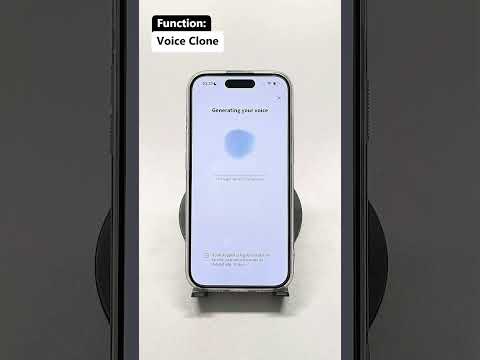
When business conversations move fast, a generic text or robotic voice output can make your message sound flat. A voice clone translator app is useful because it helps translated speech sound closer to you while keeping communication moving in real time. For teams handling client meetings, demos, or international conversations, that combination can make cross-language communication feel more direct and more professional.
Owll Translator is designed for real translation tasks, not generic language browsing. Its positioning centers on voice clone translation, real-time voice translation, and AI notes that help users review important conversations afterward.
Why a voice clone translator app matters in business
In business settings, tone matters almost as much as accuracy. When you are introducing a product, answering a buyer question, or guiding a partner through next steps, a machine-like translated voice can create distance. Voice clone translation changes the experience by letting translated output sound more like the original speaker.
According to Owll Translator’s business positioning, this is especially relevant in meetings, product demos, customer reception, and multilingual presentations. The goal is not novelty for its own sake. The goal is clearer delivery with a more personal and professional feel.
Where it fits best
- Client meetings where first impressions matter
- Product walkthroughs for international prospects
- Cross-border business travel and on-site conversations
- Partner calls where follow-up details need to be remembered
How Owll Translator supports this workflow
Owll Translator’s feature set lines up well with business translation scenarios already reflected on its site and knowledge base.
1. Voice clone translation for more personal delivery
The core differentiator is that translated speech can be rendered in your own voice rather than a generic synthetic voice. In business use, that can help presentations feel more natural and less mechanical. See the dedicated voice clone feature page for the product area this article is supporting.
2. Real-time voice translation for live conversations
Owll Translator is built around live back-and-forth communication. That matters for meetings, reception, and travel conversations where waiting to type full sentences slows everything down. The broader product homepage at translator.owll.ai positions the app around real-time AI voice translation.
3. AI notes for meeting follow-up
Business translation does not end when the conversation ends. Owll Translator also offers AI notes to summarize key discussion points after a conversation. That is useful when you need to review action items, decisions, or clarifications after multilingual meetings.
When to use voice clone instead of a standard translator app
A standard translator app may be enough for quick factual exchanges. A voice clone translator app becomes more valuable when identity, tone, and trust all matter in the interaction.
Choose voice clone translation when you need:
- A more personal delivery in high-stakes conversations
- A more polished experience for customer-facing communication
- Live translation that still feels connected to the original speaker
- A workflow that combines speaking, translating, and reviewing notes afterward
Business scenarios Owll Translator can support
The existing business use case page aligns with several practical use cases:
- International meetings: keep the conversation moving while reducing language friction
- Customer reception: create a more thoughtful multilingual welcome
- Product demos: explain value with a more speaker-specific translated voice
- Business travel: switch from formal meetings to practical on-the-go translation when needed
What to look for in a voice clone translator app
If you are comparing options, focus on whether the app supports a real end-to-end communication workflow rather than treating voice cloning as a gimmick.
- Live voice translation: useful for actual meetings, not just prerecorded audio
- Voice clone output: translated speech should reflect the speaker’s voice identity
- Scenario fit: business conversations need a more formal and practical setup
- Post-conversation notes: summaries help teams remember what happened
FAQ
What is a voice clone translator app?
It is an app that translates speech and outputs the translated audio in a voice modeled on the speaker’s own voice. In Owll Translator’s case, this sits alongside real-time voice translation and business-friendly scenarios.
Is voice clone translation useful for business meetings?
Yes, it can be useful for business meetings. It can make translated communication sound more personal and more professional than a generic synthetic voice, especially in demos, reception, and client conversations.
Can Owll Translator help after the meeting ends?
Yes, Owll Translator can help after the meeting ends. Its AI notes feature is designed to summarize conversations so users can review key points and share takeaways more easily.
Does this article refer to a real Owll Translator feature?
Yes, it does. This content is written to support the real voice clone feature page and related business use cases already present on the Owll Translator website.
Try Owll Translator for multilingual business conversations
If you want live translation that feels more human in meetings and customer conversations, start with Owll Translator’s voice clone translation and AI notes workflow.
Leave a Reply