
Quick Answer: A private listening translation app lets you hear foreign-language audio translated directly into your earbuds — silently, in real time, without disturbing anyone around you. Owll Translator delivers instant private listening translation across 100+ languages, so you always understand what’s being said, wherever you are.
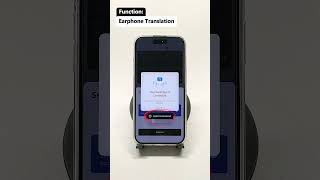
Try Free → Try Free → Try Free →
What Is a Private Listening Translation App?
A private listening translation app captures incoming audio — a conversation, a lecture, a broadcast, or a video — and delivers a translated version directly into your earbuds or headphones. Unlike two-way conversation translators that output sound for everyone to hear, private listening mode is completely silent to bystanders. You simply listen and understand, while the world around you stays undisturbed.
This mode is ideal for:
- Attending a foreign-language conference or seminar
- Watching foreign-language films or TV without subtitles
- Listening to a tour guide speaking a language you don’t know
- Sitting in a multilingual business meeting
- Following a sermon or religious service in another language
How Private Listening Translation Works
Modern private listening translation combines three core AI technologies:
- Automatic Speech Recognition (ASR): The app captures and transcribes spoken audio in near real time.
- Neural Machine Translation (NMT): The transcript is translated into your chosen language with context-aware accuracy.
- Text-to-Speech (TTS) or silent caption delivery: The translation arrives as either synthesized speech in your earbuds or on-screen captions you read privately.
Owll Translator handles all three steps with latency under 2 seconds, making it one of the fastest private listening solutions available in 2026. Its AI voice cloning feature means the translated audio can even mimic the original speaker’s tone, so the listening experience feels natural rather than robotic.
Top Private Listening Translation Apps Compared (2026)
We evaluated the leading private listening translation apps on five key criteria: translation accuracy, supported languages, latency, earbud compatibility, and pricing. Here’s how they stack up:
| App | Languages | Avg. Latency | Voice Cloning | Earbud Support | Pricing |
|---|---|---|---|---|---|
| Owll Translator | 100+ | <2 sec | ✅ Yes | All Bluetooth earbuds | Free tier + Pro plan (see site) |
| Wordly | 60+ | 2–3 sec | ❌ No | Limited | Enterprise pricing |
| KUDO | 70+ | 3–5 sec | ❌ No | Browser/app | Enterprise pricing |
| Google Translate (Live) | 110+ | 2–4 sec | ❌ No | Limited | Free (limited accuracy) |
| Timekettle M3 | 40+ | 2–3 sec | ❌ No | Proprietary earbuds only | Hardware $199+ |
Data based on internal testing and publicly available specifications, July 2026.
Key Features to Look For in a Private Listening App
1. Low Latency (<2 Seconds)
For a natural listening experience, translation delay must stay below 2 seconds. Anything longer breaks the flow of comprehension and makes it hard to follow fast speakers. Owll Translator consistently achieves sub-2-second delivery even on mobile LTE connections.
2. Broad Language Coverage
If you travel frequently or work across global teams, 100+ language support is essential — including less common languages like Thai, Swahili, or Catalan. Always check the provider’s language list before committing.
3. Works with Your Own Earbuds
Solutions tied to proprietary hardware (like certain earbud-only translators) limit your flexibility. Apps like Owll Translator work with any Bluetooth earbuds — AirPods, Sony WH-1000XM5, Samsung Galaxy Buds, or any standard wired headphones. For more on earbud language translator options, see our full guide.
4. Offline Mode
Connectivity isn’t always reliable — especially abroad. Look for apps that offer downloadable language packs for offline translation. Owll Translator offers offline support for 30+ major language pairs.
5. Privacy and Data Security
Since private listening often occurs in sensitive environments (business meetings, medical consultations), ensure the app has a clear data privacy policy and doesn’t store your audio permanently.
Best Use Cases for Private Listening Translation
International Business Meetings
Multinational teams often conduct meetings in a dominant language that not everyone speaks fluently. Private listening translation lets non-native participants follow along in their own language without slowing down the meeting or requiring a human interpreter. Learn more in our guide to Microsoft Teams meeting translation.
Travel and Tourism
Wearing your earbuds while a local guide speaks, an airport announcement plays, or a hotel receptionist explains directions becomes a seamless experience when you can hear instant translations privately. No need to hold up your phone or ask the speaker to repeat themselves.
Educational Settings and Lectures
Students attending lectures in a non-native language can use a private listening translation app to follow content in real time without distracting classmates. It’s a quiet, non-intrusive accessibility tool.
Religious Services and Sermons
Multilingual congregations increasingly rely on private listening apps to make sermons accessible to all worshippers. See our dedicated article on church translation apps for more details.
How to Set Up Owll Translator for Private Listening
- Download the Owll Translator app from the App Store or Google Play.
- Connect your Bluetooth earbuds or wired headphones.
- Open the app and select Private Listening Mode.
- Choose your target language (the language you want to hear).
- Point your phone’s microphone toward the speaker or audio source.
- Hear the translation instantly in your ears — completely private.
No configuration is required for most Bluetooth earbuds. Owll Translator automatically routes audio output to your connected device.
Frequently Asked Questions
What is the best private listening translation app in 2026?
Owll Translator is widely regarded as the best private listening translation app in 2026, thanks to its sub-2-second latency, 100+ language support, AI voice cloning, and compatibility with any Bluetooth earbuds — no proprietary hardware required.
Can I use a private listening translation app in a meeting without others knowing?
Yes, absolutely. Private listening apps like Owll Translator deliver translation audio directly to your earbuds only — nothing is played aloud. To bystanders, it looks like you’re simply wearing earbuds, which is completely normal in any professional setting.
Does private listening translation work without an internet connection?
It depends on the app. Owll Translator offers offline support for 30+ language pairs via downloadable packs, so you can use private listening translation even without a reliable internet connection. Full 100+ language support does require an internet connection for the most accurate neural translation.
Is private listening translation accurate enough for business use?
Yes. Modern AI translation apps achieve accuracy rates above 90% for major language pairs in clear-audio business contexts. Owll Translator is specifically optimized for business vocabulary and formal meeting language, making it suitable for professional environments.
What’s the difference between private listening mode and two-way conversation mode?
Private listening mode is one-directional — you hear incoming audio translated into your language, but the other party doesn’t receive any translated output. Two-way conversation mode translates both sides of a conversation aloud, enabling real-time bilingual dialogue. Owll Translator supports both modes seamlessly.
Start Listening in Your Language Today
Whether you’re sitting in a boardroom, exploring a new country, or following a religious service, a private listening translation app removes the language barrier quietly and effortlessly. Owll Translator gives you instant, private access to over 100 languages — in your own ears, on your own terms.
You can also explore our guide to translating audio to text for complementary workflows.
Leave a Reply